
Bắt đầu di chuyển từ QuickBooks sang WooCommerce ngay hôm nay!
Chuyển cửa hàng từ QuickBooks sang WooCommerce bằng quy trình an toàn, có hướng dẫn và phù hợp với doanh nghiệp của bạn.






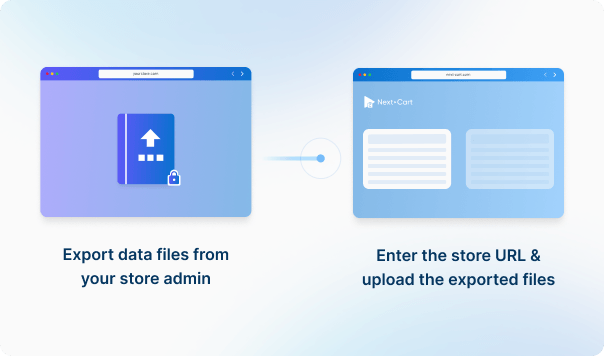




Nhập URL cửa hàng QuickBooks của bạn và tải lên các tệp dữ liệu cần thiết để thiết lập kết nối.
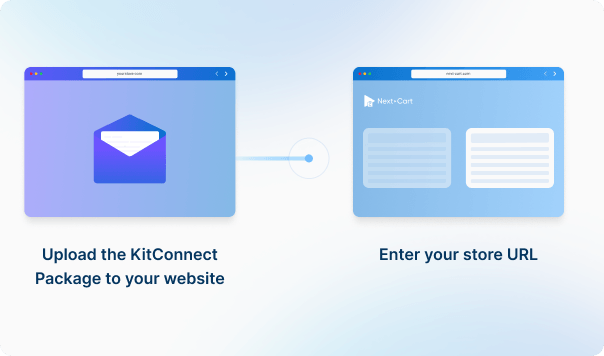
Cài đặt gói KitConnect lên website WooCommerce của bạn, sau đó nhập URL cửa hàng để thiết lập kết nối. Điều này cho phép hệ thống truy cập an toàn vào dữ liệu cửa hàng của bạn để thực hiện di chuyển dữ liệu.



 QuickBooksWooCommerce
 QuickBooksWooCommerce

Absolutely! Our migration tool supports transferring product links to WooCommerce, including:
These links will appear on your WooCommerce store, helping enhance customer recommendations.
If customer carts are stored in your source store's database or can be retrieved via the source cart's API, we can customize your migration tool to migrate them to WooCommerce.
After the migration is completed, your customers will see their carts after they log in to your new WooCommerce site. To view abandoned carts in the admin page, you need to install a WooCommerce Abandoned Cart plugin.
Wholesale pricing is not a native feature on WooCommerce. Therefore, you need to install a Wholesale plugin to enable this feature on your WooCommerce store first. Then, we will customize your migration tool to migrate products with wholesale prices to your WooCommerce store.
There are a few good WooCommerce Wholesale plugins you can consider:


Chuyển cửa hàng từ QuickBooks sang WooCommerce bằng quy trình an toàn, có hướng dẫn và phù hợp với doanh nghiệp của bạn.

































































































Bạn chưa rõ cửa hàng đang dùng nền tảng nào? Gửi địa chỉ website cửa hàng hoặc chia sẻ nhu cầu di chuyển dữ liệu với chúng tôi.
Chúng tôi sẽ giúp bạn xác định nền tảng và đề xuất giải pháp phù hợp, kể cả phát triển công cụ di chuyển riêng nếu cần.
Trao đổi với chuyên gia

Bạn chưa rõ cửa hàng đang dùng nền tảng nào? Gửi địa chỉ website cửa hàng hoặc chia sẻ nhu cầu di chuyển dữ liệu với chúng tôi.
Chúng tôi sẽ giúp bạn xác định nền tảng và đề xuất giải pháp phù hợp, kể cả phát triển công cụ di chuyển riêng nếu cần.
Trao đổi với chuyên gia