


Bắt đầu di chuyển từ Shopify sang Shopify ngay hôm nay!
Chuyển cửa hàng từ Shopify sang Shopify bằng quy trình an toàn, có hướng dẫn và phù hợp với doanh nghiệp của bạn.


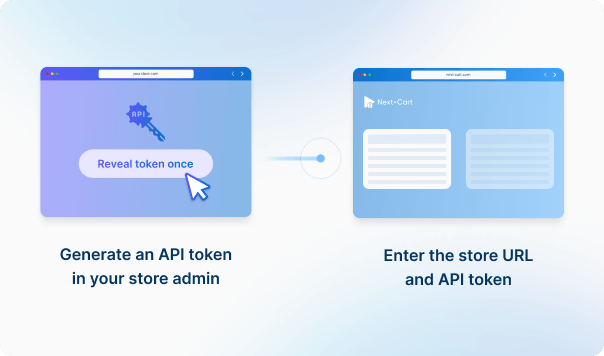
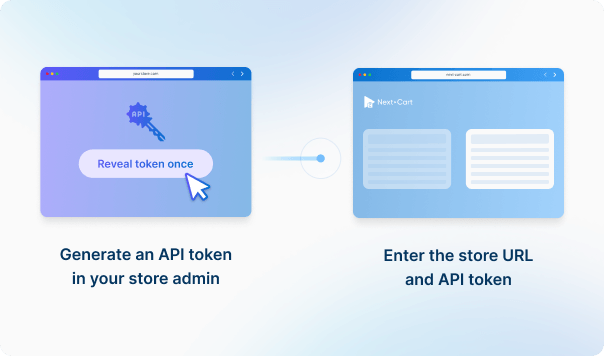




Tạo mã thông báo truy cập API trong trang quản trị Shopify của bạn, sau đó nhập URL cửa hàng và thông tin xác thực API để kết nối. Điều này cho phép truyền dữ liệu an toàn vào cửa hàng Shopify của bạn.
Tạo mã thông báo truy cập API trong trang quản trị Shopify của bạn, sau đó nhập URL cửa hàng và thông tin xác thực API để kết nối. Điều này cho phép truyền dữ liệu an toàn vào cửa hàng Shopify của bạn.




 ShopifyShopify
 ShopifyShopify

Trước Full Migration, hãy xác định các URL, CMS Pages, Blog Posts và landing page quan trọng nhất, sau đó thống nhất chúng sẽ đi đến đâu trên Shopify và cần redirect như thế nào. Nội dung được hỗ trợ có thể được di chuyển, nhưng navigation cũ phức tạp hoặc URL do extension tạo ra có thể cần lên kế hoạch thêm. Hãy kiểm tra các trang và redirect ưu tiên trong Demo Migration và kiểm tra lại trước khi go-live.
Các giá trị được hỗ trợ có thể được di chuyển hoặc ánh xạ lại nếu Shopify có vị trí phù hợp để nhận dữ liệu. Dữ liệu do app quản lý, custom fields không được hỗ trợ, mã định danh bên ngoài, logic loyalty/wholesale/subscription hoặc các hành vi đặc thù của cửa hàng nguồn có thể cần Custom Service xem xét. Việc di chuyển dữ liệu không tự động tạo lại app, hành vi của theme, luồng checkout hay integration bên ngoài trên Shopify.
Shopify sử dụng cấu trúc sản phẩm → option → variant khá rõ ràng. Nếu sản phẩm ở cửa hàng hiện tại có thể ánh xạ gọn vào cấu trúc này, Standard Service có thể đã đủ. Với custom options, bundle, cá nhân hóa, subscription hoặc logic mua hàng đặc thù, bạn có thể cần Add-ons, cấu hình/app phía Shopify hoặc Custom Service. Hãy dùng Demo Migration để kiểm tra một vài sản phẩm phức tạp nhất trước Full Migration.
Yes, our migration tool is specifically designed to handle the hierarchical structure of categories on Shopify, even though Shopify collections don’t natively support parent-child relationships.
When transferring data from Shopify, the tool automatically extracts the hierarchical category structure from the default "Main menu". This means that if you organize your categories using nested nodes within the Main menu, our tool will interpret those relationships and preserve the structure during migration.
*Note: If you use a different menu instead of the default "Main menu" or a third-party app to create a category hierarchy, we can customize the migration tool to transfer the hierarchy according to your requirements.
When migrating categories into Shopify, our tool automatically creates a new menu called "Migration Menu". This menu is used to store and display the hierarchical organization of your categories, ensuring that your storefront navigation remains intuitive and consistent.
*Note: Shopify's menu hierarchy supports a maximum depth of 3 levels. Categories beyond this depth will not be included in the "Migration Menu", but they will still be migrated and remain accessible in your Shopify store. After the migration is complete, you need to assign the "Migration Menu" to your current theme to display the hierarchical categories on your storefront.
Absolutely. Even though Gift Cards are not supported by the Shopify API by default and are not listed as a supported entity, we can customize your migration tool to import Gift Cards into your Shopify store.
Once imported, the Gift Cards will be associated with the respective customers and orders (if they were created by orders).
Our migration tool has been updated to support Shopify's new 2000 variants limit. This limit is at the shop level, hence, if you want to migrate a product with more than 100 variants (according to the old limit), please make sure your Shopify store has been upgraded to this new limit.
When a product is migrated, our tool automatically identifies and links it to related products that have also been migrated.
Additionally, we support migrating cross-sell and up-sell product relationships to ensure a seamless shopping experience.
Important: To accurately display related products on your storefront, please install the Shopify Search & Discovery app on your Shopify store before initiating the migration process.
Order notifications are disabled by the Shopify API by default, meaning no order confirmations will be sent to your customers during the migration.
If you're migrating data to Shopify:


Chuyển cửa hàng từ Shopify sang Shopify bằng quy trình an toàn, có hướng dẫn và phù hợp với doanh nghiệp của bạn.



































































































