However, this great strength is also one of the platform’s overlooked matters. As stores mature, many merchants unknowingly accumulate a type of debt - frontend performance debt. They may have begun with 5 selected apps and now run 20 or 30 different tools simultaneously on their stores. This leads to operational complexity, increased expenses, and slower page load times.
Research shows that even small increases in page load time can negatively affect conversion rates. In an era where Customer Experience (CX) directly influences purchasing decisions, every additional second added to loading time matters.
Think of your Shopify store as a travel truck. Every app installed is another piece of luggage loaded onto the vehicle. Gradually, extra weight accumulates, and eventually, the engine strains and the journey becomes less efficient. The same principle applies to Shopify stores that are overloaded with third-party applications.
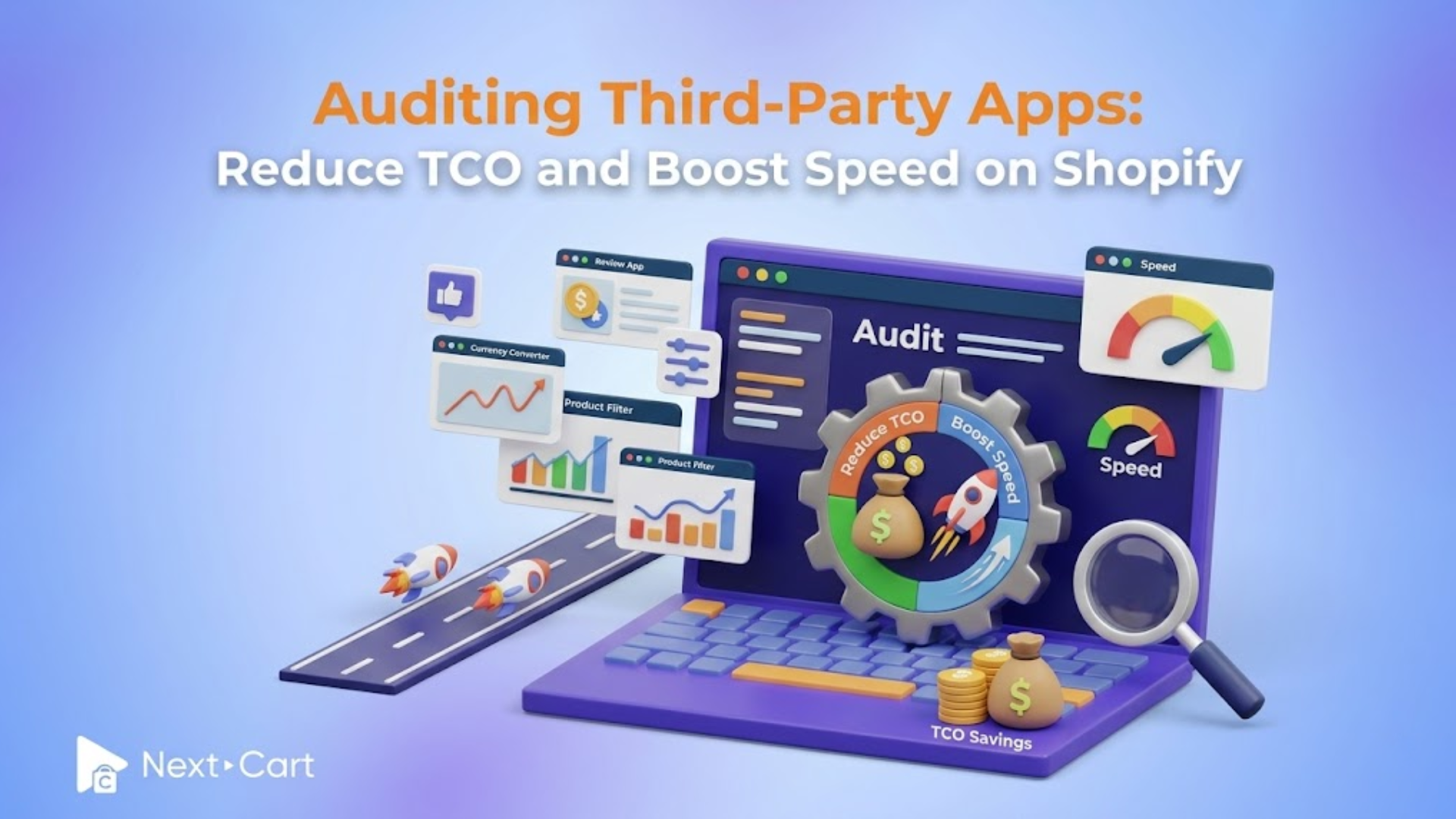
It is then vital to conduct regular app audits to regain control of store performance, reduce unnecessary expenses, optimize API (Application Programming Interface) usage, and lower their overall Total Cost of Ownership (TCO)
Calculating the true cost: App subscriptions vs. eCommerce TCO
Many Shopify merchants evaluate apps based solely on their monthly subscription fee. An app that costs $15 per month may seem insignificant. Another at $29 per month appears manageable, and a few more at $49 or $79 per month still seem reasonable on an individual basis.
However, Total Cost of Ownership (TCO) tells a much broader story.
TCO encompasses every expense associated with operating and maintaining an eCommerce store. Beyond subscription fees, it includes technical maintenance, troubleshooting, performance optimization, staff training, and the opportunity cost of lost revenue caused by inefficiencies.
Consider a store that uses 10 apps, with an average subscription cost of $30 per month, equalling $300 per month or $3,600 per year. For example, if that store generates $50,000 per month and experiences a modest decline in conversion due to performance degradation, the resulting lost sales can easily exceed the total cost of all app subscriptions combined.
There are also administrative costs to be considered. Teams must manage a much higher volume of work, including billing cycles, monitor updates, resolve compatibility issues, and maintain integrations across systems. When the technology stack expands, it increases operational complexity.
This is why successful Shopify brands often view app management through the lens of Total Cost of Ownership (TCO) rather than solely the monthly subscription fee.
In short, a lean, efficient technology stack often delivers greater profitability than an extensive collection of overlapping tools.
The technical culprit: App script injection and API mismatch
To understand why app overload affects a store's performance, let’s examine what happens behind the scenes.
When installed in a store, most Shopify apps inject JavaScript, CSS files, tracking pixels, and dynamic content into the store's theme. Every time a customer visits a page in the store, these resources are loaded, introducing additional browser processing requirements. The browser needs to download external files, execute JavaScript code, fetch resources from third-party servers, and establish network connections.
Moreover, some scripts are render-blocking, meaning the browser must wait for them to load before displaying content to the visitor. Individual scripts may appear lightweight, but multiple of them can add up to something substantial. This directly affects perceived speed and user satisfaction.
Even more, if installed apps rely on external API (Application Programming Interface) calls, the issue becomes more pronounced. An API acts as a bridge that allows different systems to communicate with each other. For example, a review app may request product ratings from its own servers, or a recommendation engine may query customer behavior data. One API call may take a few hundred milliseconds; when multiple apps simultaneously initiate requests to different servers, delays accumulate rapidly.
When the browser cannot fully render a page, customers experience delays that they perceive as sluggishness.
Another common technical culprit of a slow-loading page is API mismatch. Different apps attempt to access similar customer, product, or cart information independently, generating redundant requests and duplicate workload while consuming unnecessary bandwidth. As the number of integrations grows, this redundancy increases the risk of conflicts. However, debugging such interactions is time-consuming and expensive.
The ultimate Shopify app audit & clean-up guide
Shopify merchants can evaluate and optimize their app ecosystem with an app audit that identifies unnecessary apps while preserving essential business functionality.
Step 1: Inventory every installed app
You can begin by documenting all active applications. For each app, record the primary purpose, frequency of use, and its monthly cost. Some apps might be discovered that nobody actively uses anymore.
Ask several questions throughout this step, like: Does this app still solve a current business problem? Or has another app already replaced its functionality? Apps that fail these tests should be immediate candidates for removal.
Step 2: Identify redundant functionality
Redundancy is one of the most common sources of Shopify bloat, as multiple apps perform nearly identical tasks. For example, a store may simultaneously operate two popup applications, multiple analytics tools, or several review platforms.
Each application introduces additional scripts, API requests, and maintenance requirements. Therefore, by consolidating apps into a small number of strategic tools, merchants will reduce complexity and improve performance.
For an ultimate solution, prioritize eCommerce platforms that offer multiple capabilities within a single ecosystem.
Step 3: Analyze frontend performance impact
Next, evaluate how each app affects your site speed. There are available tools, such as browser developer tools, performance audits, and page speed testing platforms, that can help reveal which scripts consume the most resources. Then, you should pay close attention to large JavaScript files, render-blocking resources, excessive third-party requests, and slow API responses.
Also, be aware that not all apps are equal. Some contribute minimal overhead, while others can significantly increase load times. Understand their differences to optimize your final decision.
Step 4: Remove orphaned script tags
Many assume that uninstalling an app means there is no more of its code on their website. Unfortunately, that is not always the case. Some uninstalled applications leave behind orphaned script tags embedded within Liquid templates, theme files, or JSON configurations. These residual scripts continue generating requests, resulting in invisible performance degradation.
Therefore, after uninstalling an application, it is recommended to carefully inspect the theme files for any leftover script references, snippets, tracking pixels, or custom code fragments. Then, remove these remnants to completely optimize the improvement.
Step 5: Leverage native Shopify features
Shopify continuously develops its built-in functionality. Features that once required third-party apps may be available directly within the platform. Therefore, before installing a new tool, evaluate whether Shopify already provides a native alternative.
Native features integrate more efficiently with the platform, require fewer external API calls, and often deliver superior reliability. Moreover, fewer third-party apps mean reduced Total Cost of Ownership (TCO)
Step 6: Establish ongoing governance
Finally, an app audit should not be a one-time event. Instead, merchants should establish governance processes that evaluate new app requests before installation. Teams should take more consideration before deciding to add a tool, such as what problem does this app solve? Can an existing solution address the requirement? Or how will this affect Customer Experience (CX) and Total Cost of Ownership (TOC)?
Next-Cart’s strategic insight
Many merchants discover the complexity relating to app extent when they redesign their storefronts or migrate to a new environment. And these tangled dependencies are difficult to identify and manage.
This is where strategic eCommerce migration planning becomes an ultimate solution.
At Next-Cart, migration projects are great opportunities to streamline store architecture. During a platform migration, merchants can reassess which applications truly add value and which add operational weight.
Rather than transferring all technical clutter to a new storefront, businesses can start with a cleaner foundation by leaving behind unnecessary apps. This also contributes to more accurate migration of core data, including customer records, product catalogs, order histories, inventory data, and blog content. Merchants then can refresh their frontstore with optimized performance and scalability.
The result is not merely a successful migration. It is a reset that reduces frontend complexity, API conflicts, and monthly operating expenses, and ultimately improves Customer Experience (CX). Additionally, with a streamlined architecture, businesses can easily manage their future growth, and their teams spend less time troubleshooting integrations and more time focusing on customer engagement.
In conclusion
Shopify’s app ecosystem is one of the platform’s greatest strengths. Yet without careful oversight, merchants can quietly erode their store’s performance by adding unnecessary operational complexity and inflate Total Cost of Ownership.
While there is no need to eliminate all apps, it is recommended to adopt a disciplined approach to app management by regularly auditing installed applications, removing redundant tools, cleaning up orphaned scripts, optimizing API usage, and leveraging native Shopify capabilities. As a result, businesses can create a faster, more efficient storefront.
Just as reducing excess luggage allows a vehicle to travel farther and faster, removing unnecessary apps enables Shopify stores to operate more smoothly. This is a solid foundation for the store to convert more visitors and scale more sustainably. In today’s competitive eCommerce landscape, speed, simplicity, and efficiency are essential drivers of long-term growth.