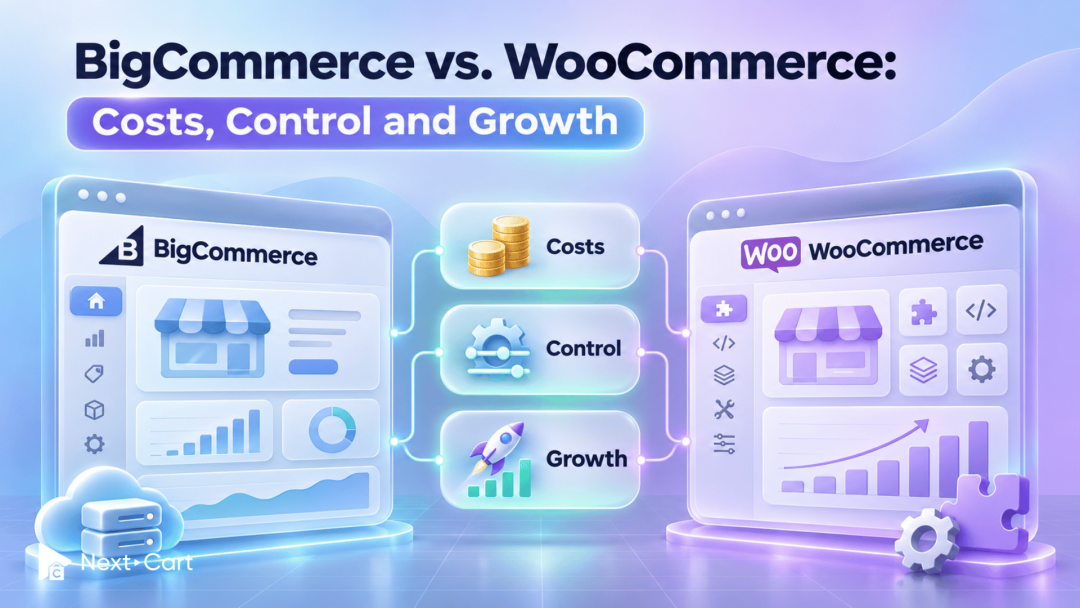
BigCommerce vs. WooCommerce: which fits your budget, gives you the control you need, and leaves your team with manageable maintenance? BigCommerce includes hosting in its subscription. WooCommerce runs on WordPress and gives you more choice over hosting, extensions, and code.
If you are opening your first store, the challenge is choosing a setup you can comfortably run. If you already sell online, you also need to protect the products, customer relationships, and daily processes your business depends on.
This guide compares the practical trade-offs, helps you build a realistic budget, and explains what to prepare if you decide to move to either platform.
BigCommerce vs. WooCommerce at a glance
The main difference between WooCommerce and BigCommerce is how your store is hosted and maintained. BigCommerce provides a hosted platform, while WooCommerce lets you choose your WordPress hosting and software stack. Both support customization; the practical difference is who manages the underlying setup and how you pay for it.


Here is how that difference translates into everyday decisions:
|
Decision |
BigCommerce |
WooCommerce |
|---|---|---|
|
Hosting |
Provided with the platform |
Choose a hosting provider |
|
Customization |
Themes, apps, APIs, and supported platform capabilities |
Themes, plugins, code, and hosting choices |
|
Cost structure |
Subscription plus applicable fees, apps, and project work |
Hosting, extensions, payments, and project work |
|
Maintenance |
Platform infrastructure handled by provider; store configuration remains your responsibility |
Arrange responsibility for hosting, WordPress, WooCommerce, and extensions |
|
Best starting question |
Does the platform support our essential workflows? |
Who will maintain the setup we need? |
Neither choice removes the need for planning. A small business with a reliable technical partner may use WooCommerce comfortably. A larger team may prefer BigCommerce because it wants fewer infrastructure responsibilities. Your resources matter as much as your store’s size.
The difference between WooCommerce and BigCommerce in daily operations
Imagine a two-person jacket store with one warehouse, 20 styles in five sizes, five category pages, and ten buying guides. That means 20 × 5 = 100 variants with individual stock keeping units (SKUs). At 1,000 orders and an $80 average order value, annual order value is $80,000.
We will compare both platforms using this illustrative store. New owners can treat these figures as a planning target; existing merchants can substitute their own. These are budgeting examples, not a real merchant case study.
Platform control: what you manage and what you maintain
The jacket store wants customers to choose a size, see accurate stock, and place an order that reaches its warehouse. Both platforms need to support that same journey.
With WooCommerce, the owner chooses hosting and can ask a developer to change the code or warehouse connection. That freedom helps if the warehouse has unusual requirements, but someone must maintain the changes.
With BigCommerce, hosting infrastructure is included. The owner still needs a compatible warehouse integration, and customization must fit supported platform capabilities and APIs. Ask the warehouse provider to demonstrate one order, one stock update, and one cancellation on each proposed setup before committing.
Pricing and total cost: what changes as your store grows?
A free platform and a subscription are different starting points, not complete budgets. Total cost of ownership (TCO) includes setup, software, payments, and the people maintaining your store.

This USD example assumes an established store stays on Growth for three full years, with $80,000 in annual order payments and unchanged costs. It is not a launch-year forecast. The $80 average includes any shipping and tax collected; refunds and other payment adjustments are excluded.
BigCommerce Growth costs $79/month when billed annually; WooCommerce core is free. These are published prices checked on 12 November 2026. Hosting, apps, and maintenance below are assumptions. Both setups are assumed to meet the same basic requirements.
|
Cost / period |
BigCommerce |
WooCommerce |
|---|---|---|
|
Platform / year |
$79 × 12 = $948 |
Core: $0 |
|
Hosting / year |
Included |
$50 × 12 = $600 |
|
Apps / extensions / year |
$50 × 12 = $600 |
$600 |
|
Maintenance / year |
1 hr × $50 × 12 = $600 |
2 hrs × $50 × 12 = $1,200 |
|
Payment processing / year |
$2,620 |
$2,620 |
|
Additional platform payment fee |
$0 |
$0 |
|
Year 1 subtotal |
$4,768 |
$5,020 |
|
Year 2 cumulative |
$9,536 |
$10,040 |
|
Year 3 cumulative |
$14,304 |
$15,060 |
Payment processing is modeled equally at 2.9% + $0.30 per order: ($80,000 × 2.9%) + (1,000 × $0.30) = $2,620/year. This is an assumption, not a quoted rate. All orders in this example are processed through an Embedded Payment Provider, so BigCommerce’s additional provider fee is $0.
The $756 three-year difference reflects our assumptions, not a universal winner. Budgeting one maintenance hour per month for WooCommerce instead of two saves $50 × 12 × 3 = $1,800. Its total then becomes $13,260, below BigCommerce’s $14,304. The better estimate depends on the support this particular store needs.
Growth changes the calculation. BigCommerce uses Inclusive GMV: gross order value after a 10% reduction for self-serve plans. If the example’s $80,000 is the qualifying gross order value, Inclusive GMV is $72,000. Growth upgrades above $100,000 over the trailing 12 months; Scale starts at $299/month billed annually ($3,588/year), before applicable fees. Use the dashboard’s GMV and actual upgrade date. WooCommerce has no core revenue-based tier, but hosting and support costs can rise.
These are recurring-cost subtotals. Add setup, domain, theme purchases, migration, custom development, and taxes separately for full TCO. Prices are held constant for illustration, not guaranteed for three years. Review the official BigCommerce pricing and WooCommerce pricing before budgeting.
Ease of use: launching a store versus running it
For the owner, “easy to use” means updating the 100 size-specific SKUs without losing track of stock. In BigCommerce, try the product and inventory workflow plus the warehouse connector. In WooCommerce, try the same work with the chosen theme, extensions, and hosting setup. Have both staff members update a size, change a price, and process a partial refund.
Suppose disconnected systems require three minutes of manual re-entry per order: 1,000 × 3 ÷ 60 = 50 hours a year. At an assumed $20/hour, that is $1,000 of staff time on either platform. This separate workload illustration is not included in the cost table. Measure a trial workflow before assuming either setup eliminates it.
Features and extensions: support the way your business sells
The jacket store needs size-level stock, a seasonal discount, and order updates sent to its warehouse. On BigCommerce, check what the selected plan includes and what the connector costs. On WooCommerce, check which requirements the core platform covers and which extensions must work together.
The table reserves $600/year for apps or extensions on either setup: a planning allowance of $50/month, not a priced software bundle. Get quotes for the same requirements before comparing totals; a cheaper subscription is little help if it omits stock synchronization.
If the store later sells wholesale jackets, add customer-specific pricing and payment terms to the requirements. BigCommerce’s B2B Edition requires a custom quote; WooCommerce may need additional extensions or development. Neither is covered by this basic retail budget.
Checkout and payments: test the purchase your customers make
A customer buys a jacket on their phone and chooses standard or express delivery. For either platform, test the checkout with the actual payment provider, shipping rules, and discount configuration.
Using two device types, two payment methods, and two delivery options gives 2 × 2 × 2 = 8 basic checkout combinations per platform. Add failed payments, unavailable sizes, and refunds separately. This is a starting test plan, not a complete quality audit.
On BigCommerce, confirm whether the chosen provider is Embedded or Open, because additional platform fees can differ. On WooCommerce, confirm gateway compatibility and the processor’s charges. The table assumes the same processing rate for both: an $80 total payment costs ($80 × 2.9%) + $0.30 = $2.62, or $2,620 across 1,000 orders. Actual rates depend on the provider, country, and payment method.
Security and maintenance: clarify who handles each task
With two staff accounts and a warehouse connection, our store needs clear access permissions and someone responsible when an order stops syncing.
BigCommerce manages platform infrastructure; the store still owns its access settings, app configuration, and integration checks. With WooCommerce, agree who handles hosting, WordPress, WooCommerce, and extension updates, backups, and recovery. A managed host may cover some tasks, so check the contract before budgeting them again.
Our table allows 12 maintenance hours a year for BigCommerce and 24 for WooCommerce at $50/hour: $600 versus $1,200. These are sample budgets, not measured platform averages or guaranteed support coverage. Ask what each quote includes and what emergency work would cost.
SEO and content: protect what already brings customers
Our jacket store has 20 product pages, five category pages, and ten buying guides: 35 priority URLs to review if it moves. The sizing guide may bring in shoppers before they know which jacket to buy.
WooCommerce keeps commerce within WordPress, which can suit a team already publishing those guides there. For BigCommerce, test how the same guides, category content, and internal links will be managed in the proposed setup.
On either platform, map changed URLs to relevant destinations and verify redirects, titles, and links. Allowing an illustrative five minutes per URL gives 35 × 5 = 175 minutes for a first manual review, excluding fixes and deeper SEO checks. Audit other indexed URLs too. New stores can use the same page list to plan content before launch; neither platform guarantees rankings.
Performance, scalability, and AI readiness: check the foundations
Suppose the jacket store grows to 2,000 orders at the same $80 average: annual order value becomes $160,000. That doubles order volume, but traffic peaks and integration demands will determine the technical workload.
For BigCommerce, check the applicable GMV calculation and plan threshold as well as warehouse sync and storefront performance. For WooCommerce, ask whether hosting and extensions can handle the higher load; free core software does not mean capacity upgrades are free.
Test both setups with the same 100 variants and a realistic promotion-day workload. WooCommerce’s High-Performance Order Storage (HPOS) uses dedicated order tables and is enabled by default for new installations from version 8.2. Older stores should check compatibility and complete the documented data synchronization before switching. BigCommerce also needs checks on theme code, apps, and connected systems.
For AI-assisted discovery, start with consistent sizes, materials, prices, and stock across those 100 variants. On either platform, verify the proposed AI integration’s availability and scope. Better product data is useful immediately, even before adding an AI tool.
BigCommerce and WooCommerce pros and cons in practice
The main advantages become clearer when you consider the work each platform requires:

For our jacket store, WooCommerce is appealing if WordPress guides and a specialized warehouse connection justify maintaining a tailored setup. BigCommerce is appealing if a supported connector meets the same needs and the two-person team wants less infrastructure work. The assumed $252 annual gap cannot establish which platform offers better value; actual maintenance and integration quotes could reverse it.
Use your requirements to weigh these trade-offs. Counting features gives you a longer list; testing important tasks gives you a better decision.
Which platform is the better fit for your business?
Choose WooCommerce when control and WordPress workflows matter
WooCommerce is worth exploring when content and commerce need to work closely together, you have specific customization requirements, or you want greater choice over hosting and extensions. Identify a person or partner who can maintain that setup.
If you are starting out, keep the first version focused. You do not need to implement every future idea before learning what customers buy.
Choose BigCommerce when a hosted commerce model fits your team
BigCommerce is worth exploring when reducing infrastructure responsibilities is a priority and its plans, integrations, and customization options meet your needs. Confirm the cost at your expected sales volume, not only at launch.
For an existing store, test the workflows you cannot afford to lose. For a new business, check that the team can manage products, orders, and promotions without unnecessary outside help.
Keep your current platform when the problem can be fixed
If you already sell online, identify what is causing the frustration. A weak hosting plan, unreliable integration, or poorly configured checkout may be repairable without moving the whole store.
Before committing, answer three questions: What must improve? How will we verify the improvement? What will the change cost, including rebuilding and training?
If you are opening a new store, use those same questions to evaluate a trial setup. You can launch directly on your chosen platform without adding a migration project.
Move to your chosen platform with Next-Cart
Once you have chosen a platform, an existing store needs a plan for bringing its data across. Your current platform could be Shopify, Magento, PrestaShop, or another supported system. The starting point is the source-to-target migration path and your store’s requirements.
Planning your move to WooCommerce
Prepare the hosting, WordPress installation, and WooCommerce environment, then identify the products, customers, orders, and content you need to transfer. Note any information stored by third-party applications.

Explore Next-Cart’s WooCommerce migration options to check the available path from your current platform. Agree on the data scope and mapping, then review a demo before scheduling the full transfer.
For the jacket store, review size variants, images, stock values, and the product information shown in historical orders. Checking recognizable examples makes problems easier to spot than comparing record counts alone.
Planning your move to BigCommerce
Prepare the BigCommerce store, select a suitable plan, and confirm the apps or integrations needed for essential workflows. Then review Next-Cart’s BigCommerce migration options for your source platform.

Check how your catalog, customer information, order history, and content will fit the target structure. Custom fields or application-specific data may require a separate assessment.
Moving data does not automatically recreate your theme, application logic, or integrations.
Choose the migration support your project needs
-
Standard Migration: run the migration yourself, with documentation and technical support available.
-
Managed Migration: have Next-Cart’s technicians handle migration work within the agreed scope while you provide access and review results.
-
Custom Migration: address data structures, mapping, or transformation requirements that need tailored work.
Whichever approach you choose, define what a successful demo should show. After the full transfer, review the results and coordinate any necessary data updates before launch. Timing and supported data depend on the platforms, store setup, and project scope.
Explore migration options for your chosen platform, then confirm what your store needs before planning the full move.
Final verdict: which platform fits your store?
Choose BigCommerce if its supported workflows fit your business and you want hosting infrastructure handled for you. Choose WooCommerce if WordPress, flexible hosting, or custom workflows matter more and you have reliable technical support. Compare the full operating budget before deciding.
Having a second thought? Check out these five questions:

Start with the purchases and tasks that matter most. If you are launching, test a focused setup. If you are moving, verify that the new platform solves a clear problem and plan how your existing data and workflows will carry over. That gives you a useful basis for choosing, and a clearer next step.