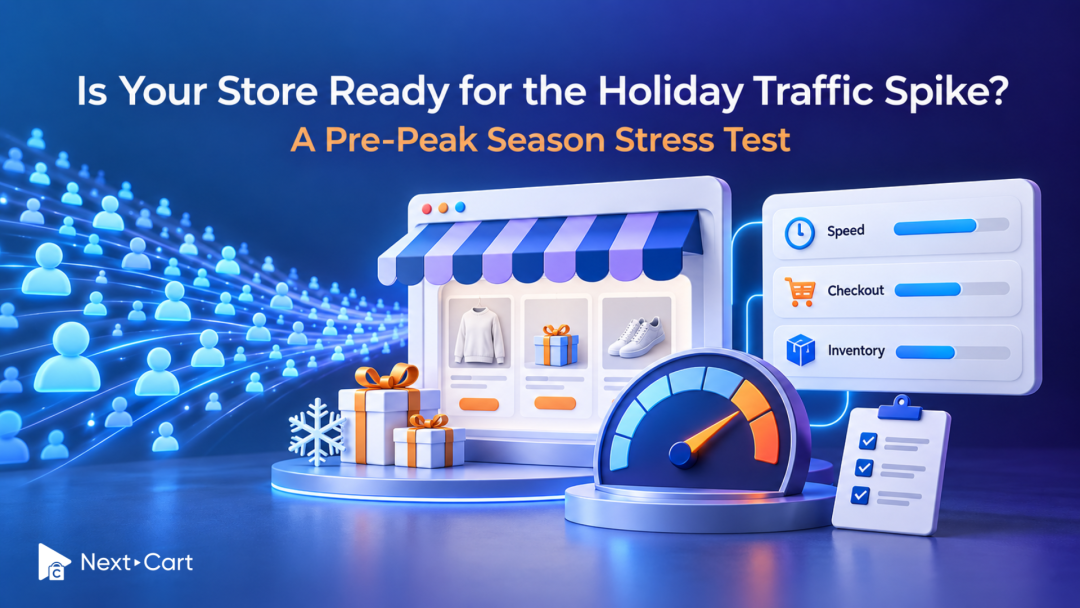
Your store is ready for holiday traffic when customers can complete purchases at the demand you expect, orders reach the systems that fulfill them, and your team can recover if something fails. A fast homepage is useful evidence, but it cannot answer all three questions. Before your first major campaign, test the buying journey, the services behind it, and the people responsible for keeping it running.
That is a more practical starting point than asking whether your platform is “scalable.” You may already have enough capacity and need a few targeted fixes. Or your checkout may depend on a fragile integration that becomes unreliable during a promotion. Finding the difference now helps you protect both seasonal revenue and your team’s time.
Start with the busiest shopping moment you expect
Holiday demand rarely arrives evenly. An email campaign, limited release, or influencer mention can concentrate shoppers on a small set of products. The workload changes again when those shoppers apply the same discount, request shipping rates, and submit orders together.
Look at last season’s busiest short intervals, recent campaign results, and your current marketing plan. Estimate concurrent shoppers and checkout attempts as well as total visits. Daily traffic alone can hide a short burst that puts your store under pressure.
For example, imagine a promotion that sends shoppers to one product with several variants and limited stock. The useful test follows that journey through variant selection, discount application, payment, and inventory updates. Sending the same number of requests to the homepage would test something quite different.
Agree on an expected-demand scenario and a higher-demand scenario with your technical team. Record assumptions about browsing, search, logged-in customers, cart activity, and orders. These are planning scenarios, not forecasts or promises of capacity.
Define success before testing: set acceptable response times, error levels, order-processing delays, and recovery expectations for your business. An average page-load time cannot substitute for a working checkout or accurate stock.
Check capacity where customers actually create work
A performance check measures how quickly a journey responds. A load test examines behavior under a defined volume of activity. A stress test pushes beyond expected demand to discover limits and recovery behavior. You do not need to push a live store to failure to make a useful readiness decision.
Coordinate tests with your host, platform, developer, and relevant service providers. Use an approved environment and agreed traffic limits, with clear stop conditions. A staging store can reveal functional problems, but results from different infrastructure cannot establish your live store’s capacity.
For stores where you manage hosting
Ask your host to review the resources used during realistic browsing and checkout activity. CPU and memory matter, but so do database response times, connection limits, application workers, and background jobs waiting to run.
Watch for the point where increasing demand produces longer queues or rising errors. Simply upgrading a server may provide breathing room, but it will not necessarily resolve an inefficient query or a slow external service. WooCommerce’s scaling guidance treats hosting, site configuration, and performance testing as parts of the same assessment.
For hosted platforms
Your provider manages the underlying infrastructure, while you still influence themes, apps, scripts, and integrations. Review the campaign with the provider when appropriate and confirm how testing is permitted. Avoid assuming that managed hosting proves every part of your store is ready.
A hosted storefront can respond normally while an inventory connector falls behind. Likewise, a self-hosted store may have sufficient capacity once a specific bottleneck is corrected. Diagnose the workload before deciding that the entire platform needs to change.
Review database bloat without putting useful data at risk
Years of trading leave more than products and orders behind. Depending on the system, logs, expired sessions, temporary records, old plugin data, and scheduled tasks can accumulate. The important question is whether that data is affecting the queries and jobs your store needs to complete.
A large database is not automatically a slow database. Investigate slow queries, table growth, and job backlogs before treating deletion as the solution. Keep order history and customer information governed by their business and retention requirements.
- Identify which tables or data groups are growing and which active features use them.
- Use supported cleanup tools and have a developer review uncertain dependencies.
- Back up first, test the proposed cleanup, and compare performance afterward.
For WooCommerce stores, our article on cleaning your database for faster checkout provides a useful starting point. Schedule any substantial database work with enough time to validate the result. A broad cleanup immediately before a campaign can introduce problems that are harder to diagnose under pressure.
Test checkout as a complete transaction
Checkout readiness means a shopper can purchase successfully and the business receives a usable order. A payment screen loading quickly is only one part of that outcome.
Choose a small set of journeys based on how your customers buy:
- A guest purchase on a mobile device, using a promoted product and discount.
- A returning customer signing in, selecting a saved address, and placing an order.
- A purchase requiring shipping-rate calculation, tax calculation, or another external service.
- A low-stock variant purchase, with the resulting inventory change checked.
- A declined or interrupted payment, followed by a retry.
Use approved payment test modes and prevent test activity from triggering real fulfillment or customer messages. Some real-world behavior may need a separately approved, controlled production check; a successful sandbox test does not prove that every live dependency will behave identically.
Inspect the result at both ends. Does the customer receive the expected confirmation? Are the amount, tax, discount, shipping charge, and order status correct? Can operations find the order, and does the fulfillment system receive it?
Pay particular attention to retries. A shopper refreshing a slow confirmation page should not leave your team guessing whether there is one order, two orders, or an authorized payment without a usable order record. Agree how these situations will be detected and reconciled.
Find the integrations that can fall behind
An order may trigger inventory updates, warehouse messages, CRM changes, loyalty calculations, and customer emails. Holiday volume multiplies that activity. Your storefront can remain available while work accumulates elsewhere.
List the systems involved in receiving and processing an order. For each one, identify its owner, expected processing delay, failure alert, and recovery method. Then ask which dependencies block checkout and which can safely complete afterward.
Check queue length, age of the oldest waiting job, failed requests, and retry behavior. A queue that keeps growing after the traffic burst has ended deserves attention even if customers have not reported a problem yet.
API allowances also differ between services and interfaces. Shopify documents limits by API, so an integration’s capacity should be assessed against the API it actually uses. Ask the developer how throttled requests are retried and how duplicate processing is prevented. A provider’s overall scale is not a substitute for these checks.
Before removing an app to simplify the store, map what depends on it. A field, discount rule, or fulfillment process may rely on the app even when its storefront widget looks optional. Our guide to auditing third-party Shopify apps explains how to approach that review.
Make monitoring useful to the people on duty
An uptime monitor tells you whether a page responds. Your seasonal monitoring also needs to show whether customers can transact and whether orders continue moving through the business.
Select a short set of signals that someone can act on:
- Checkout errors and failed payment requests, separated from ordinary customer declines where possible.
- Response times for key journeys, including slower requests rather than averages alone.
- Order creation and processing delays, integration failures, and growing backlogs.
- Infrastructure capacity or platform alerts relevant to your setup.
Assign an owner and an escalation route to each critical signal. Decide who can contact the host, disable a problematic optional feature, pause a campaign, or approve a rollback. Put those instructions somewhere the team can access during an incident.
Treat conversion changes as a prompt to investigate, not proof of a technical failure. Traffic quality, stock availability, and promotion terms can affect conversion too. Compare business signals with technical evidence before making changes.
Prove that your recovery plan can protect recent orders
A backup notification confirms that a process ran. A recovery exercise shows whether the business can use its output. Test a restore in an isolated environment and check that the relevant database, files, configuration, and extension data are included.
Agree how much recent data the business could tolerate losing and how long a recovery could take. These decisions should shape backup frequency, retention, and the person responsible for restoring service.
Also distinguish rolling back a software change from restoring an older database. On an active store, an older database may omit orders placed after the backup. Your recovery plan needs a way to identify and reconcile those transactions, including payments and fulfillment actions already recorded elsewhere.
Hosted platforms have different backup and recovery arrangements. Confirm what your provider and any backup app can restore, what remains outside that coverage, and who can initiate recovery. Do not assume that an export recreates the entire store.
A useful rehearsal answers four questions: What failed? Who acts? What can be restored? How will orders received during the incident be reconciled?
Turn your findings into a decision
Do not average critical failures into an overall “ready” score. A broken payment flow or an untested recovery process deserves its own decision, even if the rest of the store performs well.
Use the evidence to choose the next action:
|
Decision |
What the evidence shows |
Practical next step |
|---|---|---|
|
Optimize now |
Core purchasing and recovery checks pass; bottlenecks are isolated. |
Make targeted improvements, then repeat the affected tests before the campaign. |
|
Stabilize first |
Checkout, order processing, or recovery has unresolved critical failures. |
Fix and retest critical paths; defer nonessential changes and adjust campaign exposure if needed. |
|
Plan migration after peak season |
Recurring platform or integration constraints exceed reasonable fixes, and a safe move cannot be validated before peak. |
Protect current operations, document target requirements, and schedule a tested migration after the trading window. |
Choose the response that fits the evidence and the time available before your campaign.
These actions can overlap. You may stabilize the current store now while preparing a migration for later. What matters is separating immediate operating needs from the longer-term platform decision.
The risk of waiting is that small workarounds become emergency changes when staff and systems are busiest. The risk of rushing a migration is replacing familiar problems with an insufficiently tested environment. Neither deadline pressure nor one slow test should make the decision for you.
If a move is already planned, use our guide to preparing your store for migration before peak season to review scope, validation, and launch timing. If platform limitations keep recurring, review the supported data for your proposed migration path and document the capabilities your next store must provide.
For example, a business considering WooCommerce to Shopify should validate its checkout, app, and integration requirements alongside the data transfer. A new platform still needs to prove the workflows the business depends on.
Make the next campaign a controlled step forward
Before signing off, bring the store owner, marketing lead, and technical team together. Confirm which scenarios passed, which issues remain, who owns them, and what would trigger a pause. Keep changes focused and leave enough time to retest affected journeys.
A useful stress test ends with evidence and decisions your team can use. You understand what the store can handle, where it needs attention, and how the business will respond when conditions change.
If the findings point toward a future move, compare Next-Cart’s migration services to plan the right level of support. Bring your data scope and operational requirements to that discussion so the migration can be designed around how your store works. Explore more eCommerce Insights for the business decisions that come before replatforming.