Neto was acquired by Maropost and rebranded as Maropost. The Neto API key allows third party services to interact with the Neto eCommerce data.
Please follow the steps below to get your Neto API key:
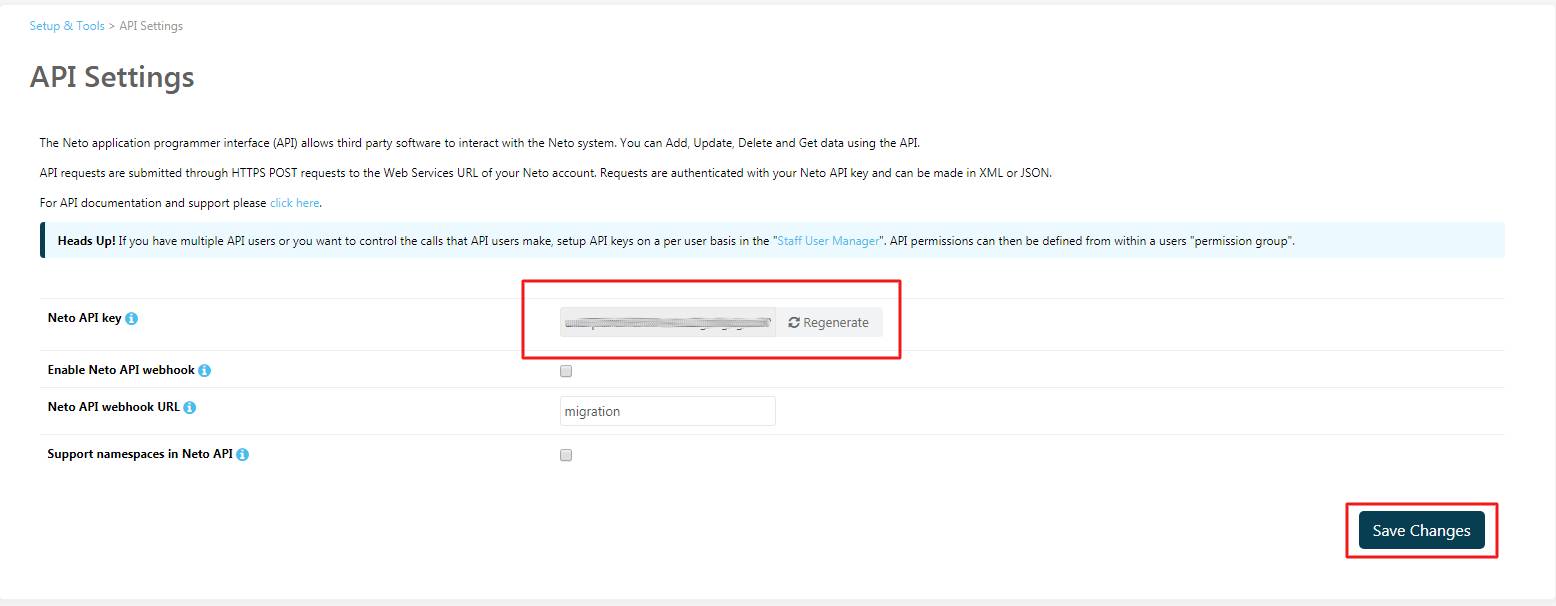
- Go to your Neto Control Panel > Settings & Tools > All Settings & Tools.
- In the Developer Tools section, select API Settings.
- Regenerate and click Save Changes.
- After that, you can use the Neto/Maropost API key to perform the migration.