Next-Cart

Vend to Cafe24 Migration

Migrate products and other supported store data from Vend to Cafe24 securely and accurately while preserving data relationships throughout the transfer.
VendVend to Cafe24 MigrationCafe24
Start Free Demo
No downtime, <br />No coding required
No downtime,
No coding required
Keep your store active during migration. No technical skills needed.
Free Demo Available
Free Demo Available
Preview a sample of your WooCommerce data on Shopify before running the Full Migration.
1-year License with <br />Recent Data Migration
1-year License with
Recent Data Migration
Keep your migration project available for 12 months and sync new or changed data with Recent Data Migration when needed.
24/7 <br />Technician Support
24/7
Technician Support
Get expert help with connections, configuration, migration issues, and validation whenever you need it.

Step-by-Step Guide to Vend to Cafe24 Migration

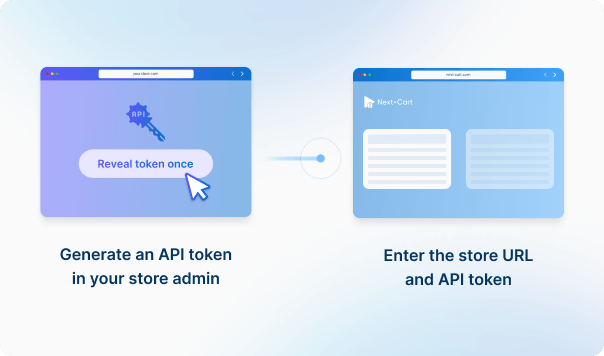
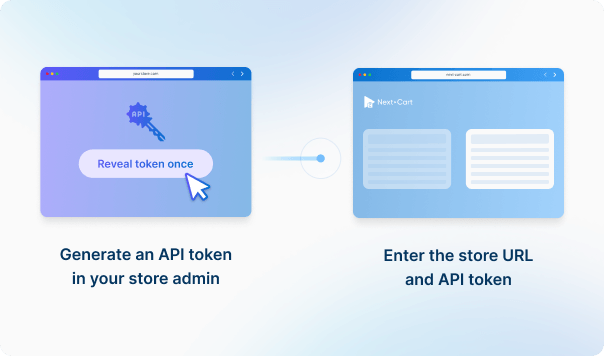
Connect your Vend store
1
Connect your Vend store
Enter your Vend source store URL and API credentials to establish the connection. 
Step-by-Step Migration Guide
icon

Data You Can Migrate

Products
Product Categories
All relationships (categories, variants, images, etc.) preserved

Customize your setup with additional options Customize your setup with

Recent Data Migration
Clear Target Store Data
Strip HTML Tags from Category and Product Names
Transfer Embedded Images to Target Store
Compatibility Overview
VendVend
Cafe24Cafe24
Main Editionstooltip
Vend - Lightspeed Retail (X-Series)
Cafe24 PRO, Cafe24 PRO Global
Version Rangetooltip
-
Cafe24 Online Store
Product Types: Simple Product, Variable Product, Virtual Product
Product Information: Name, SKU, Brand
Product Pricing : Regular Price, Sale Price
Product Variants : Variant Attributes, Price, Weight, Dimensions, Stock Quantity
Product Images: Main image, Gallery Images, Images in Description
Product Inventory : Manage Inventory, Stock Status
External Links / Relationships : Categories
Product Attributes & Custom Fields : Values, Attribute Types
Product SEO / Structured Data: Meta Title, Meta Description, URL Path
Category Information: Name, Description
Category Structure / Hierarchy: Parent Category, Subcategories, Sort Order
VendVend
Cafe24Cafe24
Product Typestooltip
Simple Product
Simple Product
Item
Variable Producttooltip
Variable Product
Product Variants
Virtual Product
Virtual Product
Digital Product
Name
Name
Name
SKU
SKU
SKU
Brand
Brand
Brand
Regular Price
Regular Price
Price
Sale Price
Sale Price
Sale Price
Variant Attributes
Variant Attributes
Option
Price
Price
Price
Weight
Weight
Weight
Dimensions
Dimensions
Length / Width / Height
Stock Quantity
Stock Quantity
Stock
Main image
Main image
Main image
Gallery Images
Gallery Images
Additional Images
Images in Description
Description
Manage Inventory
Manage Inventory
Track Stock
Stock Status
Stock Status
Stock
Categories
Categories
Categories
Values
Values
Values
Attribute Types
Attribute Types
Input Type
Meta Title
Meta Title
Meta Title
Meta Description
Meta Description
Meta Description
URL Path
URL Path
SEO URL
Category Information
Name
Name
Name
Description
Description
Description
Parent Category
Parent Category
Parent Category
Subcategories
Subcategories
Subcategories
Sort Order
Sort Order
Sort Order

Estimate your Migration Cost

A clear, step-by-step workflow where our technicians handle everything.

You only review the final result—we take care of the rest.
1. Service
Cafe24 requires the Custom service.
2. Data Volume
Source Platform
Vend
Target Platform
Cafe24
Products
Customers
Orders
Blog posts
Custom jobs
+$100
ESTIMATED TOTAL ESTIMATED BASE PRICE
$0
Pricing includes AWS architectural fees.
Standard Migration Source → Target
Migration Path
Source Platform ...
Target Platform ...
Data Volume
Total Data Records 0
Entity Points 0
Plan -
Service Standard Migration
0 0
icon
icon

Start your Vend to Cafe24 Migration today!

Move your store from Vend to Cafe24 with a secure, guided migration tailored to your business.

Banner