To migrate data from your Clover store, we will need your Merchant ID and an API token. Here is how to get them:
- Login to your Clover dashboard.
- From the left menu, click Account & Setup.
- In the About Your Business section, click Merchants.
- In the User Settings page, you will find the Merchant ID below the merchant name in the Merchant column. Copy it to your migration tool.
![Clover Merchant ID]() Clover Merchant ID
Clover Merchant ID
- Go back to the Account & Setup page.
- In the Business Operations section, click API Tokens.
- In the API Tokens page, click Create new token. It will display a pop-up for creating a new token. Please enter a token name and select all Read permissions.
![Clover Create API]() Clover Create API
Clover Create API
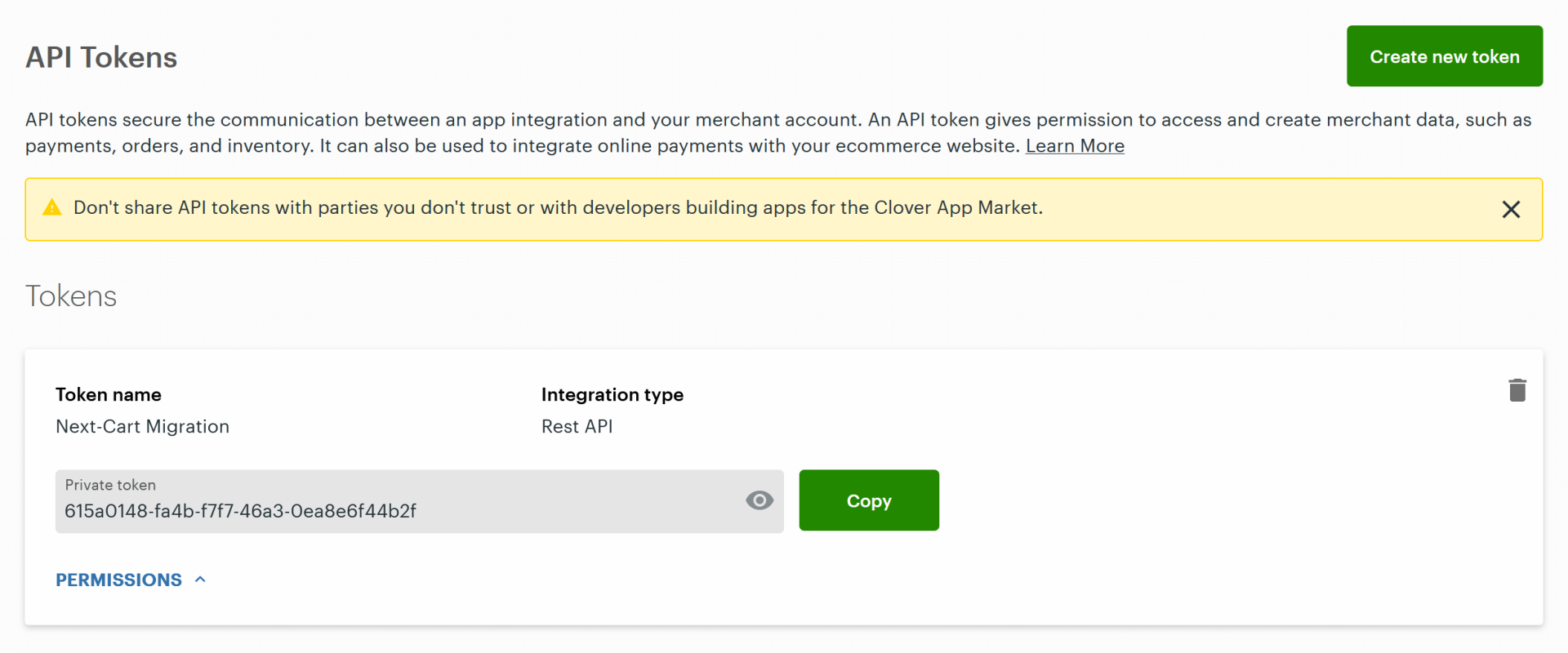
- Click Create Token. The new token will be displayed in the Tokens section. Copy the Private token to your migration tool.
![Clover API Token]() Clover API Token
Clover API Token
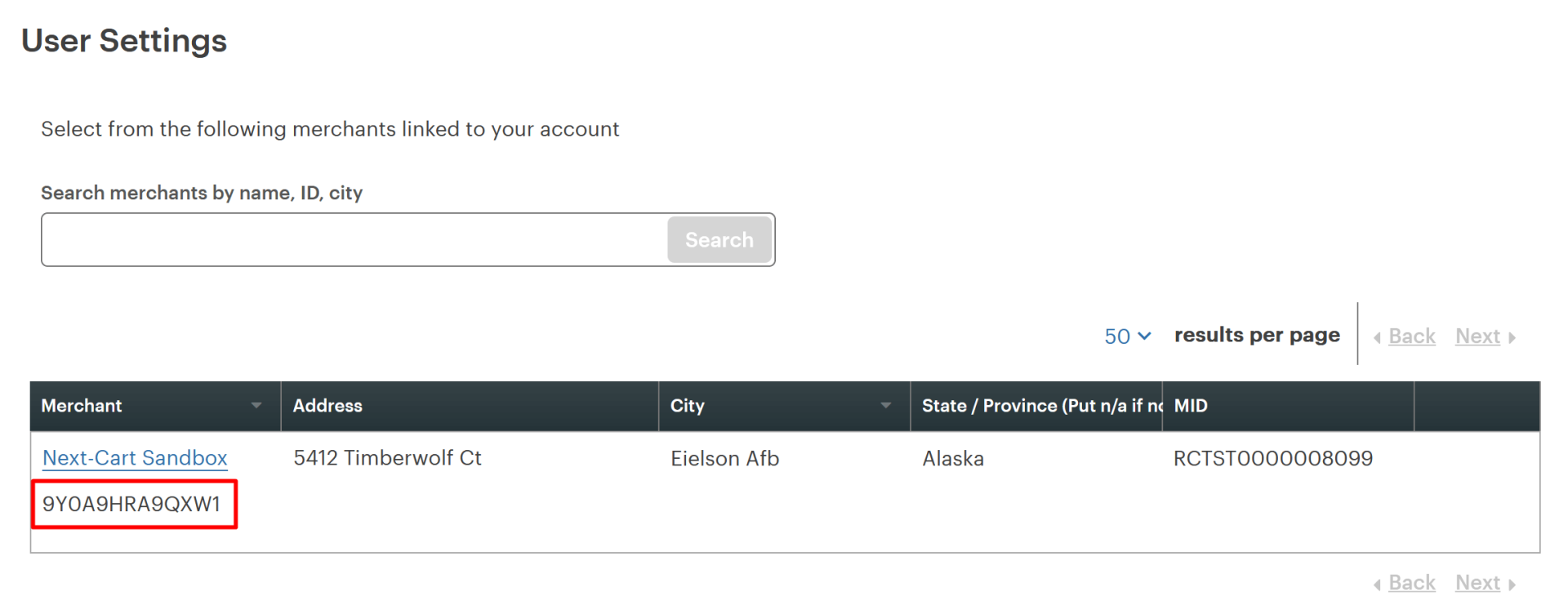 Clover Merchant ID
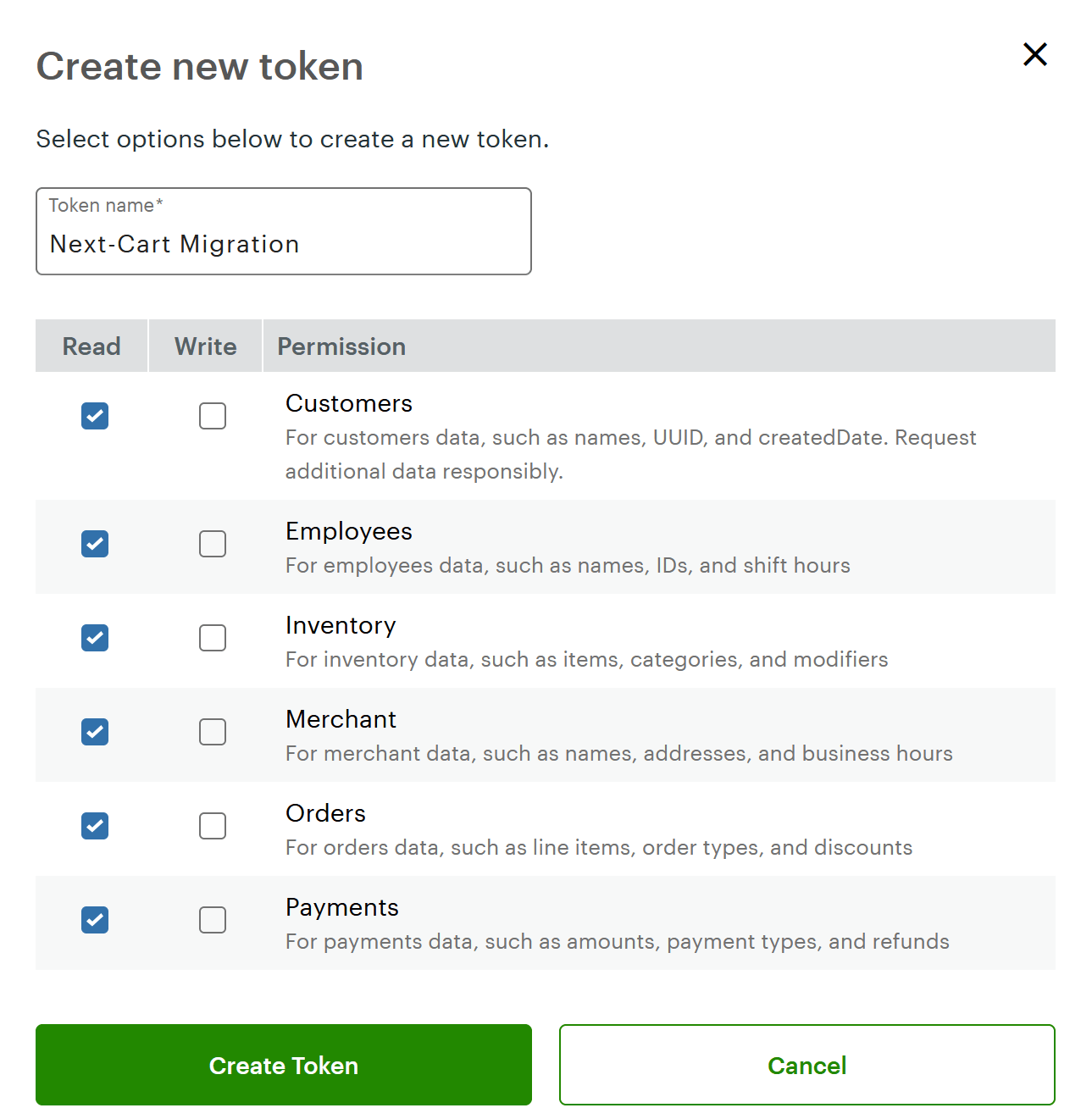 Clover Create API
 Clover API Token
That's it.