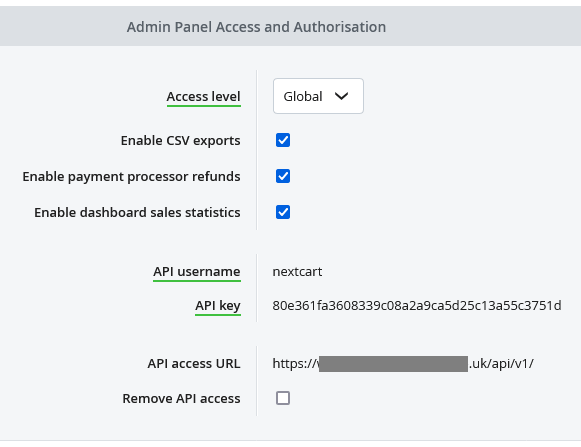
You could get the API credentials for your admin user via your Bluepark admin panel. Please follow the steps below:
- Log in to your Bluepark admin.
- From the left menu, select Users, then Admin Manager.
- Click on your admin user to enter the details page.
- Scroll down to the Properties tab and locate Admin Panel Access and Authorisation block.
- Enable API access if it's not enabled. The API username and API key will be shown.
![Bluepark API]() Bluepark API
Bluepark API
 Bluepark API
*Note: you can use "API access URL" as "Store URL" in the migration tool.