CommerceHQ allows you to create a private app, which has access to specific parts of your store. As soon as you create private app you will get "api key" and "api password". Here is the step-by-step guide:
Generating Private API Credentials
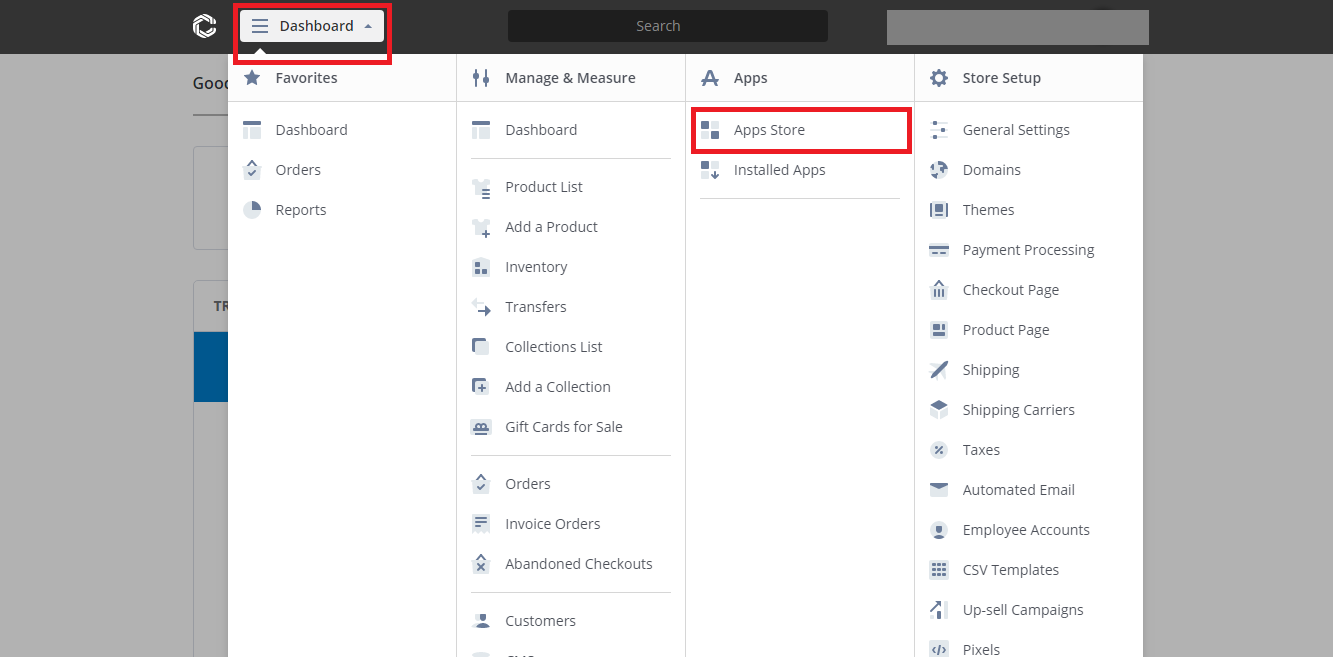 CommerceHQ Admin Panel
- Login to your CommerceHQ admin panel.
- Click on Dashboard, then click on Apps Store.
- Click Add a Private App button.
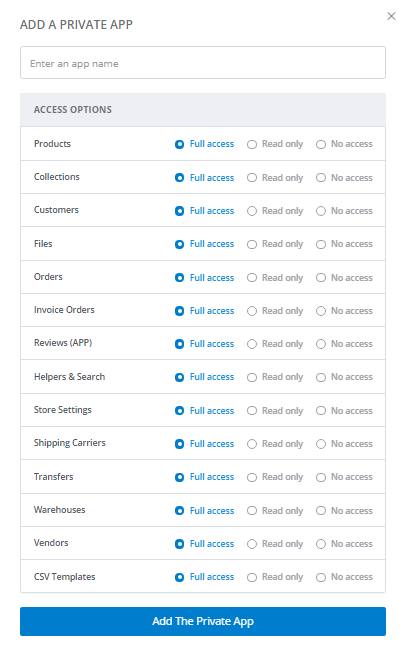
- At Add a Private App, enter Private app name.
- At Access options, specify the API resources and permissions to which your app/migration requires access.
![]() CommerceHQ API
CommerceHQ API
- Click on Add The Private App button. The app will be added to Installed Apps list.
- In the Installed Apps list, find the app you have just created, click Settings button. A popup will show with the API Key and API Password.
 CommerceHQ API