To migrate data from Helcim, you will need your Account ID and an API Token. To get this information, you can follow the steps below.
- Log in to your Helcim admin.
- From the left menu, click All Tools, then click Settings.
- In the Settings page, click My Account. It will display your Merchant Information with your Account ID.
![Helcim - Merchant Information]() Helcim - Merchant Information
Helcim - Merchant Information
- From the left menu, click All Tools, then click Integrations.
- Select the tab API Access Configurations, then click Legacy API Access.
![Helcim Legacy API]() Helcim Legacy API
Helcim Legacy API
- Click New API Access.
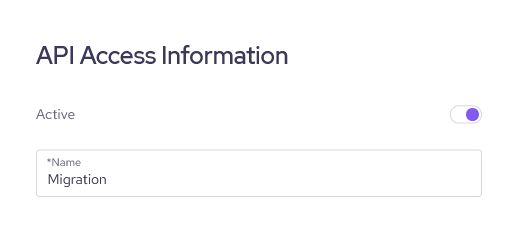
- In the API Access Information section, enable the Active option and fill in a name (for example: Migration).
![Helcim Legacy API - API Access Information]() Helcim Legacy API - API Access Information
Helcim Legacy API - API Access Information
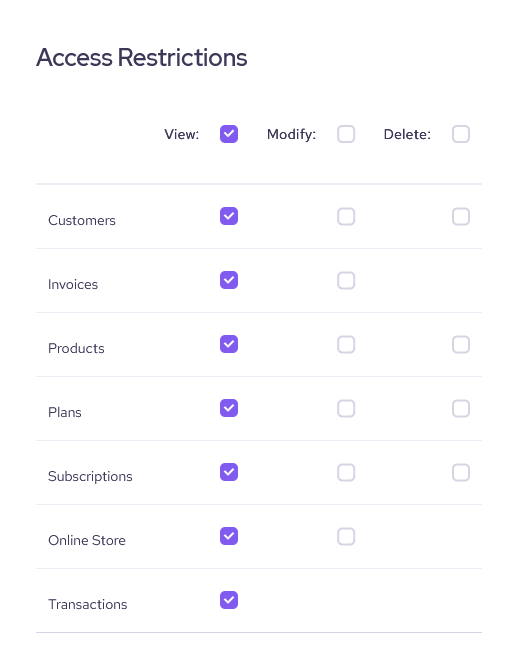
- In the Access Restrictions section, select View permissions for all data types.
![Helcim Legacy API - Access Restrictions]() Helcim Legacy API - Access Restrictions
Helcim Legacy API - Access Restrictions
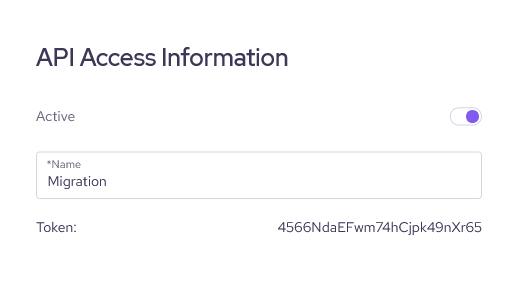
- Click Save, it will display an API Token in the API Access Information section.
![Helcim Legacy API - API Token]() Helcim Legacy API - API Token
Helcim Legacy API - API Token
- Now, you can use the Account ID in step 3 and the API Token in step 9 to perform the migration.
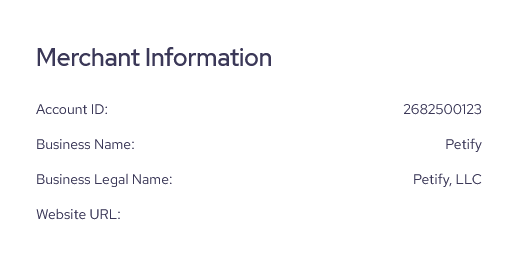 Helcim - Merchant Information
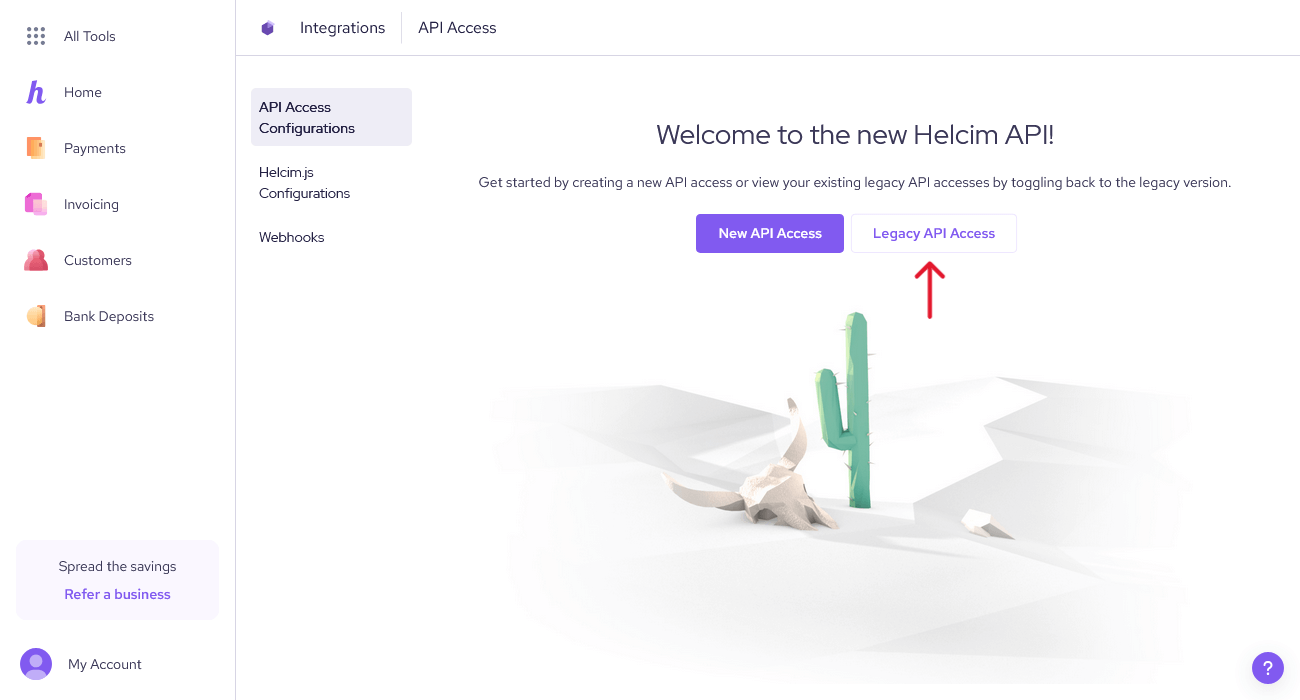 Helcim Legacy API
 Helcim Legacy API - API Access Information
 Helcim Legacy API - Access Restrictions
 Helcim Legacy API - API Token