Squarespace API Key allows our migration tool to read and transfer data to your Squarespace merchant site. Please follow the steps below to generate an API Key for your site:
- Log in to your Squarespace dashboard and select the website you want to create the API.
- From the left menu, go to Settings > Advanced > Developer API Keys.
- Click the GENERATE KEY button.
- In the KEY NAME section, enter a key name. In the PERMISSIONS section, select Products, Inventory, Orders, Transactions and Profiles with the highest permission level "Read and Write" if possible.
![Squarespace API permissions]() Squarespace API permissions
Squarespace API permissions
- Click GENERATE KEY and it will display the API Key. Save the key to your computer as it only shows up once.
![Squarespace API Key]() Squarespace API Key
Squarespace API Key
- Now you can copy the API Key into your migration tool to start the migration process.
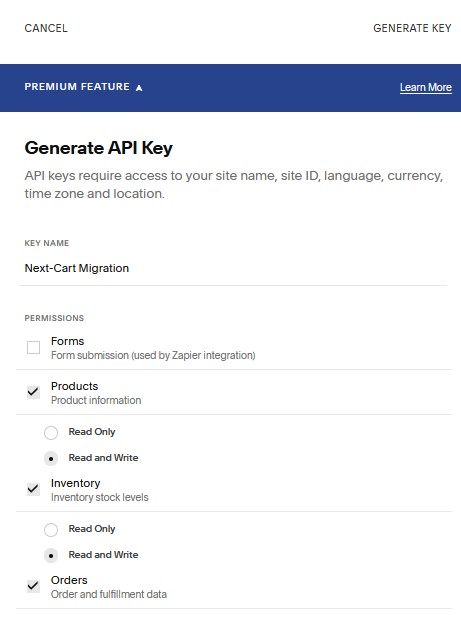 Squarespace API permissions
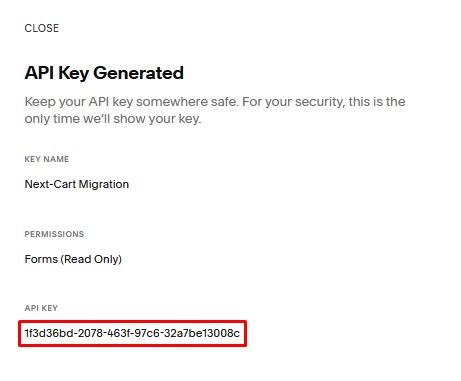 Squarespace API Key
*Note: Orders API and Inventory API are only available in the Commerce Advanced and Premium plans.