

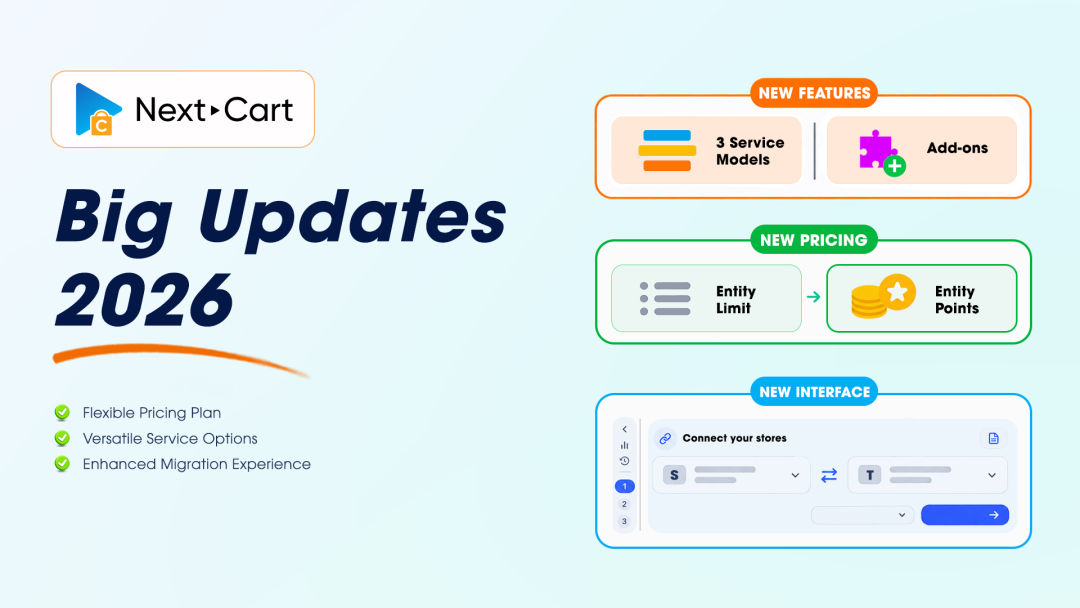
Next-Cart has a new website and migration interface, a new way to calculate data capacity, and three service models for different levels of involvement. The upgrade brings Entity Points and Add-ons into migration planning, with clearer choices about who carries out the work.
For returning customers, the familiar migration sequence remains. For new customers, the redesigned site, Support Portal, and Documentation help connect the initial planning with the work of moving their store.
A Complete Redesign Experience
The migration experience begins well before the first record moves. You need to understand whether a service fits your store, compare the available approaches, and know where to turn when a requirement needs more attention. We have redesigned the wider Next-Cart website alongside the migration interface to support that whole journey.
One refreshed experience across Next-Cart
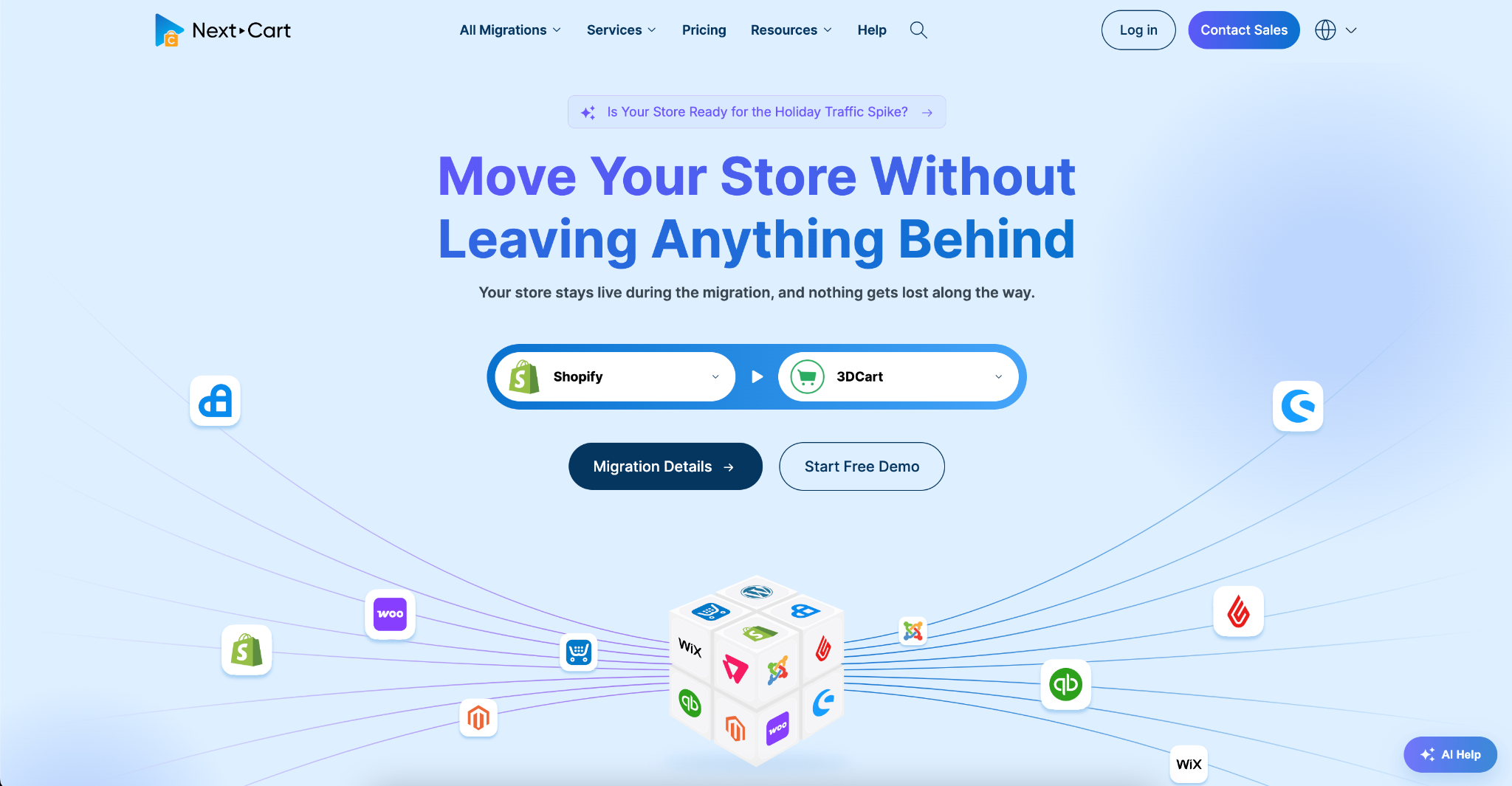
The service pages and Support Portal share the refreshed design, which also extends to Documentation and the migration interface. The homepage gives you a place to check your migration path by selecting your Source and Target platforms.
A store owner can compare services before asking a developer to review the connection requirements. As the project moves into setup, the team can return to the relevant guide or pick up an existing conversation in the Support Portal.
Guidance for planning and instructions for execution
The questions change once a migration is underway. Our Help Center connects the resources for both stages. The Learning Center helps you assess service scope and prepare for the move. Documentation gives you the instructions once you’re ready to connect your stores, configure the transfer, and validate the results.
When a connection or data issue needs our team, the Support Portal keeps the request and its history together. Sharing the result you expected alongside what Next-Cart reported gives our team the context to investigate.
A familiar workflow with enhanced interface
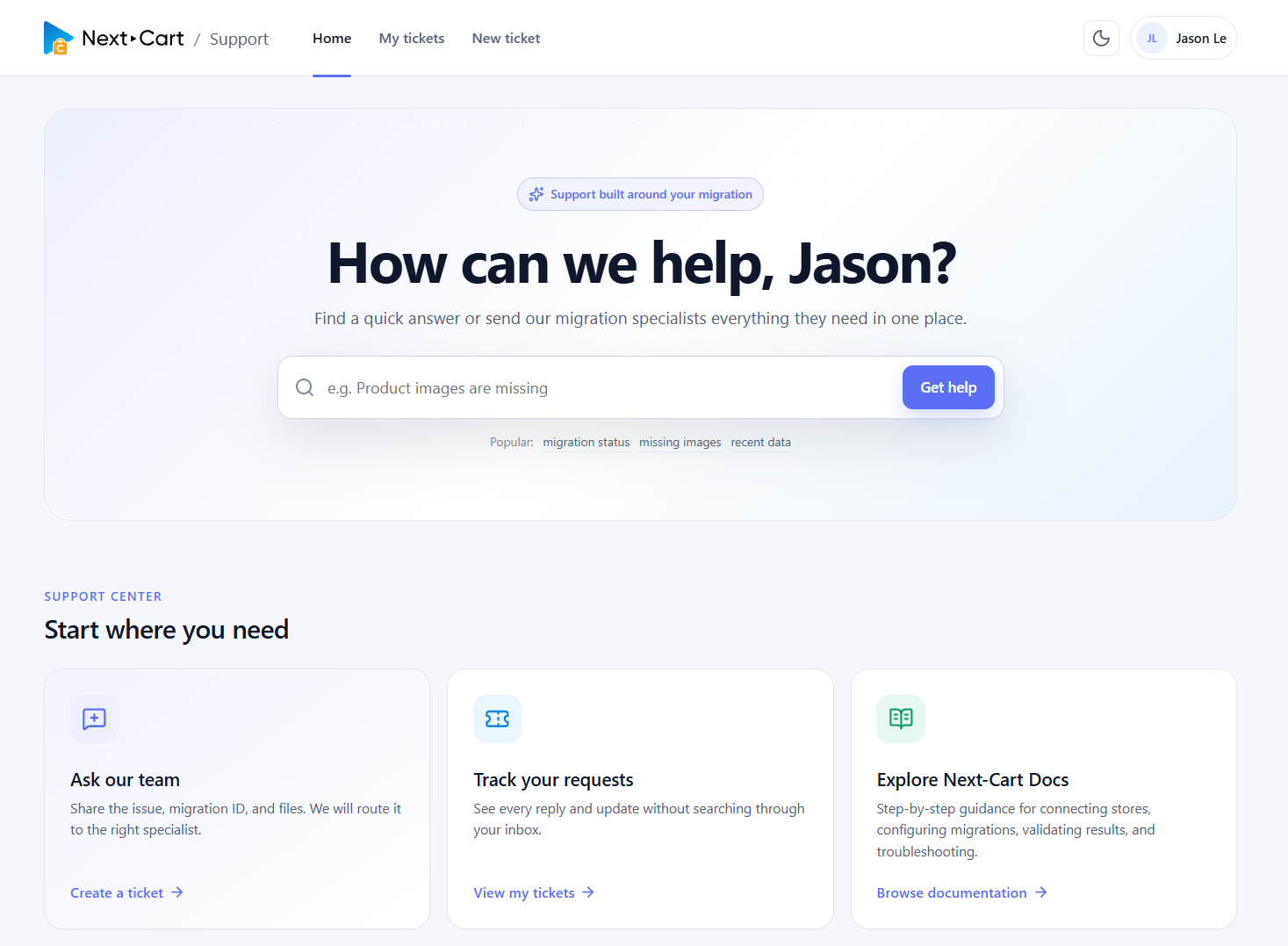
Inside the migration interface, the core sequence remains familiar. Customers first connect the Source and Target stores and configure the data. They then run the migration and review the results in the Target store. We have visually refined the screens around that sequence.
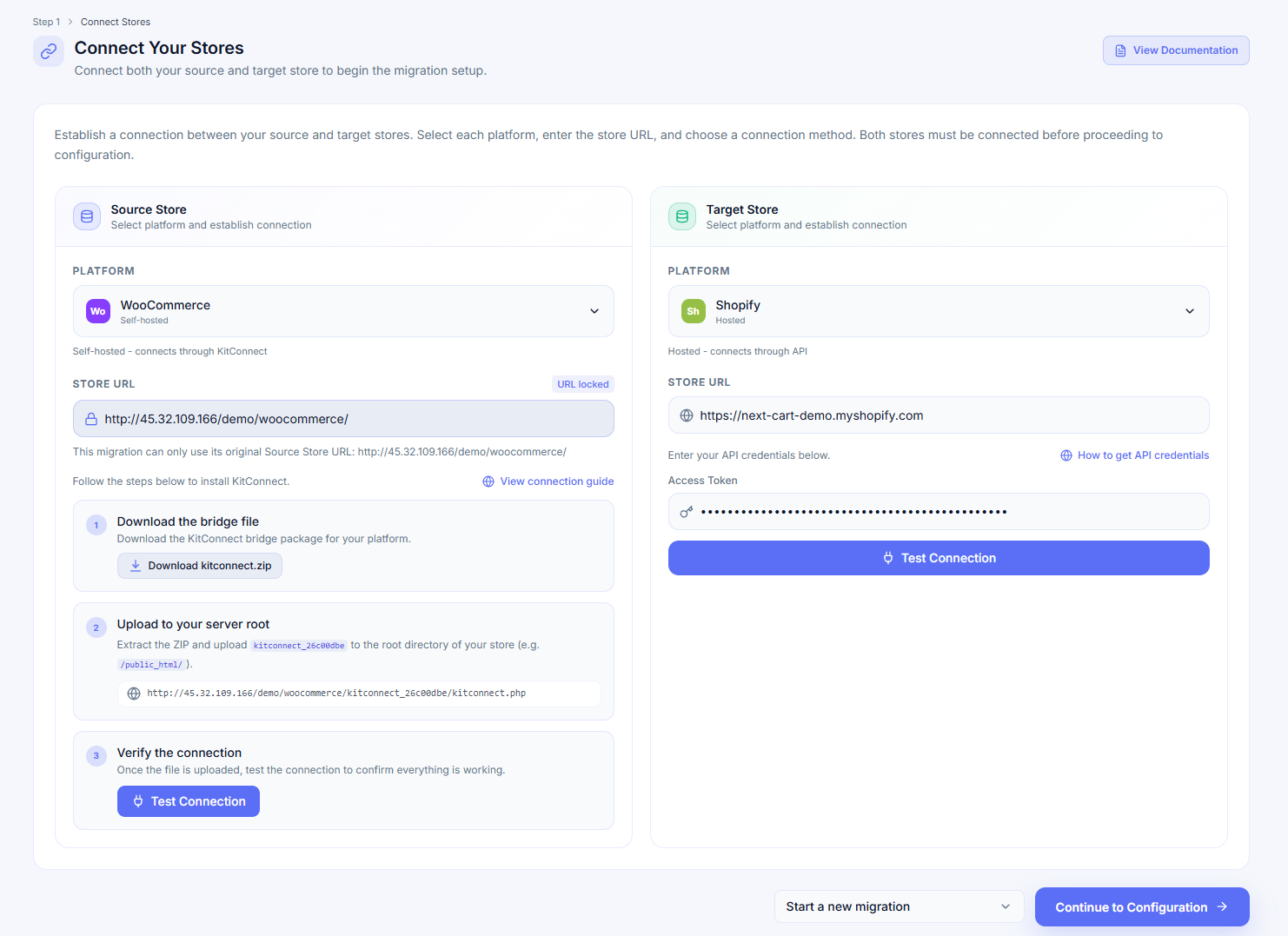
Returning customers can bring their knowledge of the workflow into the updated interface. New users can approach the work in stages, reviewing the connection and configuration before execution. Data selection determines which records are included. Configuration controls how supported data is handled during the transfer.
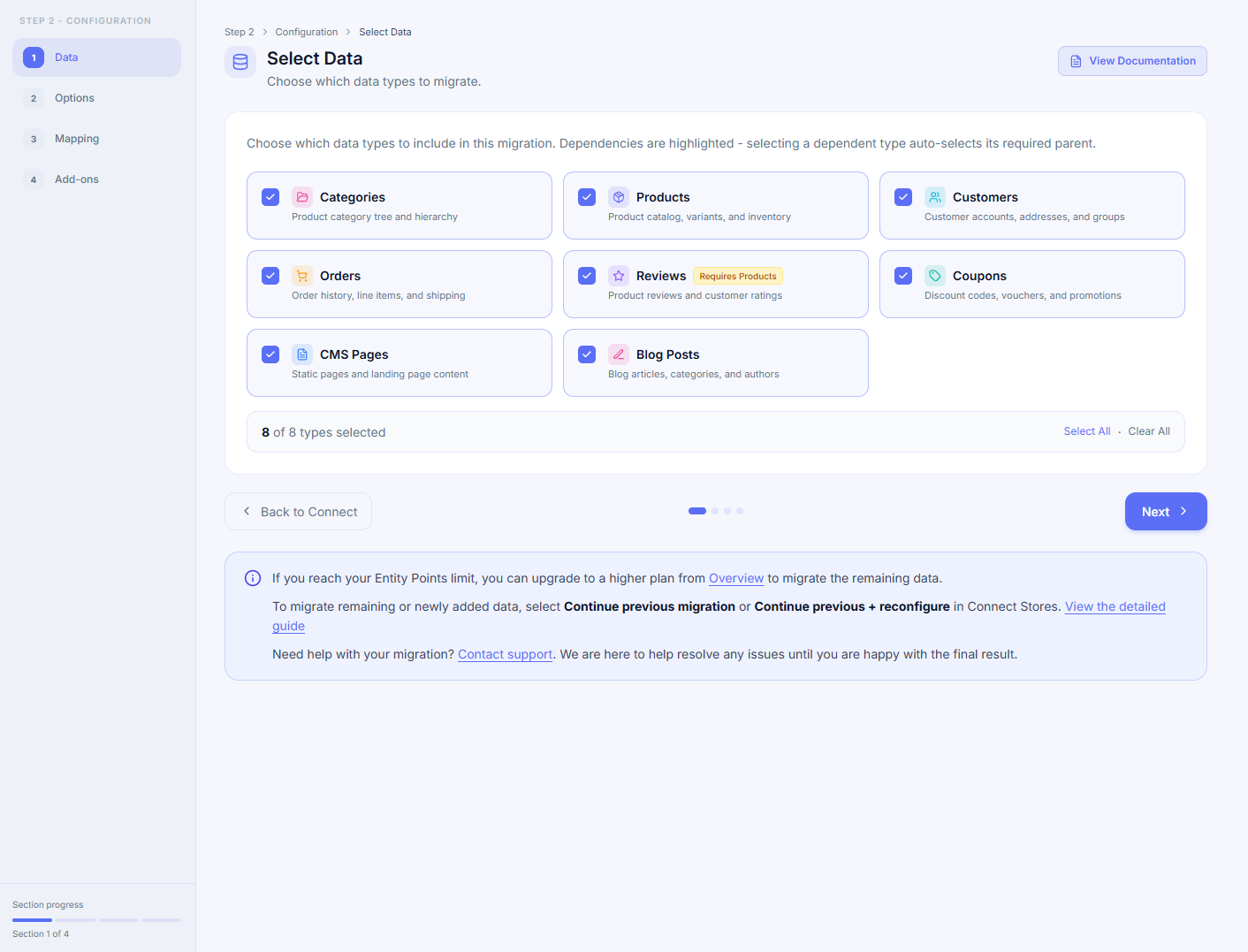
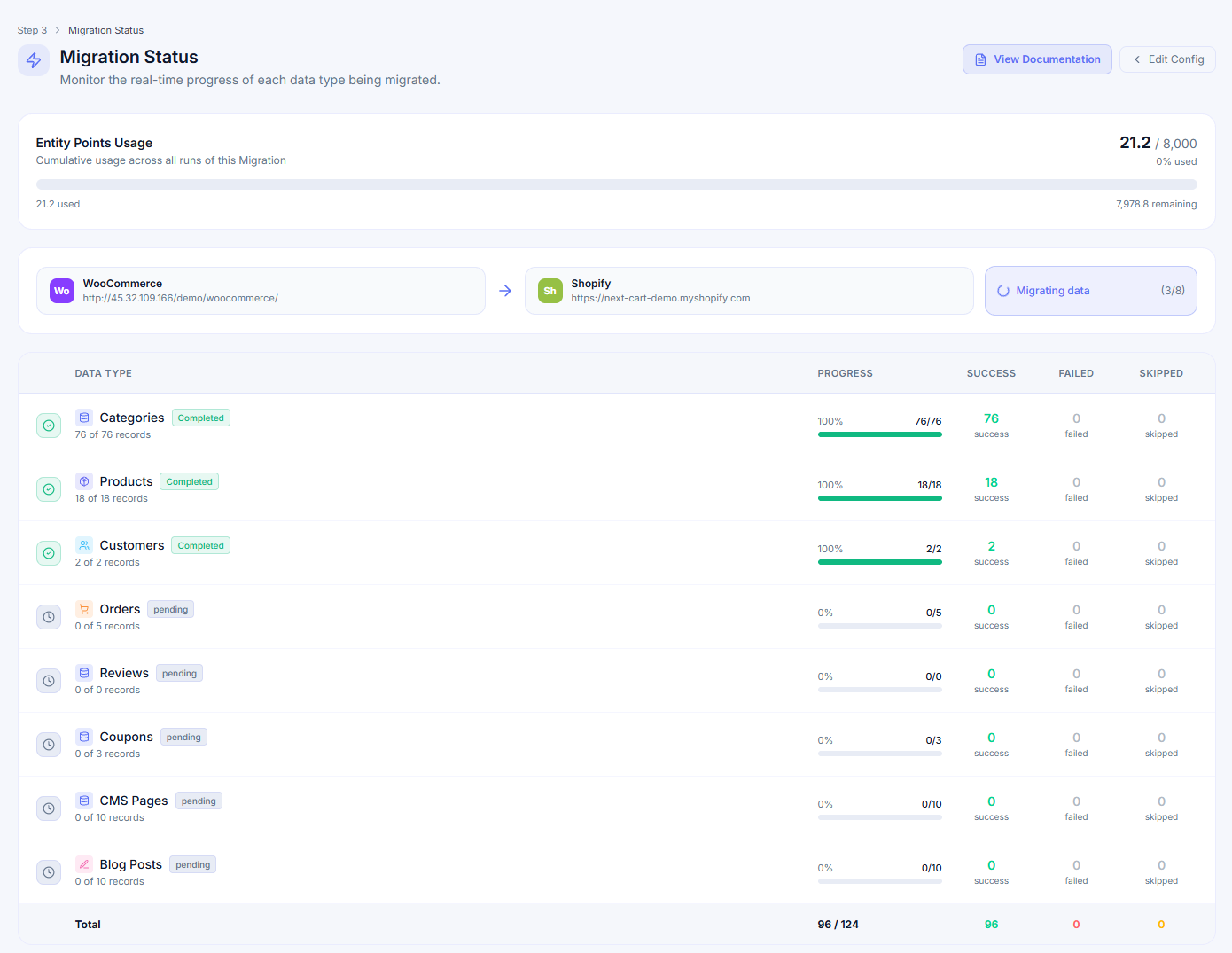
During Step 3, the execution screen shows progress by data type. Review the migrated records in the Target store against what your business needs to retain. A product with several variants or an order linked to the intended customer account can give your team and ours a concrete example if something needs attention.
From Entity Limit to Entity Points: Precise Data Volume Pricing
Why we moved beyond Entity Limit
Under Entity Limit, the largest record count set the tier. That same ceiling applied to products, customers, orders, and blog posts. A merchant with years of customer history and a small catalog could pay for product capacity they would never use. Those spare product slots stayed in the product allowance even if the customer list needed more room.
How Entity Points size a Migration project
Entity Points give each record type a weight. Multiply each record count by its weight and add the results. That total is the capacity your Entity Points Plan needs to cover. A move centered on customer history can fit the same Plan as a catalog-heavy move if both weighted totals fall within its capacity.
| Record type | Entity Points per record |
|---|---|
| Product | 1 |
| Customer | 0.5 |
| Order | 0.8 |
| Blog post | 0.6 |
Consider a store moving 300 products, 500 customers, 400 orders, and 200 blog posts. Its 500 customers set the old tier at $49, leaving 200 product slots, 100 order slots, and 300 blog post slots unused.
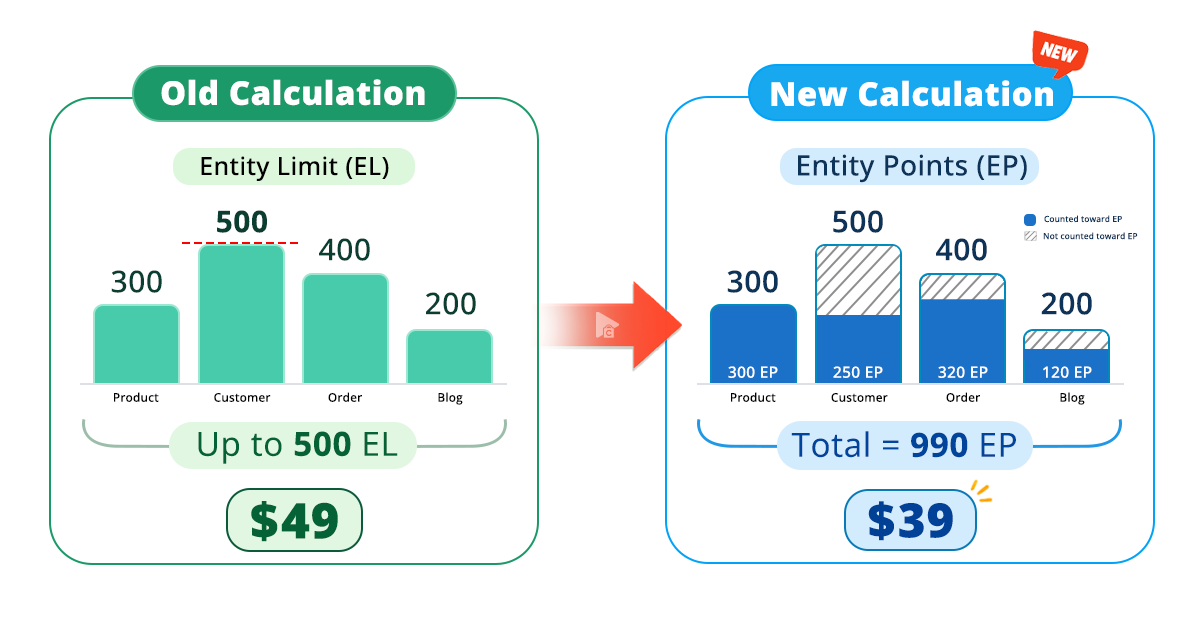
Under Entity Points, the same records add up to 990 points (300 + 250 + 320 + 120). That fits the 1,000-point Basic+ Plan at $39 with Standard Migration. In this example, the base migration costs US$10 less. Paid Add-ons and custom work are priced separately.
Use the pricing calculator with the volumes you expect to migrate. A product and its variants count as one product. Other supported data, such as categories, can move without adding a separate points category. Your estimate sets the capacity, while data selection and supported filters determine which records move.
If your Source store is still taking orders, leave room for records you may transfer closer to launch. Within the same purchased migration and fixed path, an eligible record uses points only on its first successful transfer. You can increase the Plan capacity on an eligible migration if the scope grows.
Standard, Managed & Custom Migrations: Built to Fit Every Need
The people who know your store best may already be preparing the new one. An Entity Points Plan determines how much data you can move. Your Migration Service determines what your team will handle and where Next-Cart takes responsibility.
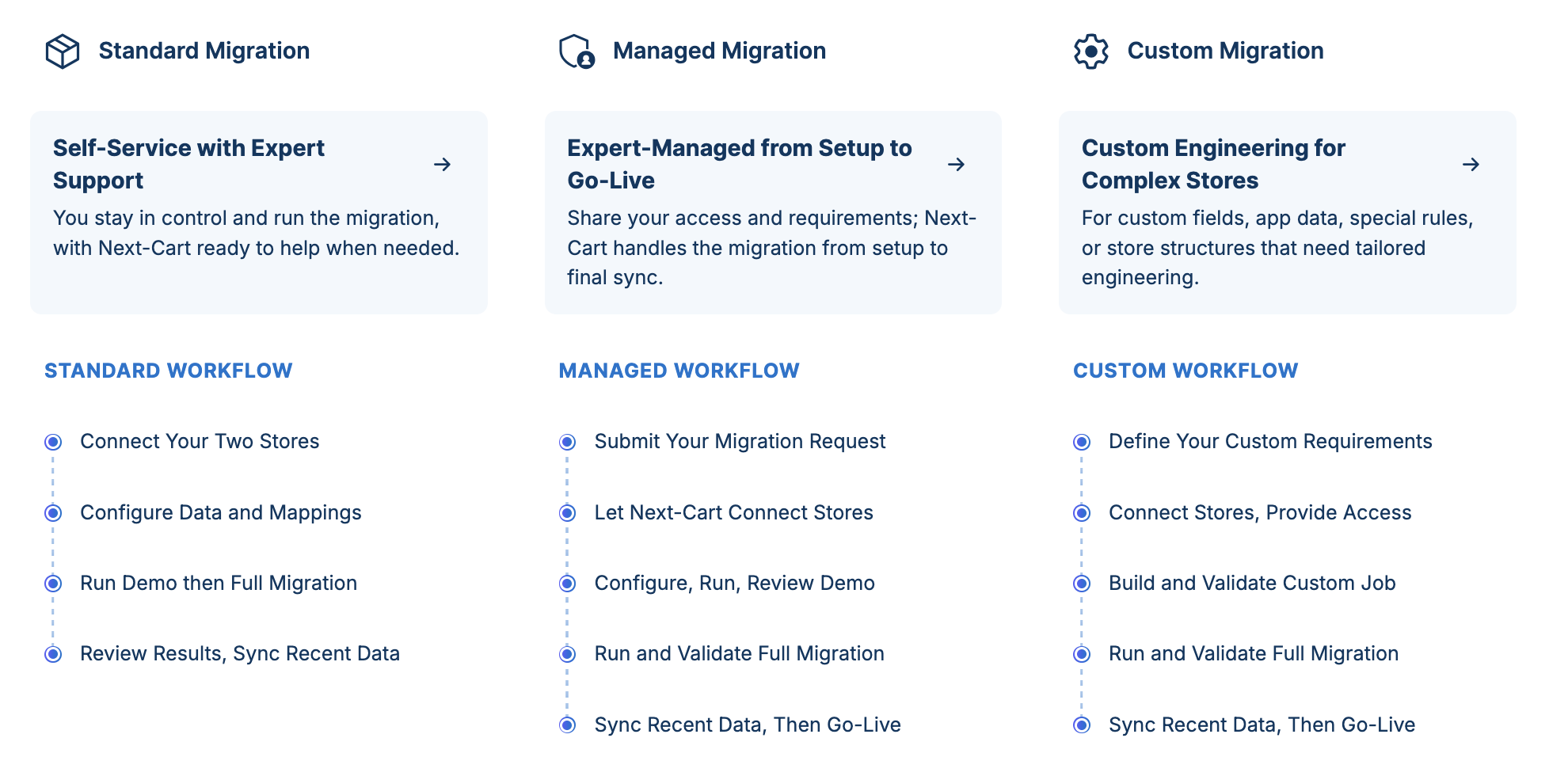
Standard Migration - The Basic Start
With Standard Migration, your team configures and runs the transfer on its own schedule. A demo lets you see how a sample of supported data arrives in the Target store before you commit to the full move. If a connection fails or a field lands differently than expected, you can bring the specific issue to our team for one-on-one technical support through the helpdesk or email.
That control gives your team room to stage the move around launch. You can review the initial transfer and use supported repeat actions for eligible new or changed records within your Plan’s capacity. Compatible Add-ons let you configure requirements such as filtering or mapping within the same project.
Managed Migration - White-Glove Option
With Managed Migration, our technicians take responsibility for the agreed transfer once you provide access and confirm the scope. We connect the stores, configure the migration, and check the demo results before running and validating the full transfer. If you spot a missing field during your review, you can discuss it directly with the technicians who set up the migration, with priority support when it needs investigation.
Your team can prepare the new storefront while we handle execution. Your Source store stays open during the transfer, and an agreed final sync can bring across eligible recent records closer to launch. You review the data in the Target store against what the business needs for go-live.
Custom Migration - For Exclusive Needs
Custom Migration provides project-specific engineering when a requirement goes beyond the supported controls. An imported order may need to link to a customer account that already exists in the Target store. Our engineers can assess where the matching data lives and verify the intended link on representative orders before the transfer depends on it.
Some migration paths offer predefined Custom Jobs in Checkout. Use Request a Quote when the work needs individual assessment. After purchase, our engineering team prepares and verifies the agreed customization for your project.
Once the customization is ready, your team can run the migration with Self-Execute or have Next-Cart run the agreed transfer with Expert Handle.
Add-ons and Custom Jobs: Flexible Solutions for Data Processing Needs
A store move is an opportunity to decide what belongs in the new store and how it should arrive. Add-ons let you configure changes on supported migration paths and fields. Custom Jobs bring in our engineers when the result calls for custom work.
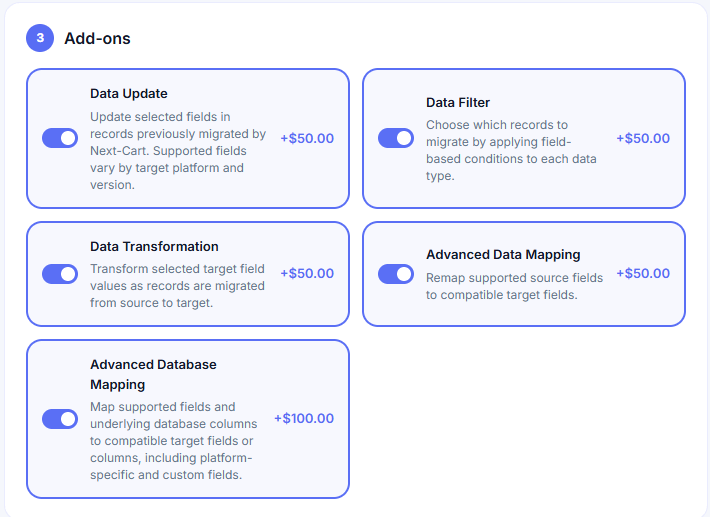
Add-ons - Prepare & Update Data
Say you’re preparing a smaller catalog. Where the migration path supports the relevant fields and conditions, Data Filter can include only enabled, in-stock products. Customer and order records follow their own selection rules.
If those products also need a consistent SKU format, Data Transformation can add a prefix to the product model code and Advanced Data Mapping can route the result to the Target SKU field. With those settings, TSHIRT-001 arrives as WEB-TSHIRT-001. The filter determines which products reach these steps, and the mapping receives the transformed value.
Advanced Database Mapping applies after field mapping where eligible. It can place information such as a warehouse location into the database column the Target uses, provided both setups support the mapping. When controls run together, use a representative product to check that it met the filter and that each value reached the expected field.
Data Update runs separately. If a supported order status changes after the initial transfer, you can update it on the existing Target order previously migrated by Next-Cart. Data Update uses the default mappings and updates eligible existing records only. Source values in the selected fields can replace manual Target edits.
Custom Jobs - Tailored Data Handling
An app that stores reviews separately from the catalog can leave you with a requirement that goes beyond field mapping. A Custom Job can preserve the review-to-product link where the Source data is accessible and the Target supports it. Sample reviews and their product references give our engineers a result to scope and verify.
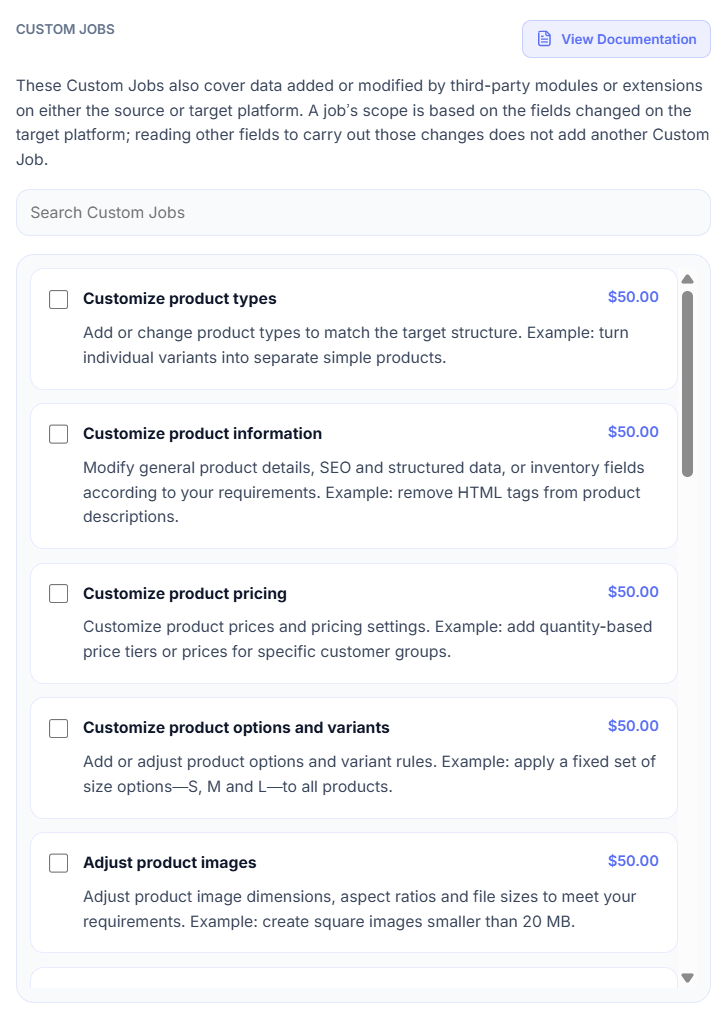
You can add a supported Add-on to an eligible migration after purchase. The Add-ons overview explains the available controls. For work that needs engineering, the migration upgrade guide covers upgrading to Custom Migration or adding work to an eligible Custom project.
Start your Migration with Next-Cart
Store records depend on each other whether you run a small catalog or a storefront connected to several apps. Your support team needs to be able to find past orders under the right customer accounts, and shoppers need to see the right variants and reviews on each product page. Choose a migration provider that can explain how it will preserve and verify those relationships, and how it will account for new orders while your current store stays open.
Next-Cart supports migrations across 80+ e-commerce and CMS platforms, with routes such as WooCommerce to Shopify, Shopify to BigCommerce, and Adobe Commerce to PrestaShop. Find your current platform and destination in All Migrations, then review the data types, fields, and relationships your specific route supports before deciding what to carry over.
Once you’ve defined what to move, enter the expected record counts in the migration pricing calculator to estimate the Entity Points Plan you’ll need. Leave room for any new orders you expect to bring over before launch. Then compare Standard, Managed, and Custom Migration to decide whether to run the transfer with technical support, have our technicians handle it, or bring in our engineers for requirements beyond the standard tools.
If your store relies on third-party apps, extensions, or custom database tables, talk to our migration team before you settle on a plan. Share which apps are involved, a few representative records, and how your team needs to use that data in the new store. Drawing on years of hands-on migration work, our engineers can assess what can be accessed securely, where a supported Add-on can help, and which parts need custom mapping or a separate transfer. That gives you a scope and a set of results to verify before launch.
For a supported route, start a free Demo Migration and inspect a sample of your own data in the Target store. If the sample includes product variants or orders, check that each variant appears under the right product and that an order is linked to the right customer. Reviews, coupons, paid Add-ons, and custom work fall outside the free demo. If any of those are critical to your launch, agree on a separate test with our team before the full transfer.