Start Your Drupal to WordPress Migration Today!
Move your store from Drupal to WordPress with a secure, guided migration tailored to your business.


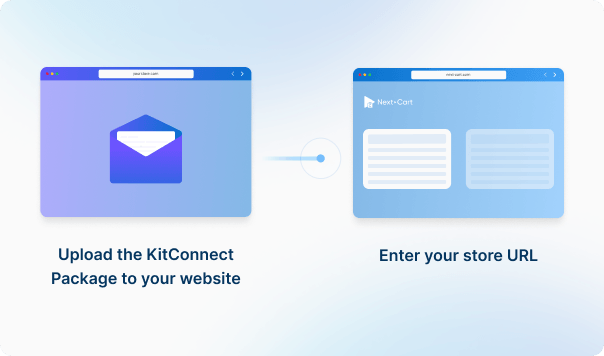




Enter the URL of the Drupal site you are migrating from. Then download the KitConnect package, unzip it, and upload it to that site.
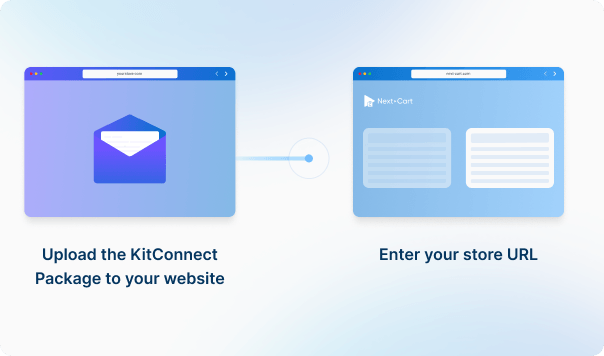
Enter the URL of the WordPress site you are migrating to. Then download the KitConnect package, unzip it, and upload it to that site.




 Drupal
 WordPressDrupalWordPress

These four data types are used to estimate the price. Other supported data, including categories, coupons, and reviews, is also migrated at no extra charge.
You can increase your plan’s data limit, upgrade your service, or add custom work while your license is valid.
You only pay the price difference, and your license expiry date stays the same. Custom work is reviewed and quoted separately.
Learn about upgrades (Opens in a new tab)Select WooCommerce when your store's product catalog is managed by WooCommerce. The plain WordPress connection does not enable product migration as source or destination. Other WordPress shopping-cart plugins have their own connections where available; choose the one that matches the store rather than relying on the CMS name alone.
Select the connector that matches the commerce module, not just the site's CMS. The Drupal connection looks for Drupal Commerce products and warns when it finds Ubercart instead. Confirm the module and version before testing custom fields, product variations and order data.
Not with the current Drupal 8-and-newer connection. It takes the product SKU and base price from one variant, but does not transfer the full variant list. The exported stock quantity is zero and stock tracking is off. If you need multiple variants or inventory from a stock module, agree how those records will be transferred before migration. Changing field mappings alone does not add the missing records.
Confirm that user accounts are included in your migration and test authentication separately from imported content. With supported WordPress or WooCommerce sources, compatibility depends on the WordPress versions and any custom login or password-hashing plugins. Compatible native formats may work without a cross-platform Customer Password Plugin; other cases need separate review. Importing posts or copying author names alone does not create working user accounts.
Not automatically. The default import assigns posts to the account with user ID 1 in the destination WordPress site. Importing the original user accounts does not change that assignment. If author attribution matters, agree how authors will be matched and check the displayed author before publishing.
Available services depend on your migration path. Standard Migration lets you use the tool yourself with technical support. With Managed Migration, our technicians carry out the agreed migration. Custom Migration covers tailored requirements, with the migration carried out by you or our team as agreed. Data types must be supported by both connections; choosing expert handling does not by itself add unsupported data.
Where a self-service Demo Migration is available for your migration path, you can try it for free before purchasing. It transfers a small sample of supported data so you can check the result. Add-ons and custom work are not included in the self-service demo. For a file-based, custom or technician-assisted evaluation, contact us first to agree the test scope and any applicable cost.
Your data types and quantities determine the Entity Points total and the plan you need. The cost also depends on your chosen service, add-ons, and any custom work. Use the pricing calculator for an estimate; custom work is reviewed and quoted separately.
If you are migrating from a live store, it can normally keep taking orders while Next-Cart copies its data. The migration does not delete or change the source data. Plan the final update and the switch to the new store separately so recent orders and other changes are included. For file-based migrations, changes made after an export require a fresh export; an uploaded file is not a live connection to the store.
Yes. Your license allows repeat runs for the same store and migration path for 12 months from purchase, within your plan’s data limit. Continuing the previous migration can add eligible new records without importing the same mapped records again.
Changing records already migrated is separate: the paid Data Update add-on can update selected fields where your source, target version and those fields are supported. Keep the existing migration links and leave target-data clearing off. It does not automatically update every field or provide continuous synchronization.
Yes. While your license is valid, you can increase your plan’s data limit and upgrade to a higher service where it is available for your migration path. You can move from Standard Migration to Managed Migration or Custom Migration, or from Managed Migration to Custom Migration.
If you already use Custom Migration, you can add custom work after a review and quote. You pay only the additional amount, and your license expiry date stays the same.


Move your store from Drupal to WordPress with a secure, guided migration tailored to your business.