

Bắt đầu di chuyển từ WooCommerce sang Shift4Shop ngay hôm nay!
Chuyển cửa hàng từ WooCommerce sang Shift4Shop bằng quy trình an toàn, có hướng dẫn và phù hợp với doanh nghiệp của bạn.


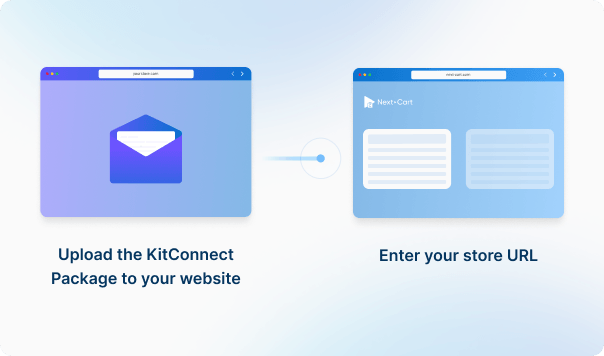
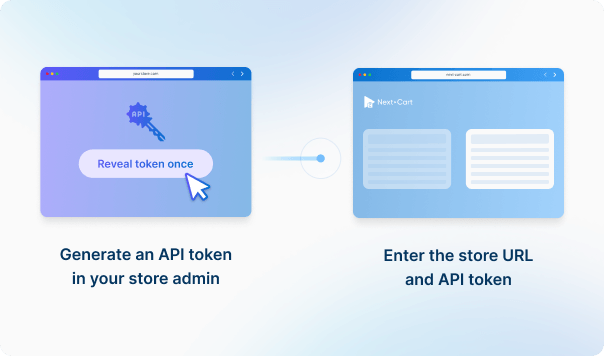




Cài đặt gói KitConnect lên website WooCommerce của bạn, sau đó nhập URL cửa hàng để thiết lập kết nối. Điều này cho phép hệ thống truy cập an toàn vào dữ liệu cửa hàng của bạn để thực hiện di chuyển dữ liệu.




 WooCommerce
 Shift4Shop
 WooCommerceShift4Shop

Bốn loại dữ liệu này được dùng để ước tính chi phí. Các dữ liệu được hỗ trợ khác, bao gồm danh mục, mã giảm giá và đánh giá, vẫn được di chuyển mà không tính thêm phí.
Bạn có thể tăng hạn mức dữ liệu của gói, nâng cấp dịch vụ hoặc bổ sung công việc tùy chỉnh khi giấy phép còn hiệu lực.
Bạn chỉ thanh toán phần chênh lệch; ngày hết hạn giấy phép không thay đổi. Công việc tùy chỉnh được đánh giá và báo giá riêng.
Tìm hiểu về nâng cấp (Mở trong thẻ mới)If you are going to migrate orders to Shift4Shop, please go to Settings > Store Settings > Checkout and uncheck all settings inside the Order Notification section. It ensures no emails will be sent to your customers during the migration. Don't forget to turn on the notifications settings when the site goes live.
The short answer is Yes. Within 1 year from the date of purchase, you can re-migrate data whenever you want with our dedicated support.
Moreover, our migration also has an option that allows you to migrate only new data (products, categories, customers, orders, etc.) that have not been migrated in the previous migration. It's called Recent Data Migration and you can do it as many times as you want as well.
Featured images, gallery images, and images within the descriptions of products, categories, blog posts, and pages will be downloaded and saved to your Target Store.
Yes. Our Custom Migration will help you migrate data to any third-party modules/extensions on the new website. You can also add custom work to your purchased migration by upgrading it.
The link between customers and orders will be preserved on your Target store if they all are transferred through our migration tool. Consequently, your customers will see all past orders in their account dashboard on your new website.


Chuyển cửa hàng từ WooCommerce sang Shift4Shop bằng quy trình an toàn, có hướng dẫn và phù hợp với doanh nghiệp của bạn.


































































































