Start Your eCommerce Migration Journey with Next-Cart
Every growing online store reaches a point where it's time for a change. And moving to a new eCommerce platform shouldn't mean starting from scratch.
Whether you're upgrading your store, exploring new business opportunities, or looking for a platform that better fits your needs, Next-Cart helps you move your existing store data to a new destination without having to recreate everything manually.
Supporting 80+ eCommerce platforms, Next-Cart provides a flexible approach to eCommerce data migration, helping you transition your products, customers, orders, and other essential store information.
In this beginner's guide, you'll discover how Next-Cart works, explore its migration services, and learn what to consider before moving your online store.
Why Choose Next-Cart for Your eCommerce Migration?
Every store has different priorities when switching platforms. Next-Cart combines flexible migration options with professional assistance to accommodate different project sizes and technical requirements.
- 80+ Supported eCommerce Platforms
Choose from a wide range of source and target platforms to find the right destination for your business. - Flexible Migration Services
Manage the migration yourself, delegate the process to specialists, or request a customized solution. - Data Customization Options
Go beyond standard migration settings with additional options for filtering, transforming, and mapping your store data. - Demo Migration
Evaluate sample migration results before proceeding with the full data transfer.
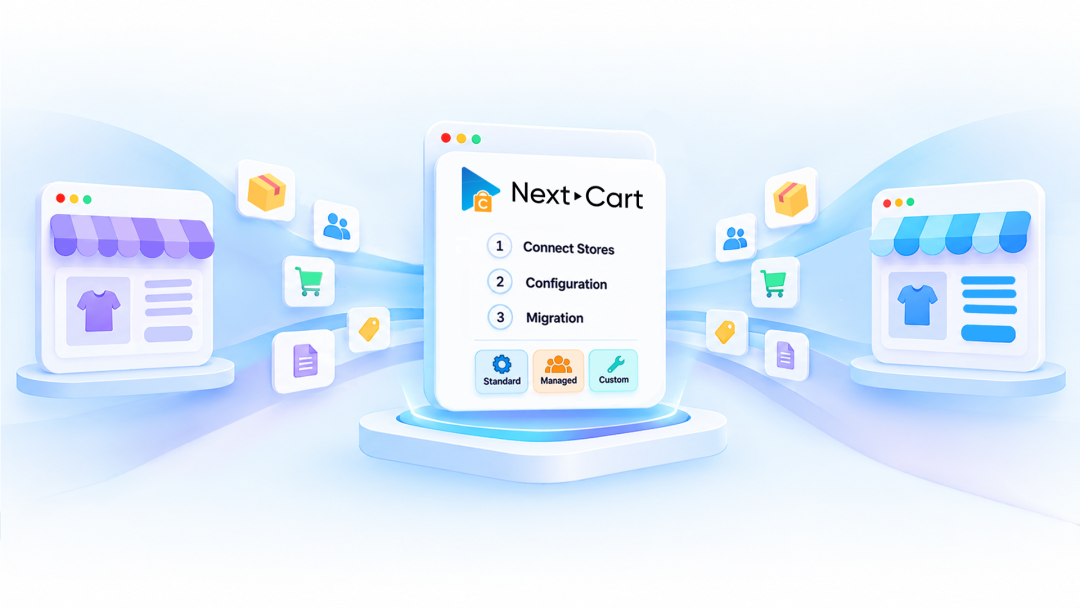
Start Your eCommerce Migration with Next-Cart in 3 Steps
A successful eCommerce migration begins with understanding your existing store and defining what needs to move to the new platform. Next-Cart organizes the process into three straightforward steps.
Step 1: Connect Stores
- Select your current eCommerce platform as the source store.
- Choose your preferred platform as the target store.
- Provide the required information to establish both store connections.
Step 2: Configuration
- Select the data entities you want to transfer.
- Configure migration settings and review the available data mapping.
- Explore additional options based on your requirements:
- Data Filter: Define which records should be included or excluded.
- Data Transformation: Modify data values to match your target store's requirements.
- Advanced Data Mapping: Customize how source fields correspond to target fields.
- Advanced Database Mapping: Handle more specialized database-level mapping requirements.
- Review your configuration before proceeding.
Step 3: Migration
- Run a Demo Migration to preview your selected data.
- Review the results and adjust your settings if necessary.
- Start the full migration when you're ready.
- Monitor the migration progress until completion.
- Check your transferred data and submit a helpdesk ticket if technical assistance is needed.
Which Migration Service Is Right for You?
Choosing the right migration service depends on how involved you want to be and how complex your store requirements are. Next-Cart offers three approaches to accommodate different migration needs.
- Standard Migration: Full Control
Take charge of the migration process yourself, from connecting your stores to configuring settings and running the transfer. - Managed Migration: Expert Assistance
Let the Next-Cart team handle the migration process, including setup, configuration, execution, and result review. - Custom Migration: Tailored Solutions
Get a solution developed around your specific requirements when your store has custom data structures or needs functionality beyond the standard migration scope.
Each service offers a different level of involvement, allowing you to choose an approach that matches your resources, technical capabilities, and project complexity.
Extend Your Migration Capabilities with Add-ons
Standard migration settings may not cover every business scenario. For stores with specific data requirements, Next-Cart provides additional customization options to give you greater control over how information is handled during migration.
- Data Filter: Narrow down your migration scope using specific conditions, such as product status, categories, or other available fields.
- Data Transformation: Change existing data values to better align with the structure or requirements of your new platform.
- Advanced Data Mapping: Define custom field relationships when the default mapping does not meet your needs.
- Advanced Database Mapping: Configure more complex relationships at the database level for specialized migration scenarios.
These options help address data requirements that go beyond standard migration configurations. Availability depends on your selected service package.
What Should You Do Before and After Migration?
Preparing your store and reviewing the results are important parts of a smooth platform transition. A little planning can help you avoid unnecessary adjustments later.
Before migration:
- Review your existing store data and identify what needs to be transferred.
- Check your target platform's supported data types and limitations.
- Decide which migration settings and customization options your project requires.
- Run a Demo Migration to evaluate the results before the full transfer.
After migration:
- Verify important product, customer, and order information.
- Check images, category structures, and product relationships.
- Review any data that may require additional adjustments.
- Contact the support team through a helpdesk ticket if you encounter technical issues.
Begin Your eCommerce Migration with Confidence
Moving to a new eCommerce platform is an opportunity to build a better foundation for your online business. With the right preparation and migration approach, you can bring your existing store data to a new platform while minimizing the need for manual data recreation.
Whether you prefer to manage the process yourself, work with migration specialists, or need a customized solution, Next-Cart provides different ways to support your transition.
Ready to explore how it works?
👉 Watch the complete beginner's guide to discover Next-Cart's workflow, compare migration services, and learn how to get started with your store migration.