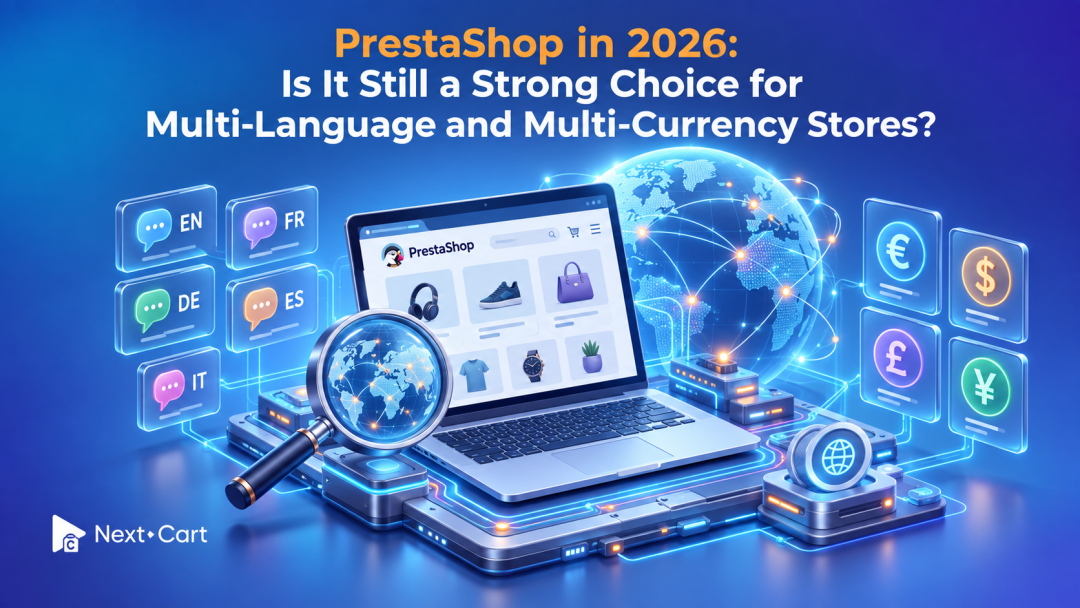
Yes. PrestaShop remains a strong choice in 2026 for international merchants who need control over localized content, currencies, and multiple storefronts. Its suitability depends on whether your team can maintain the hosting, modules, and integrations behind that flexibility. If everyday maintenance keeps delaying growth, it is worth reassessing the platform.
Selling internationally creates decisions that go beyond translating product descriptions. A French customer may need different delivery information from a Canadian customer, even when both browse in French. A familiar currency helps customers understand prices, but payment, refunds, and accounting still need to work together.
At Next-Cart, we recommend evaluating PrestaShop against those real operating needs. The useful question is whether your current setup makes the next market easier to serve, at a cost your business can sustain.
Where PrestaShop still fits international merchants
PrestaShop gives merchants a foundation for managing languages and currencies, alongside a multistore feature for businesses that need separate storefronts. That combination remains relevant when markets share a product catalog but require different presentation or commercial rules.
For this assessment, we reference the official PrestaShop 9 documentation. Check your installed version separately: a capability described in current documentation does not establish compatibility with an older theme, payment module, or custom integration.
The distinction matters in 2026 because platform development and store readiness move at different speeds. The official PrestaShop release blog documents ongoing releases and maintenance. Your own upgrade decision should still account for module support, testing, and the work needed to keep essential processes running.
PrestaShop is particularly worth considering when you have:
- Market-specific content and pricing requirements that need careful control.
- Several storefronts that benefit from centralized administration.
- A dependable developer or agency responsible for maintenance.
- A clear reason to retain control of your hosting and store implementation.
- These advantages are most useful when someone actively manages them. Flexibility without ownership can become a backlog of unresolved changes.
Multi-language support gives you control over the customer experience
PrestaShop includes multilingual functionality, with tools for adding and managing languages in the storefront and administration interface. Its language documentation also explains that adding a language can involve translation work across the storefront, modules, and other interface text.
For merchants, the practical benefit is the ability to build localized shopping experiences around a shared business. You can plan content for each audience while keeping the underlying catalog organized.
However, installing a language pack does not complete your localization project. Someone still needs to review product copy, delivery information, returns content, transactional messages, and text introduced by modules.
Imagine a clothing retailer serving France and Germany. The product photographs may stay the same, while size explanations, delivery promises, and customer-service information need local treatment. If only the product title changes language, customers still encounter uncertainty before checkout.
A useful review follows the entire journey: search, product selection, checkout, confirmation, and support. Assign an owner to each language and check what happens when a translation is missing. This turns multilingual capability into a process your team can maintain as the catalog grows.
Multi-currency selling requires more than converted prices
PrestaShop lets you add currencies, define exchange rates relative to a default currency, and adjust currency symbols and formatting. These controls are described in its currency documentation.
That is a useful starting point, but currency display is only one part of the buying journey. Your payment provider, payment module, commercial pricing rules, and accounting process must support the intended experience too.
Before expanding into another currency, check:
- Pricing: Will you use conversion-based prices or deliberately chosen local price points?
- Checkout: Can the selected payment method process the customer's currency?
- Refunds: How will the payment provider handle refunds and conversion differences?
- Reporting: Will your accounting integration retain the original order currency and amounts?
Consider a product that you want to sell for a consistent local price throughout a campaign. An exchange-rate update may produce a different displayed amount. Decide how that promotion should behave, then test the configuration with your developer.
Keep historical transactions separate from current catalog pricing as well. A previous order needs its original commercial context, even after today's exchange rates change. This becomes especially important when reconciling data during an upgrade or migration.
Decide whether you need one multilingual store or several stores
Multiple languages do not automatically require multiple storefronts. Start with how your markets differ operationally.
PrestaShop's multistore documentation describes managing several storefronts through one back office, including situations involving different domains, branding, or prices. This can suit businesses whose regional operations need more separation than a language selector provides.
The added control requires clear rules. Your team must know which settings belong to a single store, a group, or the entire installation. PrestaShop's store-context controls support those scopes, so an administrator's selected context matters when making changes.
|
Business situation |
Starting point to evaluate |
|
Shared catalog and operations, with translated content |
One multilingual store |
|
Regional brands, domains, or distinct commercial presentation |
Multistore configuration |
|
Separate systems with inconsistent product or customer records |
Data-governance review before further expansion |
For example, two regional stores may use the same SKU while assigning different product IDs internally. That distinction matters when an integration updates inventory or a future project consolidates orders.
Our article on data integrity across PrestaShop and OpenCart multistore environments explores these relationships in more detail. Establishing consistent identifiers now makes future changes easier to assess.
Hosting, modules, and integrations determine the everyday workload
For a self-hosted PrestaShop installation, infrastructure ownership gives you room to choose hosting, tune the environment, and work with specialists. It also means assigning responsibility for updates, backups, monitoring, security, and recovery.
Performance should be assessed through actual store behavior. Check product pages, search, checkout, imports, and back-office work under realistic conditions. If the store slows down, investigate the cause before deciding that either a hosting upgrade or a platform move will solve it.
Modules deserve the same attention. A module can solve an important regional requirement, but every business-critical dependency needs an owner and a maintenance plan.
Keep a practical inventory covering:
- What each module does and whether the store still needs it.
- Compatibility with your installed and planned PrestaShop versions.
- Support availability, renewal costs, and custom modifications.
- The tests required after changing the module or platform.
Integrations add another layer. Confirm where product information, stock, customer data, and order status are authoritative. If two systems can update the same field, define which one wins and how failures are detected.
For a practical test, follow one international order through your systems. Does the warehouse receive the correct variant? Does customer support see the same delivery status? Does accounting receive the original currency, discounts, and shipping amount? A storefront can look fully localized while these background connections still need work.
Repeat that test after a significant update, using representative markets rather than only the default store. Keep the expected results in a short shared checklist. This gives your team a repeatable way to assess whether a change is ready, and gives an agency a clearer brief when something needs fixing.
Before migration, document those connections alongside your data scope. Our guide to safeguarding tracking before migration covers one commonly overlooked dependency: the measurement setup that tells your marketing team what happens after launch.
Compare long-term cost, including your team's time
An international store's total cost of ownership includes the work needed to keep it usable across markets. Compare that cost over a consistent planning period rather than focusing on the initial platform expense.
Include hosting, modules, development, translation, monitoring, support, and integration maintenance. Add the internal time spent testing updates, correcting mismatched data, and coordinating suppliers.
Consider two merchants with similar catalogs. One has stable integrations and a reliable maintenance partner. The other relies on unsupported modules and repeatedly repairs regional checkout issues. Their experience of PrestaShop can be very different, even when their storefronts look similar.
Use your own invoices and work logs to compare three options: maintain the current setup, upgrade and simplify it, or move to another platform. Include migration, rebuilding, training, and validation in the third option. A move can be worthwhile, but its implementation cost belongs in the comparison.
When should you stay, improve, or consider migration?
Stay with PrestaShop when localization supports your customers, maintenance is predictable, and your team can launch changes without repeated disruption. An established setup that works well does not need replacing simply because another platform is popular.
Improve the existing store when problems have identifiable causes, such as redundant modules, incomplete translations, weak monitoring, or an integration that needs repair. Fixing a contained issue may deliver more value than moving the whole business.
Consider replatforming when the same constraints repeatedly block progress. Useful signals include delayed upgrades, unsupported dependencies, growing manual reconciliation, or regional expansion that requires too much bespoke work.
Before selecting a destination, review Next-Cart's PrestaShop migration options and list the data relationships your business must preserve. Confirm support for your exact version, modules, and destination rather than assuming every field transfers identically.
If Shopify is on your shortlist, use the PrestaShop to Shopify migration page to explore the transfer scope, then separately validate the destination's market and payment setup. If WooCommerce is under consideration, review the PrestaShop to WooCommerce migration path alongside the hosting and plugin responsibilities of your proposed store.
Choose the platform your team can sustain
PrestaShop remains a credible option for multi-language and multi-currency stores in 2026. Its strongest fit is a business that benefits from control and has the resources to maintain it.
Build your decision around complete customer journeys, dependable integrations, and realistic operating costs. You may find that your next step is better maintenance, a focused upgrade, or a platform change.
If a move makes sense, compare Next-Cart migration services to decide how much support you need. We can help you assess the migration scope before you commit, so the decision starts with the data and workflows your business depends on.