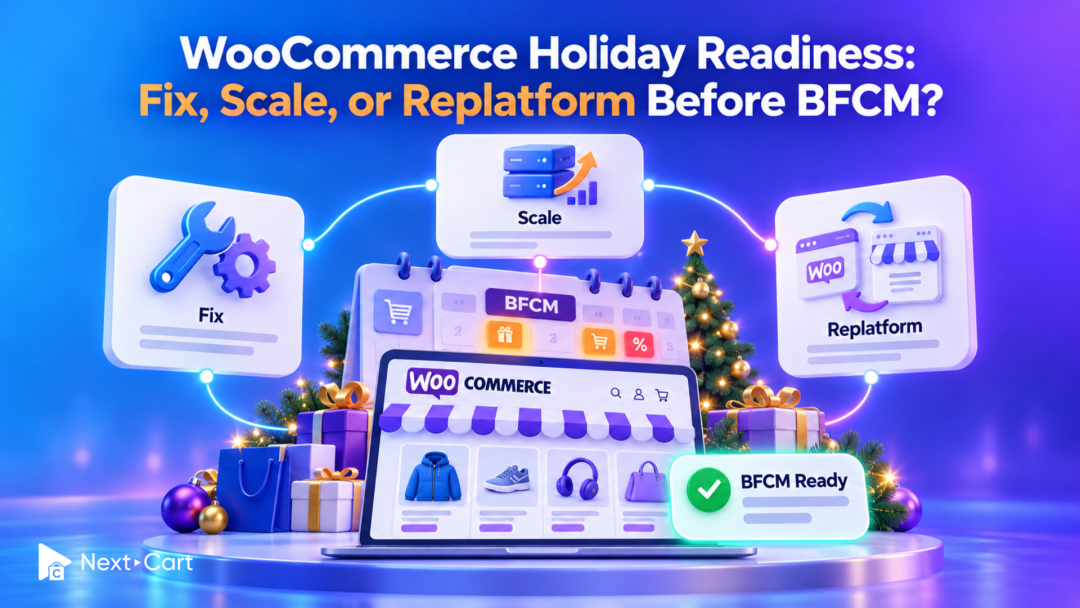
Fix isolated faults, scale when measured demand exceeds your infrastructure, and consider replatforming when recurring limitations no longer fit your business. For a WooCommerce store approaching Black Friday and Cyber Monday (BFCM), the immediate goal is reliable purchasing and order processing. A platform move needs its own evidence, preparation, and launch window.
WooCommerce can support substantial growth. Its scaling documentation identifies traffic patterns, code, themes and plugins, and server hardware as factors affecting performance. A seasonal slowdown is a reason to investigate your particular setup, not proof that every WooCommerce store needs to move.
This guide helps you turn that investigation into a decision: what to fix before your campaign, what capacity to add, and what to evaluate after peak season.
Should you fix, scale, or replatform?
Start with the failure you can reproduce. The same symptom, such as a slow checkout, can come from a plugin conflict, insufficient server capacity, or a slow external service. Each requires a different response.
|
Decision |
Evidence to look for |
Next step |
|---|---|---|
|
Fix |
A specific rule, plugin, or integration causes a reproducible failure. |
Apply a focused repair and retest the affected journey. |
|
Scale |
A working journey slows as a measured infrastructure limit is reached. |
Add targeted capacity and repeat the load test. |
|
Plan replatforming |
Recurring limitations remain costly or essential workflows no longer fit. |
Stabilize for peak; validate alternatives and plan a separate launch. |
Match the response to the evidence from your store.
These choices can overlap. You might fix a checkout extension, add hosting capacity for BFCM, and still review platform fit afterward. Tie each action to a finding and a successful retest.
Diagnose the bottleneck before changing the platform
Record when the issue starts, which purchase step fails, and what else is happening at that time. Compare normal trading with campaign traffic. A quiet-store speed score cannot tell you whether a busy checkout or an order export will remain reliable.
For a practical test setup, use Next-Cart’s holiday traffic stress-test guide. Here, the next question is what the test results mean for your platform decision.
Hosting headroom: is the store running out of capacity?
Ask your host to review CPU, memory, PHP worker availability, database load, and request errors during the affected period. PHP workers process application requests; when available workers are occupied, new requests may have to wait.
Look for a repeatable relationship between increased shopping activity and saturation. A short resource spike alone does not establish the cause. Request a diagnosis that connects the resource limit to the slow or failed purchase step.
If the store remains correct at low traffic but struggles as concurrent carts and checkouts increase, capacity deserves investigation. If one shipping lookup is slow at every traffic level, a larger server may leave the actual problem untouched.
Plugins and theme: which change creates the extra work?
Review recent changes to discounts, search, product options, analytics, and checkout. Ask your developer to profile the affected request and test suspected components on staging. Judge plugins by their behavior and compatibility, rather than by plugin count alone.
Keep the comparison controlled: the same product, cart, customer type, and promotion. Disable or replace a suspected component only in an appropriate test environment, then check which business functions depend on it before changing production.
Database and caching: which requests still do expensive work?
Have your developer inspect slow queries and repeated database work around the failing journey. If order storage is under review, assess High-Performance Order Storage (HPOS) against extension and custom-code compatibility before scheduling a change. Treat storage changes as tested projects, not last-minute switches.
Caching also needs a correctness check. WooCommerce’s caching guidance says Cart, Checkout, and My Account must remain dynamic because they contain customer-specific information. Confirm exclusions across the caching layers you use, including host or CDN rules.
Retest with separate customer sessions. Check cart contents, prices, discounts, and account information. A faster page with the wrong customer state is a failed test.
Checkout: does the complete transaction finish correctly?
Test your actual holiday combinations: promoted variants, coupons, shipping destinations, guest and returning customers, and the payment methods you plan to offer. Use approved test modes and controlled orders so testing does not create unintended charges or fulfillment.
Follow an order beyond the thank-you page. Verify the payment result, WooCommerce order, stock change, notification, and downstream fulfillment record. Trace failures to the responsible component before deciding whether hosting, configuration, or an integration needs attention.
Background jobs: is work falling behind after checkout?
WooCommerce uses scheduled actions for background work. Review their status and logs through the scheduled-actions interface. Focus on overdue or repeatedly failing actions and whether the oldest waiting work is becoming older during busy periods; future scheduled actions are not automatically a problem.
Ask your developer to inspect the scheduling mechanism, failing callbacks, external dependencies, and available processing capacity. Do not bulk rerun failed jobs without checking whether they could repeat a payment, message, or external update.
Inventory synchronization: do all channels agree?
Choose a best seller, a low-stock variant, and an item sold on multiple channels. Following WooCommerce’s seasonal inventory guidance, place controlled orders and track when quantities change in the store and connected inventory systems. Test cancellation or refund behavior where stock should be restored.
Name the inventory source of truth and record the expected update delay. Distinguish a failed update from an update that is still waiting. If the connector remains unreliable, moving the storefront without redesigning that connection can carry the same operational risk into the new store.
Fix now when the problem is specific and testable
A fix is a strong choice when you can identify the cause, limit the change, and verify recovery before the campaign. Examples include correcting a cache rule, repairing a promotion conflict, or addressing one integration’s failing background action.
-
Define the purchase or operational step that must work.
-
Reproduce the failure on a suitable test environment.
-
Apply the smallest change that addresses the cause.
-
Repeat the same test, then check related checkout and fulfillment steps.
-
Document the rollback and monitor the result after deployment.
Keep nonessential redesigns and broad extension replacements outside the immediate release. Necessary security and critical reliability work still needs attention, with testing and recovery planning proportionate to the risk.
Illustrative example: a bundle promotion fails only when combined with a coupon, while ordinary carts complete normally. Investigate the pricing rules and extension interaction first. Extra hosting capacity does not establish that the promotion calculation is correct.
Scale when demand exceeds a working setup
Scaling is appropriate when the core journey works, evidence identifies a capacity constraint, and a repeat test shows that the proposed change addresses it. The host’s plan name or monthly visit allowance is not enough to make that decision.
Ask your hosting and development teams to agree on:
-
The measured bottleneck and the resource or architecture change intended to address it.
-
A representative mix of browsing, carts, checkout, and background processing.
-
The acceptable response times, error levels, and queue recovery time for your operation.
-
Upgrade lead time, additional cost, monitoring, and the person available during the campaign.
There is no universal pass threshold for every WooCommerce store. Define your limits before testing, based on customer experience, fulfillment requirements, and your normal baseline. Coordinate load tests with your host and integration providers.
Illustrative example: checkout remains accurate, but application requests queue during a controlled traffic ramp. If additional processing capacity removes the queue without creating database pressure, scaling has evidence behind it. Repeat the test with the intended promotion and product mix before signing off.
Plan replatforming when the operating model no longer fits
Consider a platform review when recurring limitations remain expensive after reasonable optimization, or essential workflows depend on fragile workarounds. The question is whether another setup can support your requirements more sustainably.
Record patterns across incidents: repeated emergency engineering, difficult upgrades, limited support coverage, or business changes that consistently require extensive customization. Also examine whether better hosting, a different extension, or improved maintenance could resolve the issue while keeping WooCommerce.
Compare candidate platforms against real workflows: product variants, bundles, subscriptions, customer pricing, tax and shipping rules, inventory systems, and order handling. Ask for a demonstrated solution to your hardest requirement. A new platform’s feature list is not proof that your current business logic will transfer.
If Shopify is on your shortlist, review the WooCommerce to Shopify migration path to help scope the data move. Evaluate storefront behavior, apps, and integrations separately before selecting the destination.
Compare the cost of staying with the full cost of moving
For the same planning period, estimate hosting, extensions, maintenance, incident response, and manual work under the current setup. Compare that with destination subscriptions, apps, implementation, migration, integration changes, training, and ongoing support.
Include the cost of emergency fixes explicitly. Separate confirmed spending from estimates, and use a range for uncertain disruption costs. One difficult sale can justify an investigation; a recurring, documented pattern makes a stronger case for investment.
Why a post-peak move is often easier to validate
When there is insufficient time to test a new store properly, stabilize the existing store for BFCM and prepare the migration afterward. Make launch readiness depend on completed checks, rather than a date chosen before the scope is understood.
A data transfer does not recreate every theme feature, plugin rule, or operational workflow. For example, a bundle may have product records that migrate successfully while its component-stock behavior still needs a destination app or custom implementation. Validate both the records and what happens when someone buys the bundle.
Your migration plan should include sample-data review, field mapping, redirects, destination configuration, integration testing, a final data-sync plan, and ownership of launch approval. If a move must happen before peak, the same checks still apply; urgency does not remove them.
Set a clear BFCM readiness gate
Before the first major campaign, have the store owner, developer, and operations lead review one shared record. Keep each item linked to evidence and an accountable person.
-
Critical purchase paths pass with the planned products, promotions, shipping rules, and payment methods.
-
Hosting capacity has been assessed against representative shopping activity, with monitoring in place.
-
Relevant background jobs complete and any backlog recovers within the agreed window.
-
Inventory updates and stock-restoration scenarios work across the channels in scope.
-
Recent changes have a documented recovery plan, and backups and restoration responsibilities are confirmed.
-
Support contacts, escalation steps, and the person authorized to pause a promotion are known.
Treat unresolved payment, order, or stock-integrity failures as blockers to the affected campaign. For lesser issues, document the workaround, owner, and review date. A readiness checklist should make the decision visible, rather than hide uncertainty behind a green status.
Choose the change your evidence supports
A WooCommerce store with a specific fault may need a focused repair. A healthy store reaching its hosting limits may need capacity. A business repeatedly paying to work around a poor platform fit may benefit from a planned move.
Protect the upcoming sales period with changes you can validate. Use what you learn during BFCM to make the longer-term decision with better evidence.
If that decision includes replatforming, discuss your data scope and timing with Next-Cart’s Managed Migration team. Confirm supported data and any custom requirements early, while your team plans the destination storefront and operational testing.