

Start Your Shift4Shop to Shopify Migration Today!
Move your store from Shift4Shop to Shopify with a secure, guided migration tailored to your business.


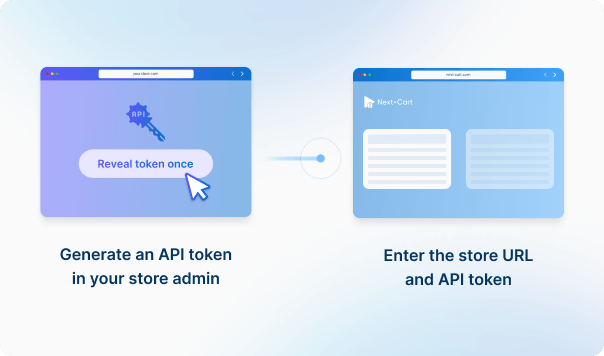
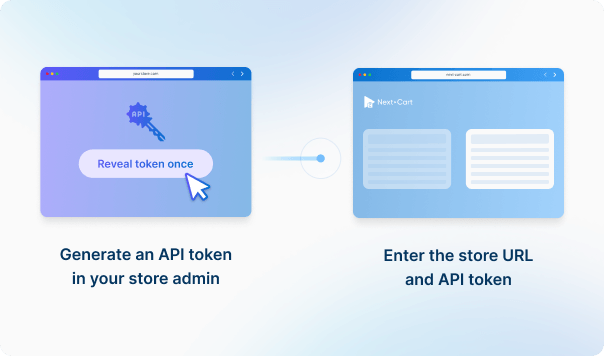




Enter your Shift4Shop store URL to establish the connection.
Generate an API access token from your Shopify admin, then enter your store URL and API credentials to connect. This enables secure data transfer into your Shopify store.




 Shift4Shop
 Shopify
 Shift4ShopShopify

These four data types are used to estimate the price. Other supported data, including categories, coupons, and reviews, is also migrated at no extra charge.
You can increase your plan’s data limit, upgrade your service, or add custom work while your license is valid.
You only pay the price difference, and your license expiry date stays the same. Custom work is reviewed and quoted separately.
Learn about upgrades (Opens in a new tab)Before Full Migration, identify the URLs, CMS Pages, Blog Posts, and landing pages that matter most, then decide their Shopify destinations and redirect rules. Supported content can be migrated, but complex legacy navigation or extension-driven URLs may need extra planning. Validate priority pages and redirects in Demo Migration and again before go-live.
Supported values can be migrated or remapped when Shopify has a compatible destination. App-owned data, unsupported custom fields, external identifiers, loyalty/wholesale/subscription logic, or other source-specific behavior may require Custom Service review. Data migration does not automatically recreate the app, theme behavior, checkout workflow, or external integration in Shopify.
Shopify uses a defined product → option → variant structure. If your source products map cleanly to that model, Standard Service may be enough. Custom options, bundles, personalization, subscriptions, or other buying logic may need Add-ons, Shopify-side setup/apps, or Custom Service. Use Demo Migration to test a few of your most complex products before Full Migration.
Absolutely. Even though Gift Cards are not supported by the Shopify API by default and are not listed as a supported entity, we can customize your migration tool to import Gift Cards into your Shopify store.
Once imported, the Gift Cards will be associated with the respective customers and orders (if they were created by orders).
When a product is migrated, our tool automatically identifies and links it to related products that have also been migrated.
Additionally, we support migrating cross-sell and up-sell product relationships to ensure a seamless shopping experience.
Important: To accurately display related products on your storefront, please install the Shopify Search & Discovery app on your Shopify store before initiating the migration process.
Order notifications are disabled by the Shopify API by default, meaning no order confirmations will be sent to your customers during the migration.
If you're migrating data to Shopify:
There are 2 limits you should be aware of before importing products into Shopify:
For more details, you can refer to this article.
*Update: Since April 2024, Shopify has increased the variant limit per product from 100 to 2,000. This limit is gradually being rolled out to their stores. Our migration tool has also been updated to accommodate this new limit. Click here for more details.
If you face any of the problems above, please contact us to find the best solution for your migration.
The short answer is Yes. Within 1 year from the date of purchase, you can re-migrate data whenever you want with our dedicated support.
Moreover, our migration also has an option that allows you to migrate only new data (products, categories, customers, orders, etc.) that have not been migrated in the previous migration. It's called Recent Data Migration and you can do it as many times as you want as well.
Featured images, gallery images, and images within the descriptions of products, categories, blog posts, and pages will be downloaded and saved to your Target Store.
Our migration tool enables seamless transfer of multilingual data both to and from Shopify.
Preparing for Migration: Before starting, ensure your Shopify store is set up for multiple languages by navigating to Settings > Languages and adding the required languages.
Post-Migration Management: Once the migration is complete, use the Shopify Translate & Adapt app to review and manage the multilingual content that has been successfully transferred.


Move your store from Shift4Shop to Shopify with a secure, guided migration tailored to your business.


































































































