Migrate products, customers, orders, blog posts, and other supported store data from CS-Cart to Cafe24 securely and accurately while preserving data relationships throughout the transfer.
Keep your store active during migration. No technical skills needed.
Free Demo Available
Preview a sample of your WooCommerce data on Shopify before running the Full Migration.
1-year License with Recent Data Migration
Keep your migration project available for 12 months and sync new or changed data with Recent Data Migration when needed.
24/7 Technician Support
Get expert help with connections, configuration, migration issues, and validation whenever you need it.
Step-by-Step Guide to CS-Cart to Cafe24 Migration
1
Connect your CS-Cart store
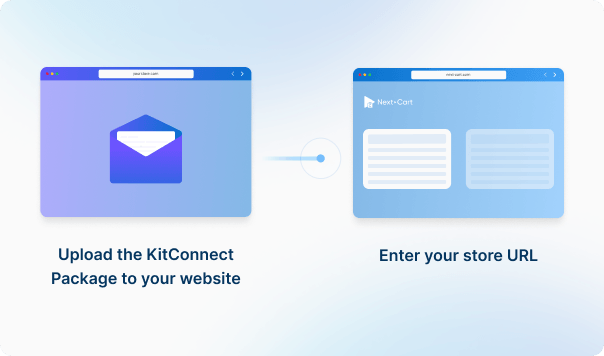
Enter your CS-Cart source store URL, then download the KitConnect package, unzip it, and upload it to your CS-Cart website.
2
Connect your Custom Platform
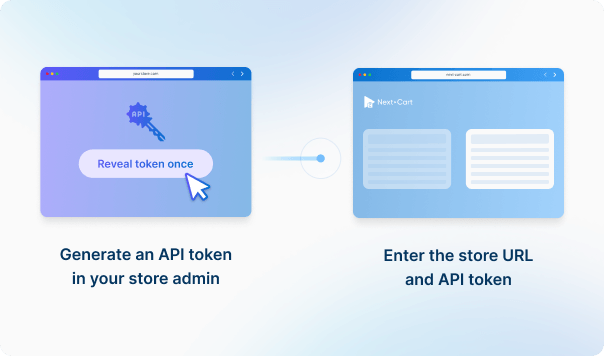
Enter your Cafe24 store URL and API credentials to establish the connection.

3
Configure and start the migration
Select the data you want to migrate, configure your migration options, then start the migration to your target store.

4
Review results & post-migration options
Review your migrated data to make sure everything is in place, then use post-migration options such as Recent Data Migration or Re-Migration if needed.
Data You Can Migrate
Products
Product Categories
Taxes
Manufacturers
Customers
Orders
Coupons
Reviews
Blog Posts
CMS Page
All relationships (categories, variants, images, etc.) preserved
Customize your setup with
additional options
Recent Data Migration
Clear Target Store Data
Strip HTML Tags from Category and Product Names
Transfer Embedded Images to Target Store
Compatibility Overview
CS-Cart
Cafe24
Version Range
2.0.x – 4.20.x
Cafe24 Online Store
Special Variants
Multistore / Multisite
-
Language & Localization
Multilingual, Multicurrency, RTL, Localized URLs
-
Main Editions
CS-Cart Multi-Vendor On-Premises, CS-Cart Multi-Vendor Cloud, CS-Cart Store Builder
Cafe24 PRO, Cafe24 PRO Global
Product Types: Simple Product, Product Variants
Product Information: Name, SKU, UPC / EAN / ISBN, Full description, Length / Width / Height, Tags, Vendor, Status
Customer Details: First Name, Last Name, Company, Address, City, State, Country, Zip, Phone
Order Relationships: User ID, Products
Coupon Information: Code, Description, Discount Type, Discount Value, To Date
Usage Restrictions: Minimum Order, Maximum Order, Per Customer, Exclude Sale, Products, Excluded Products, Categories, Excluded Categories, Usage Limit, Usage Per User