
Next-Cart

From J2Store to Your Next Store on AmeriCommerce

A switch from J2Store to AmeriCommerce is an opportunity to work on the store you want, not to repeat old data-entry tasks. Next-Cart helps you make that move. Keep the next step clear as the new store takes shape.
Start Free Demo
No Downtime,
No Coding Required
Keep your store running during migration. No coding or technical skills required.
Free Demo Available
Preview a sample of your data in the target store before starting the full migration.
1-Year License
with Repeat Migrations
Repeat your migration when needed, including new or updated data, within your plan’s data limit.
Expert Technician Support
Get expert help with connections, configuration, migration issues, and data validation throughout your migration.

How to Migrate J2Store to AmeriCommerce

We guide you through your move from J2Store to AmeriCommerce, with straightforward steps for connecting your stores, transferring your data, and checking the results.
Connect your source: J2Store
Connect your target: AmeriCommerce
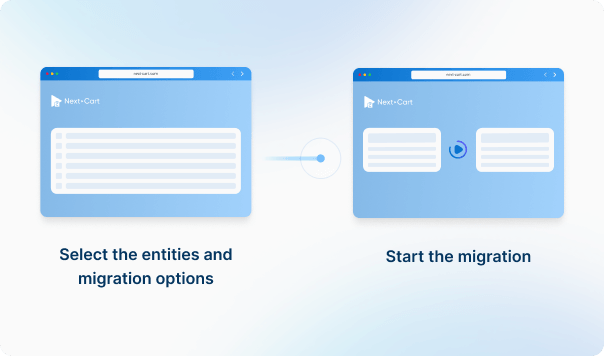
Configure and start the migration
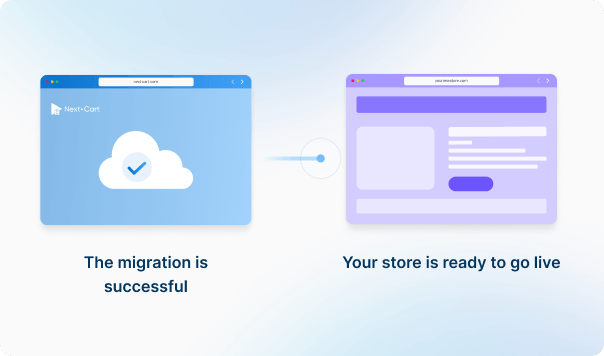
Review results & post-migration options
1
Connect your source: J2Store

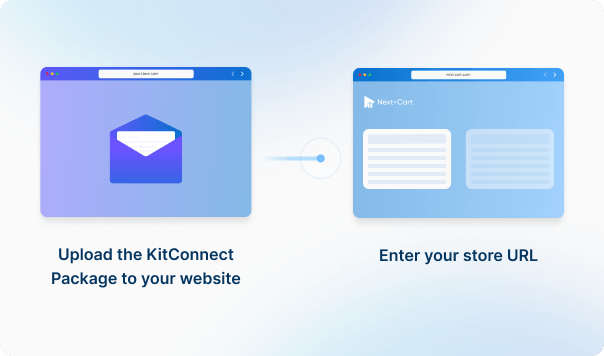
Enter the URL of the J2Store store you are migrating from. Then download the KitConnect package, unzip it, and upload it to that store’s website.

What Can You Migrate from J2Store to AmeriCommerce?

Bring your J2Store products, customers, orders, and content to AmeriCommerce, along with SEO data.
Products
Product Categories
Taxes
Manufacturers
Customers
Orders
Coupons
Reviews
Blog Posts
CMS Page
All relationships (categories, variants, images, etc.) preserved

Customize your setup with additional options

Recent Data Migration
Clear Target Store Data
Strip HTML Tags from Category and Product Names
Transfer Embedded Images to Target Store
Create 301 Redirects for SEO URLs
Compatibility Overview
J2StoreJ2Store
AmeriCommerceAmeriCommerce
Version Range
1.x - 4.x (and newer)
All versions
Main Editions
Joomla extension
-
Product Types: Simple Product, Product Variants, Product Bundles, Non-Shipping Product
Product Information: Name, SKU, UPC / EAN, Length / Width / Height, Manufacturer, Published
Product Pricing: Price, Sale Price, Quantity Pricing
Product Options: Option, Option Value, Option Stock, Ordering, Field Type
Product Variants: Option, Weight, Stock, Published
Product Images: Image, Additional Images, Description
Product Inventory: Manage Stock, Stock, Availability, Allow Backorders
External Links / Relationships: Categories, Related Products, Manufacturers
Product Attributes & Custom Fields: Attribute Name , Attribute Value, Display, Field Type
Product Downloads: File name, Download Links, Download Limit, Expiry, Downloadable Product
Product SEO / Structured Data: Meta Title, Meta Description, Meta Keywords, Alias
Category Information: Title, Alias, Description, Published, Meta Title, Meta Description
Category Images: Image
Category Structure / Hierarchy: Parent Category, Subcategories, Ordering
Tax Rules: Tax Rule, Tax Class, Country, State, Postal Code, Rate, Tax Shipping, Product
Manufacturer Information: ID, Name, SEO URL, Description
Manufacturer Branding : Image, Alt
Customer Information: First Name, Last Name, Email, Phone, Status, Created, Password
Customer Addresses: ID, First Name, Last Name, Company, Address, Address 2, City, State, Country, Zip, Phone, Type, Yes / No
Customer Order History: Orders
Order Information: ID, Order Number, Status, Currency, Subtotal, Discount, Tax, Total, Payment Method, Shipping Method, Shipping, Tracking, Note, Created, Updated
Product Details: Product Name, SKU, Quantity, Price, Total, Tax, Discount, Options
Customer Details: First Name, Last Name, Company, Address, City, State, Country, Zip, Phone
Order Relationships: User ID, Products
Coupon Information: Code, Description, Discount Type, Discount Amount, Status, Start Date, End Date
Usage Restrictions: Minimum Order, Maximum Order, Per Customer, Exclude Sale, Products, Excluded Products, Categories, Excluded Categories, Usage Limit, Usage Per Customer
Review Information: Title, Comment, Rating, Status, Date
Reviewer Information: User ID, Email, Name
Product Relationship: Product ID
Post Information: Title, Content, Intro Text, Tags, Alias, Published, Visibility
Post Images: Image, Images In Content
Post Categories: Category, Parent, Ordering
Post SEO / Structure Data: Meta Title, Meta Description
Post Comments: Name, Email, Comment, Date, Status
Page Information: ID, Title, Content, Alias, Published, Visibility, Template, Parent, Ordering, Created, Updated
Page Images: Image, Images In Content
Page SEO / Structure Data: Meta Title, Meta Description
J2StoreJ2Store
AmeriCommerceAmeriCommerce
Product Types
Simple Product
Product
Product Variants
Product Variants
Product Bundles
Product Bundles
Non-Shipping Product
Digital Product
Name
Name
SKU
SKU
UPC / EAN
UPC
Length / Width / Height
Manufacturer
Brand
Published
Active
Price
Price
Sale Price
Sale Price
Quantity Pricing
Quantity Pricing
Option
Option
Option Value
Option Value
Option Stock
Option Inventory
Ordering
Sort Order
Field Type
Option Type
Option
Variant Option
Weight
Weight
Stock
Inventory
Published
Active
Image
Image
Additional Images
Additional Images
Description
Description
Manage Stock
Track Inventory
Stock
Inventory
Availability
Stock Status
Allow Backorders
Allow Backorders
Categories
Categories
Related Products
Related Products
Manufacturers
Manufacturers
Attribute Name
Attribute Name
Attribute Value
Attribute Value
Display
Display
Field Type
Field Type
File name
File name
Download Links
File URL
Download Limit
Download Limit
Expiry
Expiration
Downloadable Product
Digital Product
Meta Title
Meta Title
Meta Description
Meta Description
Meta Keywords
Meta Keywords
Alias
SEO URL
Category Information
Title
Name
Alias
SEO URL
Description
Description
Published
Active
Meta Title
Meta Title
Meta Description
Meta Description
Image
Category Image
Parent Category
Parent Category
Subcategories
Subcategories
Ordering
Sort Order
Tax Rules
Tax Rule
Tax Rule
Tax Class
Tax Class
Country
Country
State
State
Postal Code
Zip Code
Rate
Rate
Tax Shipping
Shipping Taxable
Product
Product
Manufacturer Information
ID
ID
Name
Name
SEO URL
SEO URL
Description
Description
Image
Image
Alt
Alt
Customer Information
First Name
First Name
Last Name
Last Name
Email
Email
Phone
Phone
Status
Status
Created
Date Created
Password
Password
ID
ID
First Name
First Name
Last Name
Last Name
Company
Company
Address
Address 1
Address 2
Address 2
City
City
State
State
Country
Country
Zip
Zip
Phone
Phone
Type
Type
Yes / No
Yes / No
Orders
Orders
Order Information
ID
ID
Order Number
Order Number
Status
Status
Currency
Currency
Subtotal
Subtotal
Discount
Discount
Tax
Tax
Total
Total
Payment Method
Payment Method
Shipping Method
Shipping Method
Shipping
Shipping Method
Tracking
Tracking
Note
Note
Created
Created
Updated
Updated
Product Name
Product Name
SKU
SKU
Quantity
Quantity
Price
Price
Total
Total
Tax
Tax
Discount
Discount
Options
Options
First Name
First Name
Last Name
Last Name
Company
Company
Address
Address
City
City
State
State
Country
Country
Zip
Zip
Phone
Phone
User ID
Customer ID
Products
Products
Coupon Information
Code
Code
Description
Description
Discount Type
Discount Type
Discount Amount
Discount Amount
Status
Active
Start Date
Start Date
End Date
End Date
Minimum Order
Min Order
Maximum Order
Max Order
Per Customer
Single Use
Exclude Sale
Exclude Sale
Products
Products
Excluded Products
Excluded Products
Categories
Categories
Excluded Categories
Excluded Categories
Usage Limit
Usage Limit
Usage Per Customer
Usage Per Customer
Review Information
Title
Title
Comment
Review
Rating
Rating
Status
Status
Date
Date
User ID
Customer ID
Email
Email
Name
Name
Product ID
Product ID
Post Information
Title
Title
Content
Content
Intro Text
Summary
Tags
Tags
Alias
SEO URL
Published
Status
Visibility
Visibility
Image
Image
Images In Content
Images In Content
Category
Category
Parent
Parent
Ordering
Sort
Meta Title
Meta Title
Meta Description
Meta Description
Name
Name
Email
Email
Comment
Comment
Date
Date
Status
Status
Page Information
ID
ID
Title
Title
Content
Content
Alias
SEO URL
Published
Status
Visibility
Visibility
Template
Template
Parent
Parent
Ordering
Sort
Created
Created
Updated
Updated
Image
Image
Images In Content
Images In Content
Meta Title
Meta Title
Meta Description
Meta Description

J2Store to AmeriCommerce Migration Cost

Get an estimate for your J2Store to AmeriCommerce migration based on your data volume, chosen service, and add-ons.
1. Service
2. Data Volume
Source Platform
J2Store
Target Platform
AmeriCommerce

These four data types are used to estimate the price. Other supported data, including categories, coupons, and reviews, is also migrated at no extra charge.

Custom Jobs
+$100.00

You can increase your plan’s data limit, upgrade your service, or add custom work while your license is valid.

You only pay the price difference, and your license expiry date stays the same. Custom work is reviewed and quoted separately.

Learn about upgrades (Opens in a new tab)

Frequently Asked Questions

What you need to know before migrating your store data from J2Store to AmeriCommerce.

Can I choose which AmeriCommerce storefront receives customers and orders?

The built-in customer and order imports use storefront 1. Connecting to an AmeriCommerce account does not select a different storefront for those records. If another storefront should receive them, agree that requirement before migration and verify the storefront assignment in the test results.

Not through the default conversion of source variants. It creates dropdown choices and price adjustments, but does not keep a separate SKU or stock quantity for each combination. Products where the same choice has different prices in different combinations need particular attention. Check a product with several choices before the full migration. Agree any additional work needed to keep the original pricing and stock behavior.

Do not remove it based only on product-import completion. Next-Cart sends the original main and gallery image URLs to AmeriCommerce; this connection does not separately download the files. Check the resulting image URLs and storage to confirm whether AmeriCommerce has independent copies. Rehost any images that still depend on the old domain before retiring that domain or its storage.

Yes. The built-in migration process reads the product title, full description, introduction and SEO text from the Joomla! article linked to the J2Store product. Confirm that those article links and images are intact before migration; a catalog export without the linked content is not equivalent.

Available services depend on your migration path. Standard Migration lets you use the tool yourself with technical support. With Managed Migration, our technicians carry out the agreed migration. Custom Migration covers tailored requirements, with the migration carried out by you or our team as agreed. Data types must be supported by both connections; choosing expert handling does not by itself add unsupported data.

Where a self-service Demo Migration is available for your migration path, you can try it for free before purchasing. It transfers a small sample of supported data so you can check the result. Add-ons and custom work are not included in the self-service demo. For a file-based, custom or technician-assisted evaluation, contact us first to agree the test scope and any applicable cost.

Your data types and quantities determine the Entity Points total and the plan you need. The cost also depends on your chosen service, add-ons, and any custom work. Use the pricing calculator for an estimate; custom work is reviewed and quoted separately.

If you are migrating from a live store, it can normally keep taking orders while Next-Cart copies its data. The migration does not delete or change the source data. Plan the final update and the switch to the new store separately so recent orders and other changes are included. For file-based migrations, changes made after an export require a fresh export; an uploaded file is not a live connection to the store.

Yes. Your license allows repeat runs for the same store and migration path for 12 months from purchase, within your plan’s data limit. Continuing the previous migration can add eligible new records without importing the same mapped records again.

Changing records already migrated is separate: the paid Data Update add-on can update selected fields where your source, target version and those fields are supported. Keep the existing migration links and leave target-data clearing off. It does not automatically update every field or provide continuous synchronization.

Yes. While your license is valid, you can increase your plan’s data limit and upgrade to a higher service where it is available for your migration path. You can move from Standard Migration to Managed Migration or Custom Migration, or from Managed Migration to Custom Migration.

If you already use Custom Migration, you can add custom work after a review and quote. You pay only the additional amount, and your license expiry date stays the same.


Start Your J2Store to AmeriCommerce Migration Today!

Move your store from J2Store to AmeriCommerce with a secure, guided migration tailored to your business.