
Start Your Weebly to Cafe24 Migration Today!
Move your store from Weebly to Cafe24 with a secure, guided migration tailored to your business.


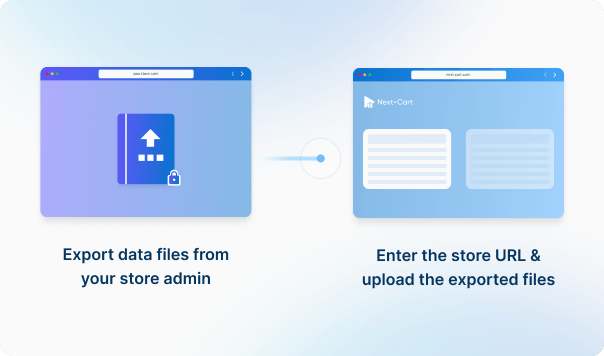
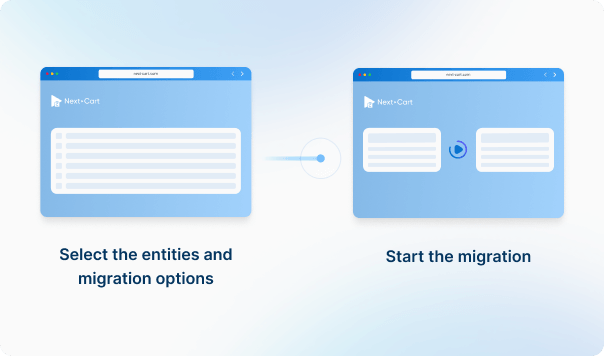


Enter the URL of the Weebly store you are migrating from and upload the required data files to establish the connection.
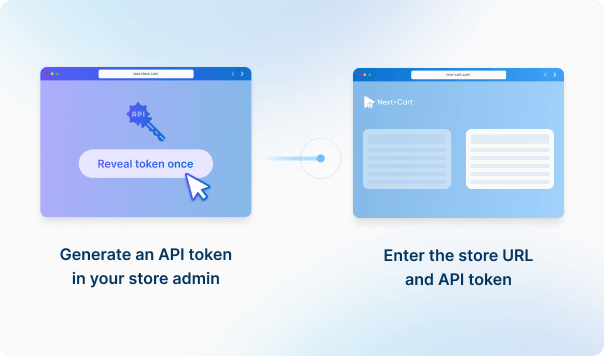
To establish the connection, enter the URL and API credentials for the Cafe24 store you are migrating to.




 Weebly
 Cafe24WeeblyCafe24


These four data types are used to estimate the price. Other supported data, including categories, coupons, and reviews, is also migrated at no extra charge.
You can increase your plan’s data limit, upgrade your service, or add custom work while your license is valid.
You only pay the price difference, and your license expiry date stays the same. Custom work is reviewed and quoted separately.
Learn about upgrades (Opens in a new tab)The current category import uses shop 1. Connecting a Cafe24 account does not automatically select another language shop for those categories. If your account has several shops, confirm the intended destination and any changes needed before migration.
Keep it available until the product image check is complete. The default workflow reads the IMAGE field and also requests the live product page to find additional image information. A CSV export alone therefore does not establish that every referenced image is available for migration.
Preserve PRODUCT_ID across a product's variant rows and keep their separate SKU, PRICE, TRACK_INVENTORY, and INVENTORY values. The migration process uses repeated PRODUCT_ID rows to build child variants and reads up to three OPTION name/value pairs. Do not renumber those groups while cleaning the file.
Not from the default product import alone. Next-Cart sends option names and choices, but does not separately import the SKU, price and stock of each source variant. A product with visible options may therefore still lack its variant-level inventory and prices. Check a product with several choices before the full migration. Agree any additional work needed to keep the original pricing and stock behavior.
The same main source image fills Cafe24’s detail, list, tiny and small image fields. Other gallery images are uploaded separately, so four different source pictures for those display roles are not retained automatically. Check the image shown in each location and the gallery. Images embedded in descriptions are separate; this connection does not enable their copying option.
The built-in Cafe24 destination connection does not create standalone customer accounts, even when order migration is available. Buyer details on imported orders are not a restored customer account or login. Plan registration and customer access separately before migrating.
Available services depend on your migration path. Standard Migration lets you use the tool yourself with technical support. With Managed Migration, our technicians carry out the agreed migration. Custom Migration covers tailored requirements, with the migration carried out by you or our team as agreed. Data types must be supported by both connections; choosing expert handling does not by itself add unsupported data.
Where a self-service Demo Migration is available for your migration path, you can try it for free before purchasing. It transfers a small sample of supported data so you can check the result. Add-ons and custom work are not included in the self-service demo. For a file-based, custom or technician-assisted evaluation, contact us first to agree the test scope and any applicable cost.
Your data types and quantities determine the Entity Points total and the plan you need. The cost also depends on your chosen service, add-ons, and any custom work. Use the pricing calculator for an estimate; custom work is reviewed and quoted separately.
If you are migrating from a live store, it can normally keep taking orders while Next-Cart copies its data. The migration does not delete or change the source data. Plan the final update and the switch to the new store separately so recent orders and other changes are included. For file-based migrations, changes made after an export require a fresh export; an uploaded file is not a live connection to the store.
Yes. Your license allows repeat runs for the same store and migration path for 12 months from purchase, within your plan’s data limit. Continuing the previous migration can add eligible new records without importing the same mapped records again.
Changing records already migrated is separate: the paid Data Update add-on can update selected fields where your source, target version and those fields are supported. Keep the existing migration links and leave target-data clearing off. It does not automatically update every field or provide continuous synchronization.
Yes. While your license is valid, you can increase your plan’s data limit and upgrade to a higher service where it is available for your migration path. You can move from Standard Migration to Managed Migration or Custom Migration, or from Managed Migration to Custom Migration.
If you already use Custom Migration, you can add custom work after a review and quote. You pay only the additional amount, and your license expiry date stays the same.


Move your store from Weebly to Cafe24 with a secure, guided migration tailored to your business.