Next-Cart

Wix to Bagisto Migration

Migrate products, customers, orders, blog posts, and other supported store data from Wix to Bagisto securely and accurately while preserving data relationships throughout the transfer.
No Downtime,
No Coding Required
Keep your store running during migration. No coding or technical skills required.
Free Demo Available
Preview a sample of your data in the target store before starting the full migration.
1-Year License
with Repeat Migrations
Repeat your migration when needed, including new or updated data, within your plan’s data limit.
Expert Technician Support
Get expert help with connections, configuration, migration issues, and data validation throughout your migration.

How to Migrate Wix to Bagisto

Connect the source and target, choose the supported data and options, and review the results. The steps below describe the tool workflow; expert-led and custom projects may follow an agreed plan.
Connect your source: Wix
Connect your target: Bagisto
Configure and start the migration
Review results & post-migration options
1
Connect your source: Wix

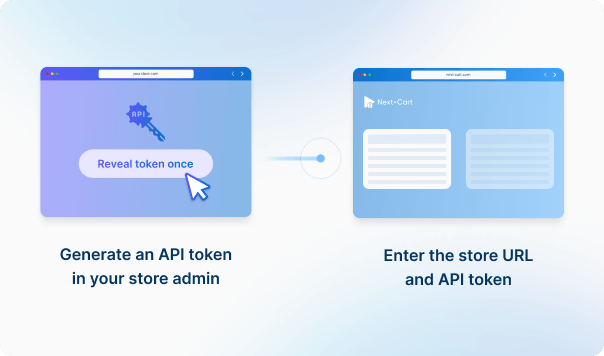
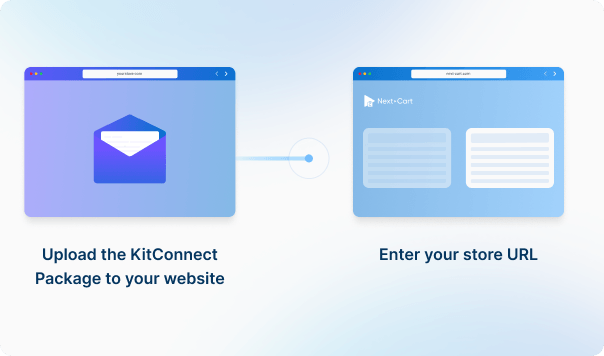
To establish the connection, enter the URL for the Wix store you are migrating from.

What Can You Migrate from Wix to Bagisto?

Review supported data, source-to-target mappings and any listed conditions. Custom fields, plugin data and URL redirects may need additional review.
Products
Product Categories
Taxes
Manufacturers
Customers
Orders
Coupons
Reviews
Blog Posts
CMS Page
All relationships (categories, variants, images, etc.) preserved

Customize your setup with additional options

Recent Data Migration
Clear Target Store Data
Strip HTML Tags from Category and Product Names
Transfer Embedded Images to Target Store
Create 301 Redirects for SEO URLs
Compatibility Overview
WixWix
BagistoBagisto
Version Range
Light, Core, Business, Business Elite
1.x – 2.3.8
Main Editions
Wix Online Store
Bagisto
Language & Localization
-
Multilingual, Multicurrency, RTL, Localized URLs
Product Types: Item, Product Variants, Digital Product
Product Information: Name, SKU, Barcode, Length / Width / Height, Tags, URL Slug, Visible
Product Pricing: Price, Discounted Price
Product Options: Option, Option Choices, Variant Inventory, Color Swatch, Option Type
Product Variants: Option, Price, Weight, Length / Width / Height, Inventory, Image, Visible
Product Images: Main image, Description, Gallery, Alt Text, Menu Order
Product Inventory: Track Inventory, Inventory, In Stock / Out of Stock, Allow Backorders, Locations
External Links / Relationships: Categories, Related Products
Product Attributes & Custom Fields: Attribute Name , Attribute Value, Visible, Field Type, Color Swatch
Product Downloads: File name, Download Links, Download Limit, Expiry, Digital Product
Product SEO / Structured Data: SEO Title, SEO Description, Redirect, URL Slug
Category Information: Name, Slug, Description, Visible, Redirect, SEO Title, SEO Description
Category Images: Image, Alt Text
Category Structure / Hierarchy: Parent Category, Subcategories
Tax Rules: Tax Rule, Tax Class, Country, State, Postal Code, Rate, Tax Shipping, Product
Manufacturer Information: ID, Brand, URL Slug, Description
Manufacturer Branding : Image, Alt
Customer Information: First Name, Last Name, Email, Phone, Status, Created At
Customer Addresses: ID, First Name, Last Name, Company, Address 1, Address 2, City, State, Country, Zip, Phone, Type, Default Billing, Default Shipping
Customer Order History: Orders
Order Information: ID, Order Number, Status, Currency, Subtotal, Discount, Tax, Total, Payment Method, Shipping Method, Shipping, Tracking, Note, Created Date, Updated
Product Details: Product Name, SKU, Quantity, Price, Total, Tax, Discount, Options
Customer Details: First Name, Last Name, Company, Address 1, City, State, Country, Zip, Phone
Order Relationships: Customer ID, Products
Coupon Information: Code, Description, Discount Type, Discount Value, Start Date, End Date
Usage Restrictions: Minimum Spend, Per Customer, Exclude Sale, Products, Excluded Products, Categories, Excluded Categories, Usage Limit, Usage Per Customer
Review Information: Title, Comment, Rating, Status, Date
Reviewer Information: Customer ID, Email, Name, Verified Purchase
Product Relationship: Product ID, Variant ID
Post Information: Title, Content, Excerpt, Tags, URL Slug, Status, Visibility
Post Images: Image, Images In Content, Alt
Post Categories: Category, Parent
Post SEO / Structure Data: SEO Title, SEO Description, Redirect, Plugin Structured Data
Post Comments: Name, Email, Comment, Date, Status
Page Information: ID, Title, Content, Excerpt, URL Slug, Status, Visibility, Template, Parent, Created, Updated
Page Images: Image, Images In Content, Alt
Page SEO / Structure Data: SEO Title, SEO Description, Redirect
WixWix
BagistoBagisto
Product Types
Item
Simple Product
Product Variants
Configurable Product
Digital Product
Virtual Product
Name
Name
SKU
SKU
Barcode
Barcode
Length / Width / Height
Tags
Tags
URL Slug
URL Key
Visible
Visible Individually
Price
Price
Discounted Price
Special Price
Option
Attribute
Option Choices
Attribute Option
Variant Inventory
Qty (variant)
Color Swatch
Swatch
Option Type
Type
Option
Attribute
Price
Price
Weight
Weight
Length / Width / Height
Inventory
Quantity
Image
Image
Visible
Status
Main image
Base Image
Description
Gallery
Gallery
Gallery
Alt Text
Alt Text
Menu Order
Position
Track Inventory
Manage Stock
Inventory
Quantity
In Stock / Out of Stock
Stock Status
Allow Backorders
Backorders
Locations
Inventory Sources
Categories
Categories
Related Products
Related Products
Attribute Name
Attribute Code
Attribute Value
Attribute Value
Visible
Visible on Storefront
Field Type
Type
Color Swatch
Swatch
File name
Title
Download Links
Download Links
Download Limit
Download Limit
Expiry
Expiration
Digital Product
Downloadable Product
SEO Title
Meta Title
SEO Description
Meta Description
Redirect
URL Rewrite
URL Slug
URL Key
Category Information
Name
Name
Slug
URL Key
Description
Description
Visible
Status
Redirect
URL Rewrite
SEO Title
Meta Title
SEO Description
Meta Description
Image
Thumbnail
Alt Text
Alt Text
Parent Category
Parent Category
Subcategories
Subcategories
Tax Rules
Tax Rule
Tax Rule
Tax Class
Tax Class
Country
Country
State
State
Postal Code
Zip Code
Rate
Rate
Tax Shipping
Shipping Taxable
Product
Product
Manufacturer Information
ID
ID
Brand
Name
URL Slug
URL Key
Description
Description
Image
Image
Alt
Alt
Customer Information
First Name
First Name
Last Name
Last Name
Email
Email
Phone
Phone
Status
Status
Created At
Created At
ID
ID
First Name
First Name
Last Name
Last Name
Company
Company
Address 1
Address 1
Address 2
Address 2
City
City
State
State
Country
Country
Zip
Postcode
Phone
Phone
Type
Type
Default Billing
Default Billing
Default Shipping
Default Shipping
Orders
Orders
Order Information
ID
ID
Order Number
Order Number
Status
Status
Currency
Currency
Subtotal
Subtotal
Discount
Discount
Tax
Tax
Total
Total
Payment Method
Payment Method
Shipping Method
Shipping Method
Shipping
Shipping Method
Tracking
Tracking
Note
Note
Created Date
Created At
Updated
Updated At
Product Name
Name
SKU
SKU
Quantity
Quantity
Price
Price
Total
Total
Tax
Tax
Discount
Discount
Options
Options
First Name
First Name
Last Name
Last Name
Company
Company
Address 1
Address
City
City
State
State
Country
Country
Zip
Postcode
Phone
Phone
Customer ID
Customer ID
Products
Items
Coupon Information
Code
Code
Description
Description
Discount Type
Action Type
Discount Value
Discount Amount
Start Date
Starts From
End Date
Ends Till
Minimum Spend
Minimum Cart Amount
Per Customer
Uses Per Customer
Exclude Sale
Apply to Sale
Products
Products
Excluded Products
Excluded Products
Categories
Categories
Excluded Categories
Excluded Categories
Usage Limit
Usage Limit
Usage Per Customer
Uses Per Customer
Review Information
Title
Title
Comment
Comment
Rating
Rating
Status
Status
Date
Created At
Customer ID
Customer ID
Email
Email
Name
Name
Verified Purchase
Verified Purchase
Product ID
Product ID
Variant ID
Variant ID
Post Information
Title
Title
Content
Content
Excerpt
Short Description
Tags
Tags
URL Slug
URL Key
Status
Status
Visibility
Visibility
Image
Image
Images In Content
Images In Content
Alt
Alt
Category
Category
Parent
Parent
SEO Title
Meta Title
SEO Description
Meta Description
Redirect
URL Rewrite
Plugin Structured Data
URL Rewrite
Name
Name
Email
Email
Comment
Comment
Date
Date
Status
Status
Page Information
ID
ID
Title
Title
Content
Content
Excerpt
Short Description
URL Slug
URL Key
Status
Status
Visibility
Visibility
Template
Layout
Parent
Parent
Created
Created At
Updated
Updated At
Image
Image
Images In Content
Images In Content
Alt
Alt
SEO Title
Meta Title
SEO Description
Meta Description
Redirect
URL Rewrite

Wix to Bagisto Migration Cost

Choose an available service: self-service Standard, expert-led Managed, or scoped Custom Migration. Enter your data volumes for an estimate; add-ons and custom requirements may affect the final price.
1. Service
2. Data Volume
Source Platform
Wix
Target Platform
Bagisto

These four data types are used to estimate the price. Other supported data, including categories, coupons, and reviews, is also migrated at no extra charge.

Custom jobs
+$100

You can increase your plan’s data limit, upgrade your service, or add custom work while your license is valid.

You only pay the price difference, and your license expiry date stays the same. Custom work is reviewed and quoted separately.

Learn about upgrades (Opens in a new tab)

Frequently Asked Questions

What you need to know before migrating your store data from Wix to Bagisto.

What happens to product variants when migrating to Bagisto?

Existing variants become child products under a configurable product. If the source only supplies separate choices, Next-Cart creates combinations from them, up to 3,000 per product; no combinations are created above that count. This is a migration-processing limit, not a platform limit, and does not apply to variants already supplied. Check that the resulting choices, prices and stock match what you actually sell.

Yes. For supported products, Next-Cart copies the supplied main image and gallery to Bagisto. Keep the original image links accessible and allow files to be written to the destination until you have checked the gallery. Images from extensions must be included in the source data. Images inside descriptions need the separate copying option, where available; check them before removing the old hosting.

Available services depend on your migration path. Standard Migration lets you use the tool yourself with technical support. With Managed Migration, our technicians carry out the agreed migration. Custom Migration covers tailored requirements, with the migration carried out by you or our team as agreed. Data types must be supported by both connections; choosing expert handling does not by itself add unsupported data.

Where a self-service Demo Migration is available for your migration path, you can try it for free before purchasing. It transfers a small sample of supported data so you can check the result. Add-ons and custom work are not included in the self-service demo. For a file-based, custom or technician-assisted evaluation, contact us first to agree the test scope and any applicable cost.

Your data types and quantities determine the Entity Points total and the plan you need. The cost also depends on your chosen service, add-ons, and any custom work. Use the pricing calculator for an estimate; custom work is reviewed and quoted separately.

If you are migrating from a live store, it can normally keep taking orders while Next-Cart copies its data. The migration does not delete or change the source data. Plan the final update and the switch to the new store separately so recent orders and other changes are included. For file-based migrations, changes made after an export require a fresh export; an uploaded file is not a live connection to the store.

Yes. Your license allows repeat runs for the same store and migration path for 12 months from purchase, within your plan’s data limit. Continuing the previous migration can add eligible new records without importing the same mapped records again.

Changing records already migrated is separate: the paid Data Update add-on can update selected fields where your source, target version and those fields are supported. Keep the existing migration links and leave target-data clearing off. It does not automatically update every field or provide continuous synchronization.

Yes. While your license is valid, you can increase your plan’s data limit and upgrade to a higher service where it is available for your migration path. You can move from Standard Migration to Managed Migration or Custom Migration, or from Managed Migration to Custom Migration.

If you already use Custom Migration, you can add custom work after a review and quote. You pay only the additional amount, and your license expiry date stays the same.


Start Your Wix to Bagisto Migration Today!

Move your store from Wix to Bagisto with a secure, guided migration tailored to your business.