Migrate products, customers, orders, blog posts, and other supported store data from X-Cart to EasyStore securely and accurately while preserving data relationships throughout the transfer.
Keep your store active during migration. No technical skills needed.
Free Demo Available
Preview a sample of your WooCommerce data on Shopify before running the Full Migration.
1-year License with Recent Data Migration
Keep your migration project available for 12 months and sync new or changed data with Recent Data Migration when needed.
24/7 Technician Support
Get expert help with connections, configuration, migration issues, and validation whenever you need it.
Step-by-Step Guide to X-Cart to EasyStore Migration
1
Connect your X-Cart store
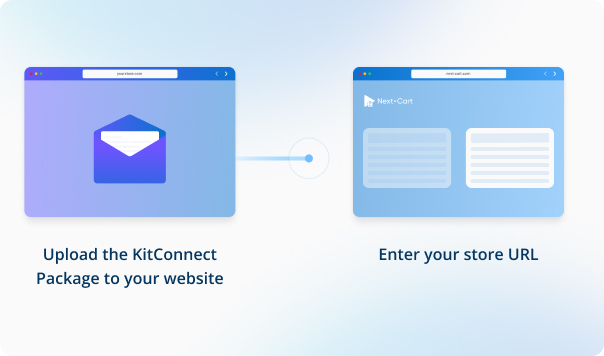
Enter your X-Cart store URL, then download the KitConnect package, unzip it, and upload it to your X-Cart website.
2
Connect your EasyStore site
Enter your EasyStore store URL, then download the KitConnect package, unzip it, and upload it to your EasyStore website.
3
Configure and start the migration
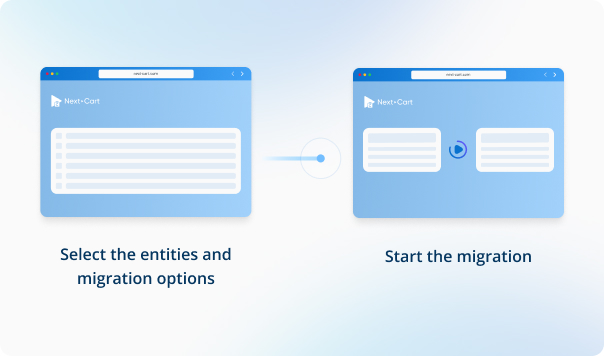
Select the data you want to migrate, configure your migration options, then start the migration to your target store.
4
Review results & post-migration options
Review your migrated data to make sure everything is in place, then use post-migration options such as Recent Data Migration or Re-Migration if needed.
Data You Can Migrate
Products
Product Categories
Taxes
Manufacturers
Customers
Orders
Coupons
Reviews
Blog Posts
CMS Page
All relationships (categories, variants, images, etc.) preserved











 X-Cart
 EasyStore