Migrate products, customers, orders, blog posts, and other supported store data from BigCommerce to CS-Cart securely and accurately while preserving data relationships throughout the transfer.
No downtime, No coding required
Keep your store active during migration. No technical skills needed.
Free Demo Available
Preview a sample of your WooCommerce data on Shopify before running the Full Migration.
1-year License with Recent Data Migration
Keep your migration project available for 12 months and sync new or changed data with Recent Data Migration when needed.
24/7 Technician Support
Get expert help with connections, configuration, migration issues, and validation whenever you need it.
Step-by-Step Guide to BigCommerce to CS-Cart Migration
1
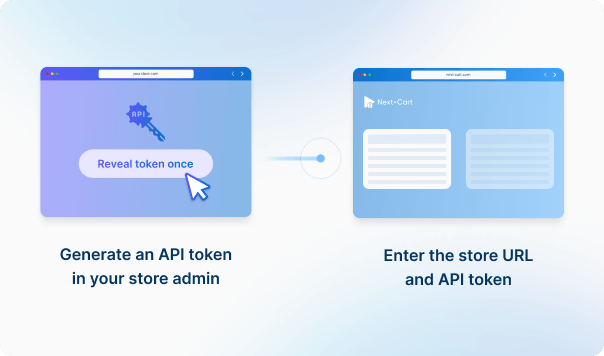
Connect your BigCommerce store
Enter your BigCommerce source store URL, API Path, Client ID and Access Token to establish the connection.
2
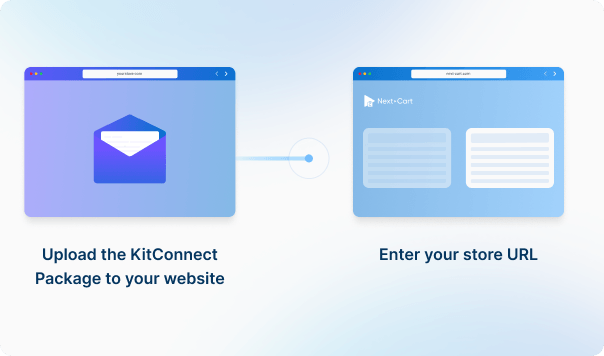
Connect your CS-Cart store
Enter your CS-Cart source store URL, then download the KitConnect package, unzip it, and upload it to your CS-Cart website.

3
Configure and start the migration
Enter your WooCommerce store URL in the Source Platform Setup form. Then, download the KitConnect package, unzip it, and upload it to the website root folder of your WooCommerce .
4
Review results & post-migration options
Enter your WooCommerce store URL in the Source Platform Setup form. Then, download the KitConnect package, unzip it, and upload it to the website root folder of your WooCommerce .
Data You Can Migrate
Products
Product Categories
Taxes
Manufacturers
Customers
Orders
Coupons
Reviews
Blog Posts
CMS Page
All relationships (categories, variants, images, etc.) preserved
Customize your setup with
additional options
Recent Data Migration
Clear Target Store Data
Strip HTML Tags from Category and Product Names
Transfer Embedded Images to Target Store
Create 301 Redirects for SEO URLs
Compatibility Overview
BigCommerce
CS-Cart
Version Range
BigCommerce V2 and BigCommerce V3
2.0.x – 4.20.x
Special Variants
Single-storefront, Multi-storefront
Multistore / Multisite
Main Editions
BigCommerce
CS-Cart Multi-Vendor On-Premises, CS-Cart Multi-Vendor Cloud, CS-Cart Store Builder
What BigCommerce setup is not automatically handled by data migration?
Theme setup, checkout settings, payments, taxes, shipping, apps, channels, and live integrations are Target Platform implementation tasks, not ordinary migrated records. Plan and test them in BigCommerce alongside the migration, while using Next-Cart to validate the agreed catalog, customer, order, content, and redirect data.


Can price lists, customer groups, channels, or multi-storefront data be migrated to BigCommerce?
Some supported data can be migrated or mapped, but segmented pricing, B2B records, channel assignments, multi-storefront relationships, app-owned data, and external identifiers may need special configuration or Custom Service review. BigCommerce-side channel, storefront, and pricing setup should be treated separately from ordinary record transfer and validated before launch.
What should I check for products with variants, modifiers, or custom options before moving to BigCommerce?
First confirm how each source product choice should appear in BigCommerce: as a variant, option, modifier, custom field, or another structure. Clear catalog structures may fit Standard Service, while modifier-heavy customization, bespoke pricing, or unsupported field handling may require Add-ons or Custom Service. Demo Migration should include both variant-heavy and modifier-like products.
Start your BigCommerce to CS-Cart Migration today!
Move your store from BigCommerce to CS-Cart with a secure, guided migration tailored to your business.