Next-Cart

WordPress to AmeriCommerce Migration

Migrate products, customers, orders, blog posts, and other supported store data from WordPress to AmeriCommerce securely and accurately while preserving data relationships throughout the transfer.
No Downtime,
No Coding Required
Keep your store running during migration. No coding or technical skills required.
Free Demo Available
Preview a sample of your data in the target store before starting the full migration.
1-Year License
with Repeat Migrations
Repeat your migration when needed, including new or updated data, within your plan’s data limit.
Expert Technician Support
Get expert help with connections, configuration, migration issues, and data validation throughout your migration.

How to Migrate WordPress to AmeriCommerce

Connect the source and target, choose the supported data and options, and review the results. The steps below describe the tool workflow; expert-led and custom projects may follow an agreed plan.
Connect your WordPress store
Connect your AmeriCommerce store
Configure and start the migration
Review results & post-migration options
1
Connect your WordPress store

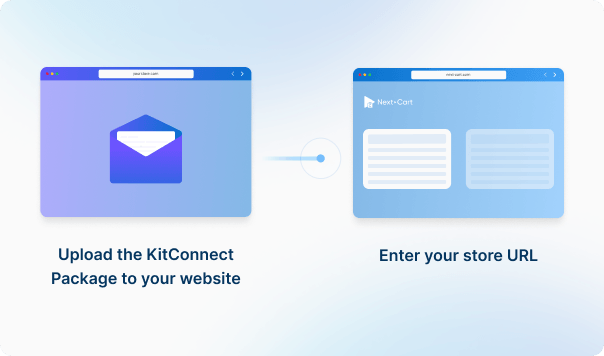
Enter your WordPress store URL, then download the KitConnect package, unzip it, and upload it to your WordPress website. 

What Can You Migrate from WordPress to AmeriCommerce?

Review supported data, source-to-target mappings and any listed conditions. Custom fields, plugin data and URL redirects may need additional review.
Products
Product Categories
Taxes
Manufacturers
Customers
Orders
Coupons
Reviews
Blog Posts
CMS Page
All relationships (categories, variants, images, etc.) preserved

Customize your setup with additional options

Recent Data Migration
Clear Target Store Data
Strip HTML Tags from Category and Product Names
Transfer Embedded Images to Target Store
Create 301 Redirects for SEO URLs
Compatibility Overview
WordPressWordPress
AmeriCommerceAmeriCommerce
Version Range
6.9 (and all previous versions)
Standard, Premium, Enterprise, Enterprise Plus
Language & Localization
Multilingual, Multicurrency, RTL, Localized URLs powered by WPML and Polylang
-
Main Editions
WordPress Online Store
AmeriCommerce
Product Types: Product, Product Variants, Virtual Product
Product Information: Title, SKU, UPC / GTIN, Content, Length / Width / Height, Published
Product Pricing : Regular Price, Regular Price (when Sale active), Sale Price
Product Options: Attribute, Attribute Value, Stock (Variation), Menu Order, Attribute Type
Product Variants : Attribute, Regular Price / Sale Price, Weight, Length / Width / Height, Stock Quantity, Image, Status
Product Images: Featured Image, Gallery, Alt Text, Content
Product Inventory : Manage Stock, Stock Status, Allow Backorders
External Links / Relationships : Categories
Product Attributes & Custom Fields : Attribute Name , Terms, Published, Type
Product SEO / Structured Data: SEO Title, SEO Description, Redirect, Slug
Category Information: Name, Slug, Description, Published, Redirect, SEO Title, SEO Description
Category Images: Alt Text
Category Structure / Hierarchy: Parent Category, Subcategories, Menu Order
Tax Rules: Tax Class, Country, State, Postcode, Rate, Tax Rate, Tax Shipping, Product
Manufacturer Information: ID, Name, Slug, Description
Manufacturer Branding : Image, Alt
Customer Information : First Name, Last Name, Email, Phone, Status, Registered Date, Password
Customer Addresses: ID, First Name, Last Name, Company, Address 1, Address 2, City, State, Country, Postcode, Phone, Type, Default Billing, Default Shipping
Customer Order History: Orders
Order Information: ID, Order Number, Status, Currency, Subtotal, Discount, Tax, Total, Payment Method, Shipping Method, Shipping, Tracking, Note, Created, Updated
Product Details: Name, SKU, Quantity, Price, Total, Tax, Discount, Variation
Customer Details: First Name, Last Name, Company, Address 1, City, State, Country, Postcode, Phone
Order Relationships: User ID, Products
Coupon Information: Code, Description, Discount Type, Coupon Amount, Status, Date Created, Date Expires
Usage Restrictions: Minimum Spend, Maximum Spend, Individual Use, Exclude Sale, Products, Excluded Products, Categories, Excluded Categories, Usage Limit, Usage Per User
Review Information: Title, Comment, Rating, Approved, Date
Reviewer Information: User ID, Email, Name
Product Relationship: Product ID, Variation ID
Post Information: Title, Content, Excerpt, Tags, Slug, Status, Visibility
Post Images: Featured Image, Images In Content, Alt
Post Categories : Category, Parent, Menu Order
Post SEO / Structure Data: SEO Title, SEO Description, Redirect
Post Comments: Name, Email, Comment, Date, Status
Page Information: ID, Title, Content, Excerpt, Slug, Status, Visibility, Template, Parent, Menu Order, Created, Updated
Page Images: Featured Image, Images In Content, Alt
Page SEO / Structure Data: SEO Title, SEO Description, Redirect
WordPressWordPress
AmeriCommerceAmeriCommerce
Product Types
Product
Product
Product Variants
Product Variants
Virtual Product
Digital Product
Title
Name
SKU
SKU
UPC / GTIN
UPC
Content
Description
Length / Width / Height
Published
Active
Regular Price
Price
Regular Price (when Sale active)
MSRP
Sale Price
Sale Price
Attribute
Option
Attribute Value
Option Value
Stock (Variation)
Option Inventory
Menu Order
Sort Order
Attribute Type
Option Type
Attribute
Variant Option
Regular Price / Sale Price
Price
Weight
Weight
Length / Width / Height
Stock Quantity
Inventory
Image
Image
Status
Active
Featured Image
Image
Gallery
Additional Images
Alt Text
Alt Text
Content
Description
Manage Stock
Track Inventory
Stock Status
Stock Status
Allow Backorders
Allow Backorders
Categories
Categories
Attribute Name
Attribute Name
Terms
Attribute Value
Published
Display
Type
Field Type
SEO Title
Meta Title
SEO Description
Meta Description
Redirect
Redirect
Slug
SEO URL
Category Information
Name
Name
Slug
SEO URL
Description
Description
Published
Active
Redirect
Redirect
SEO Title
Meta Title
SEO Description
Meta Description
Alt Text
Alt
Parent Category
Parent Category
Subcategories
Subcategories
Menu Order
Sort Order
Tax Rules
Tax Class
Tax Class
Country
Country
State
State
Postcode
Zip Code
Rate
Rate
Tax Rate
Tax Rule
Tax Shipping
Shipping Taxable
Product
Product
Manufacturer Information
ID
ID
Name
Name
Slug
SEO URL
Description
Description
Image
Image
Alt
Alt
Customer Information
First Name
First Name
Last Name
Last Name
Email
Email
Phone
Phone
Status
Status
Registered Date
Date Created
Password
Password
ID
ID
First Name
First Name
Last Name
Last Name
Company
Company
Address 1
Address 1
Address 2
Address 2
City
City
State
State
Country
Country
Postcode
Zip
Phone
Phone
Type
Type
Default Billing
Yes / No
Default Shipping
Yes / No
Orders
Orders
Order Information
ID
ID
Order Number
Order Number
Status
Status
Currency
Currency
Subtotal
Subtotal
Discount
Discount
Tax
Tax
Total
Total
Payment Method
Payment Method
Shipping Method
Shipping Method
Shipping
Shipping Method
Tracking
Tracking
Note
Note
Created
Created
Updated
Updated
Name
Product Name
SKU
SKU
Quantity
Quantity
Price
Price
Total
Total
Tax
Tax
Discount
Discount
Variation
Options
First Name
First Name
Last Name
Last Name
Company
Company
Address 1
Address
City
City
State
State
Country
Country
Postcode
Zip
Phone
Phone
User ID
Customer ID
Products
Products
Coupon Information
Code
Code
Description
Description
Discount Type
Discount Type
Coupon Amount
Discount Amount
Status
Active
Date Created
Start Date
Date Expires
End Date
Minimum Spend
Min Order
Maximum Spend
Max Order
Individual Use
Single Use
Exclude Sale
Exclude Sale
Products
Products
Excluded Products
Excluded Products
Categories
Categories
Excluded Categories
Excluded Categories
Usage Limit
Usage Limit
Usage Per User
Usage Per Customer
Review Information
Title
Title
Comment
Review
Rating
Rating
Approved
Status
Date
Date
User ID
Customer ID
Email
Email
Name
Name
Product ID
Product ID
Variation ID
Variant ID
Post Information
Title
Title
Content
Content
Excerpt
Summary
Tags
Tags
Slug
SEO URL
Status
Status
Visibility
Visibility
Featured Image
Image
Images In Content
Images In Content
Alt
Alt
Category
Category
Parent
Parent
Menu Order
Sort
SEO Title
Meta Title
SEO Description
Meta Description
Redirect
Redirect
Name
Name
Email
Email
Comment
Comment
Date
Date
Status
Status
Page Information
ID
ID
Title
Title
Content
Content
Excerpt
Summary
Slug
SEO URL
Status
Status
Visibility
Visibility
Template
Template
Parent
Parent
Menu Order
Sort
Created
Created
Updated
Updated
Featured Image
Image
Images In Content
Images In Content
Alt
Alt
SEO Title
Meta Title
SEO Description
Meta Description
Redirect
Redirect

WordPress to AmeriCommerce Migration Cost

Choose an available service: self-service Standard, expert-led Managed, or scoped Custom Migration. Enter your data volumes for an estimate; add-ons and custom requirements may affect the final price.
1. Service
2. Data Volume
Source Platform
WordPress
Target Platform
AmeriCommerce
Products
Customers
Orders
Blog posts
Custom jobs
+$100
ESTIMATED TOTAL ESTIMATED BASE PRICE
$0
Based on your selected service and data volume.
Standard Migration Source → Target
Migration Path
Source Platform ...
Target Platform ...
Data Volume
Total Data Records 0
Entity Points 0
Plan -
Service Standard Migration
0 0

You can increase your plan’s data limit, upgrade your service, or add custom work while your license is valid.

You only pay the price difference, and your license expiry date stays the same. Custom work is reviewed and quoted separately.

Learn about upgrades (Opens in a new tab)

Frequently Asked Questions

What you need to know before migrating your store data from WordPress to AmeriCommerce.

Can I migrate products from a specific store on my site?

Yes. You can choose to migrate products from 1 or more stores on your Magento site.

There are 2 limits you should be aware of before importing products into Shopify:

  • Each product can have up to 100 variants and 3 options. Therefore, out-of-bounds variants will be truncated if either the number of variants is greater than 100 or the number of options is more than 3. This limitation applies to both Shopify and Shopify Plus.
  • Once your Shopify store reaches 50,000 variants, you can only add up to 1,000 new variants per day (24 hours). This limitation applies to all data import methods whether through Shopify app or CSV file upload, but it does not apply to Shopify Plus stores.

For more details, you can refer to this article.

*Update: Since April 2024, Shopify has increased the variant limit per product from 100 to 2,000. This limit is gradually being rolled out to their stores. Our migration tool has also been updated to accommodate this new limit. Click here for more details.

If you face any of the problems above, please contact us to find the best solution for your migration.

The short answer is Yes. Within 1 year from the date of purchase, you can re-migrate data whenever you want with our dedicated support.

Moreover, our migration also has an option that allows you to migrate only new data (products, categories, customers, orders, etc.) that have not been migrated in the previous migration. It's called Recent Data Migration and you can do it as many times as you want as well.

Yes. We support migrating data from and to PostgreSQL database. However, this feature is not enabled by default. If your site is running on PostgreSQL, please submit a ticket. Our technicians will enable PostgreSQL connection on your migration tool.

Featured images, gallery images, and images within the descriptions of products, categories, blog posts, and pages will be downloaded and saved to your Target Store.

If images are not fully migrated or are missing from your new online store, please refer to the following guide for troubleshooting: How to resolve missing images after migration?

The Entity Limit only applies to products, customers, orders and blog posts. Other supported data such as categories, taxes, reviews, etc., will be fully migrated during the migration process. To learn more about all supported data types, please refer to the Supported Entities section on the migration tool page.

If you want to migrate data from or to third-party modules/extensions, our VIP Support Service (Migration Customization) will assist you in fulfilling all your desired requests.

Yes. After the migration process finishes, all categories will be moved and assigned to the corresponding products.

To set up the connection between our migration tool and your Cafe24 store, you only need to install our Migration Connection app. After you finish the installation, please copy the original domain of your Cafe24 store (https://xxxxxx.cafe24shop.com) into the migration tool and start the migration.

If you have any problems with the migration, please submit a ticket from your dashboard. Our technicians will support you throughout the migration until you are pleased with the results.

Our migration tool enables seamless transfer of multilingual data both to and from Shopify.

Preparing for Migration: Before starting, ensure your Shopify store is set up for multiple languages by navigating to Settings > Languages and adding the required languages.

Post-Migration Management: Once the migration is complete, use the Shopify Translate & Adapt app to review and manage the multilingual content that has been successfully transferred.

There are 2 methods to migrate products with attachments to WooCommerce and display the attachments on product page:


  1. Method 1: first, we upload the attachments to your WooCommerce website. Then, our technicians will customize the migration tool to add the attachments' URLs to product description.


  2. Method 2: you can use a Product Attachments plugin. Our technicians will customize the migration tool to import the attachments based on the plugin you use.

Start Your WordPress to AmeriCommerce Migration Today!

Move your store from WordPress to AmeriCommerce with a secure, guided migration tailored to your business.