The PinnacleCart API allows access to products, orders and customers data. To use the API you need to create a Username, Password and generate a Security Token.
 Pinnacle Cart API Access
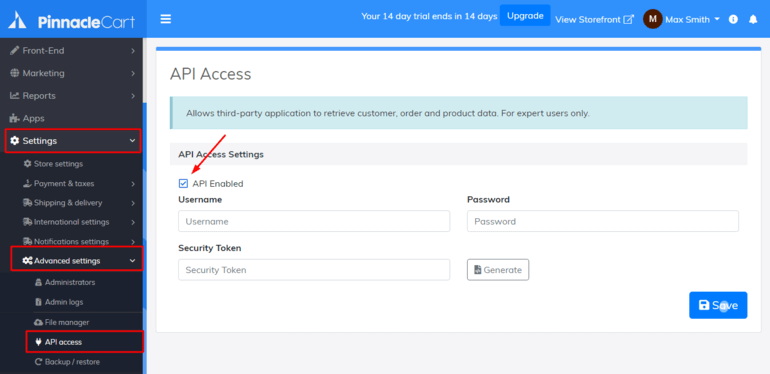
- Login to your Pinnacle Cart admin panel.
- Go to Settings > Advanced settings > API access.
- Select the API Enabled checkbox.
- Enter your Username and Password, then press Generate button to get your Security Token.
- Press Save button.
- After that, you can use these API Access credentials to perform the migration: Username, Password and Security Token.