
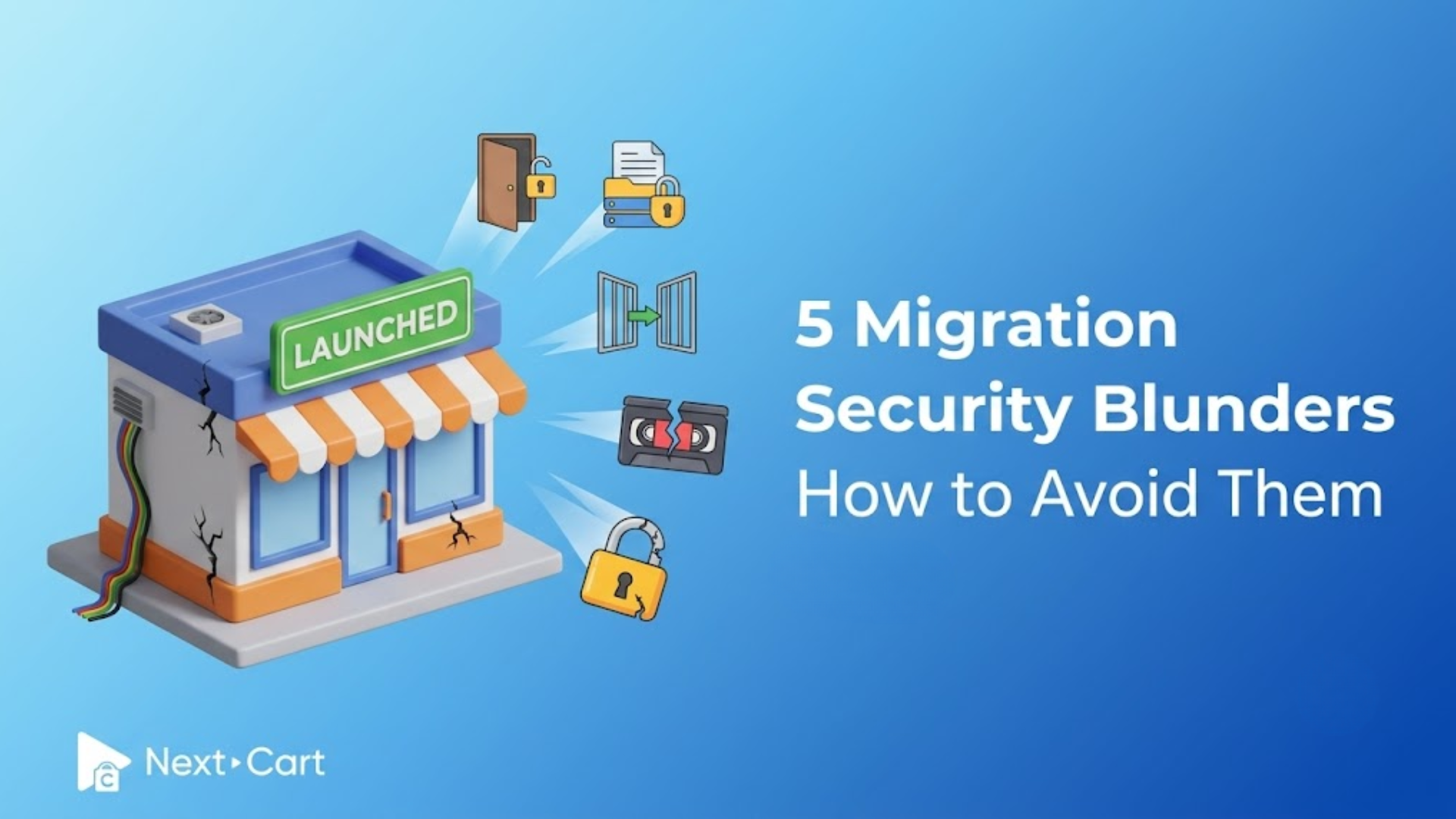
Every eCommerce migration begins with optimism: a better storefront, faster performance, scalable infrastructure, and smooth customer experience. And after weeks of preparation, your new store finally goes live, with products in place, integrations running, and the design looking exactly as you imagined.
Then, suddenly, problems start appearing. Customers report login failures. You see duplicate spam orders flooding your dashboard, and an old testing environment becomes accessible unnoticed. What initially seemed like a successful migration now raises a security concern.
In reality, during a platform migration, your store becomes really vulnerable. Data is transferred between systems, temporary access is granted, multiple testing environments are created, and other risky points arise. Meanwhile, merchants usually focus on maintaining SEO rankings, product images, and storefront performance, pushing security “blind spots” into the background.
That is where the real danger begins.
Migration security is not simply a technical checklist. It is the process of protecting your business’s digital foundation as you move from one eCommerce platform to another, covering customer records, order histories, passwords, payment workflows, and third-party integrations.
In this guide, we will uncover five common security blind spots that can quietly damage an otherwise successful migration. More importantly, we will suggest practical ways to avoid them and explain how Next-Cart approaches migration security with protection in every stage of the process.
- Blind spot #1: Forgotten API keys and old admin access
- Blind spot #2: Transferring sensitive data without encryption
- Blind spot #3: Unsecured staging environments
- Blind spot #4: Trusting weak backup systems
- Blind spot #5: Broken customer authentication after migration
- Migration security is the foundation of a successful journey
Blind spot #1: Forgotten API keys and old admin access
Temporary access is one of the most common migration mistakes after the work finishes.
To understand this matter, imagine you give several contractors keys to your home during renovation. Once the project is complete, you would naturally collect those keys back. But in the eCommerce migration project, you forgot to do the equivalent.
During migration, developers, apps, and external services frequently receive temporary permissions to connect with your store. This works thanks to API credentials, which are digital keys that allow third parties such as shipping systems, inventory software, marketing tools, and analytics platforms to communicate directly with your database.
The problem begins when these keys are not removed.
These old admin accounts and unused integrations then become entry points that hackers look for. Since merchants often stop monitoring these temporary connections after launch, abandoned credentials can remain exposed for months. Sometimes, all it takes is one forgotten account with outdated security settings to compromise backend access.
This is why access management should always be part of a migration strategy.
Before migration begins, review every admin account, integration, and connected service currently attached to the store. Once the migration is complete, another audit should immediately follow to remove temporary developer accounts, disable outdated integrations, and revoke unused API permissions. Access should be limited only to the systems that genuinely need it.
At Next-Cart, secure API protocols are used throughout the migration process. Also, temporary connection tokens are safely discarded after project completion, ensuring that no hidden entry points are left behind.
Finally, a successful migration should leave your infrastructure cleaner, not vulnerable.
Blind spot #2: Transferring sensitive data without encryption
Migration involves moving customer information, order histories, the product database, and login credentials between servers on the internet. This movement is known as data-in-transit.
In fact, without proper encryption, sensitive information can potentially be intercepted while moving between systems. Cybercriminals use techniques commonly known as “Man-in-the-Middle” attacks to intercept unsecured data streams.
In simple terms, it is similar to sending confidential business documents through public mail without sealed packaging.
Unfortunately, most merchants never actually see this process happening. This leads to an underestimate of the risks involved. Many stores still rely on outdated HTTP connections, use expired SSL certificates, or transfer data through poorly secured environments. Others even assume their hosting provider automatically handles every aspect of migration security.
It is important to be aware that encryption prevents information from being readable even if intercepted. HTTPS protocols and SSL certificates act as protective tunnels for your data during the migration. Therefore, before starting any migration, merchants should verify that the destination environment has active HTTPS protection enabled and that SSL certificates are valid and up to date.
Managing migration tasks over unsecured public networks can unintentionally expose sensitive information about your store.
At Next-Cart, all database transfers use advanced 128-bit SSL and HTTPS encryption, securing every stage of the transfer process from extraction to final import.
Customers may never notice secure encryption working in the background. But they will absolutely notice when it is missing.
Blind spot #3: Unsecured staging environments
One of the most underestimated risks in migration security often hides inside temporary testing environments.
Before launching a new store, businesses commonly create a staging site – a private replica used for testing themes, payment systems, integrations, and layouts.
On the surface, staging environments are temporary, hidden, internal, and feel harmless. At least, that is what many merchants believe.
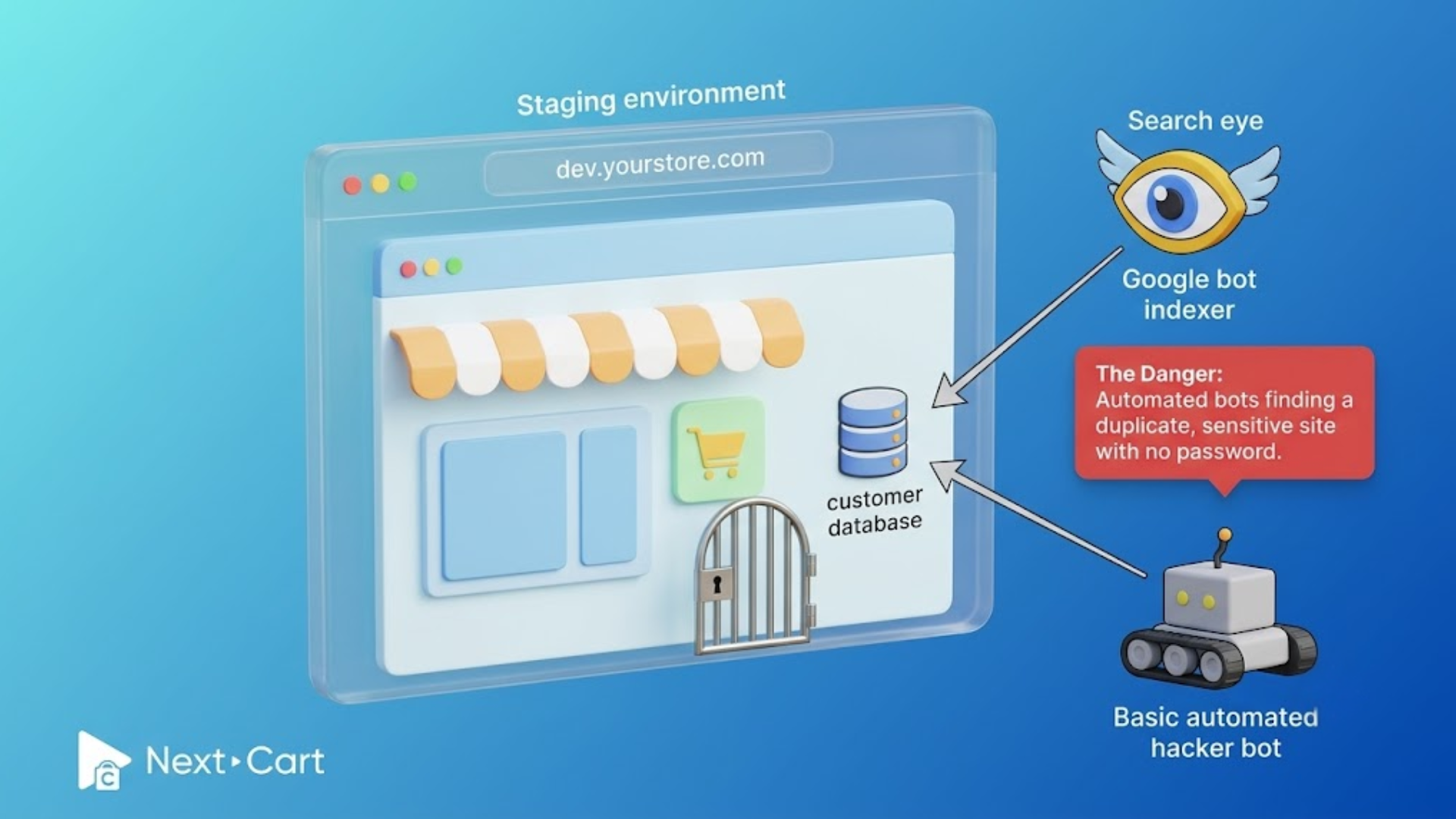
In reality, staging sites are frequent targets for automated bots that scan the internet for poorly secured development environments. Subdomains like “dev.yourstore.com” or “test.yourstore.com” are easy to discover.
Meanwhile, staging sites often contain real customer data copied from the live store. If left unprotected, these sites can expose customer databases, admin dashboards, or API credentials. In some cases, staging environments become even weaker than the live storefront because businesses assume no one knows they exist.
What merchants should do is treat staging environments as a serious migration security priority: applying stronger password protection measures, restricting access by IP address, using server-level authentication, and preventing public indexing.
Moreover, if Google indexes your staging site, it can lead to duplicate content issues that affect SEO performance after launch. Therefore, staging environments should always use “noindex” directives until they are removed.
During migration, unfinished environments should not accidentally become open doors.
Blind spot #4: Trusting weak backup systems
Safe migrations begin with a reliable backup strategy – a real, verified backup.
A database backup is essentially a complete snapshot of your store at a specific moment in time. That copy preserves all products, orders, customer accounts, inventory records, and business settings inside. Without it, migration becomes dangerous.
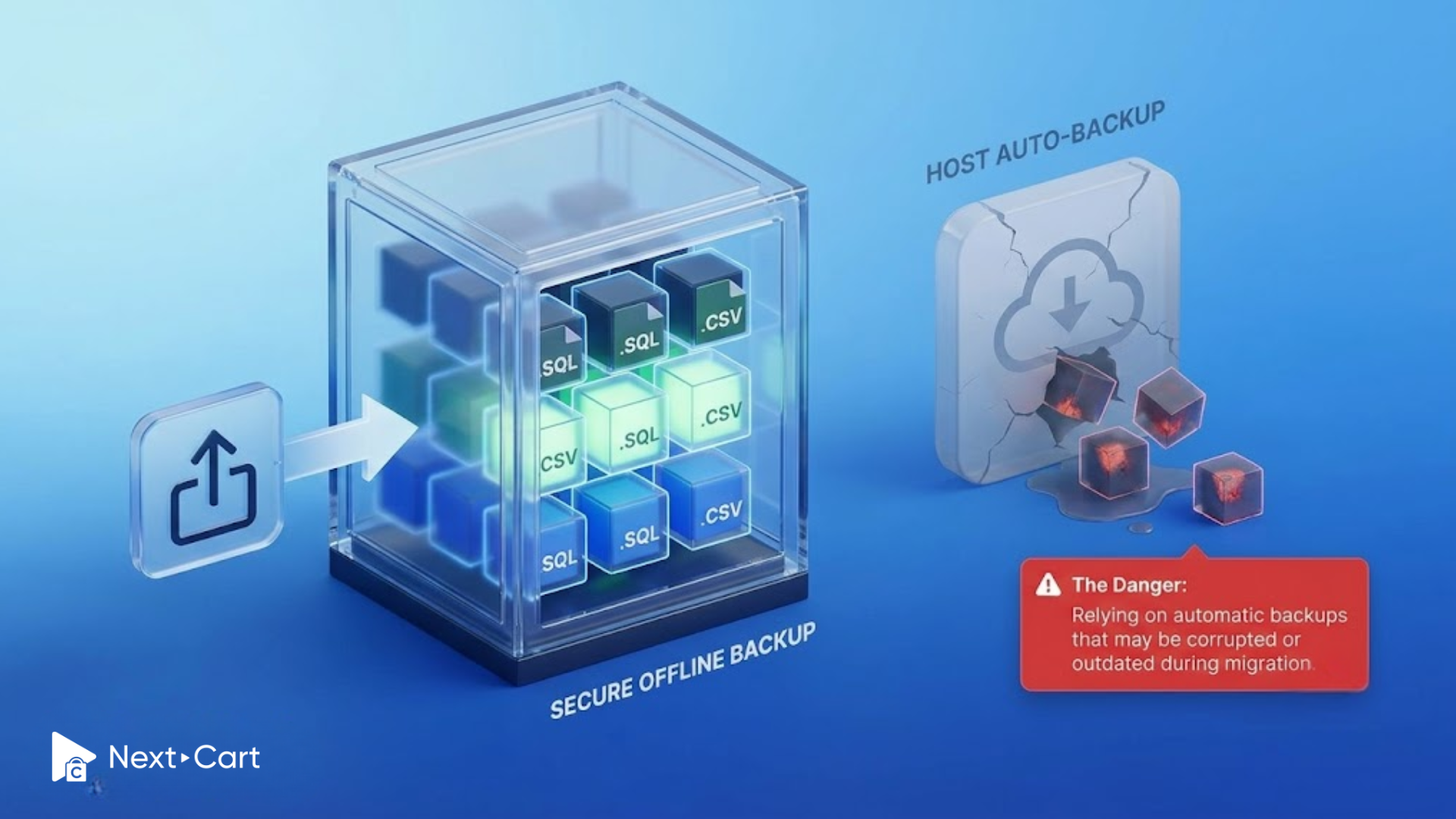
Many merchants assume their hosting provider already handles backups. Sometimes that is true. But sometimes those backups are outdated, incomplete, or corrupted, and this goes unnoticed until restoration becomes necessary.
Or some businesses store backups on the same server as the live website. This means that when a problem occurs, both systems could fail simultaneously. Others create backups but never test whether restoration actually works. In some cases, only files are backed up while databases are overlooked.
Unfortunately, these backup mistakes are extremely common.
If migration fails and your only backup is unusable, valuable business data, including years of customer histories and transaction records, may disappear permanently.
A backup only matters if it can truly restore your store when needed.
Before migration begins, merchants should manually export fresh database copies and store them securely outside the active hosting environment. Also, it is better to store them on an encrypted cloud storage or offline storage containers rather than relying solely on the live server itself. Then, test restoration procedures.
The safest backup becomes useless if nobody verifies that it can actually recover the store successfully. Backups are often invisible during a smooth migration. But when problems happen, they become the difference between recovery and disaster.
Blind spot #5: Broken customer authentication after migration
Few migration issues damage customer trust as quickly as login failures. Customers who suddenly lose access to their accounts often assume the worst. Authentication problems create confusion, frustration, and concern about migration security.
The root cause usually comes down to password hashing.
Modern eCommerce platforms do not store passwords directly. Instead, passwords are transformed into encrypted strings called hashes. This process protects customer credentials even if someone can access the database.
The complication is that every platform handles password hashing differently.
Magento, WooCommerce, Shopify, and other eCommerce platforms all use different authentication structures and encryption methods. If these systems are not mapped correctly during migration, customer logins can fail. Then, customers may feel the store is broken or insecure.
This is why password migration should never be treated casually. Before launch, authentication systems should be tested carefully across different customer scenarios. Password reset workflows should function properly. Also, businesses should communicate platform upgrades clearly so customers understand what changes. Transparent communication will reduce confusion significantly.
At Next-Cart, customer password migration is handled through carefully mapped hashing compatibility processes. It is supported by the destination platform, creating a seamless experience that allows customers to continue accessing their accounts without disruption.
The safest migration is the one customers barely notice.
Migration security is the foundation of a successful journey
Platform migration should never feel like a security gamble. A successful transition begins with protecting the trust customers place in your business. That trust includes personal information, account credentials, purchase histories, and private customer interactions. Once compromised, it becomes extremely difficult to rebuild.
Fortunately, most migration security risks are preventable by removing unnecessary access points, encrypting data in transit, securing staging environments, maintaining verified backups, and protecting customer authentication systems.
Migration security works best when it is built into the migration itself, not added afterwards as damage control.
At Next-Cart, security is treated as a core part of every migration workflow. The focus remains on protecting customer data while ensuring a smooth platform transition.
Because your store is the trust your customers choose to place in your business. And that trust deserves protection at every stage of the journey.